

A Xero receipt scanner for iPhone that splits mixed receipts
For freelancers, sole traders, and small business owners mixing business and personal cards: business lines reach Xero expense accounts while receipt totals match card charges.

Xero sync is part of Pro. 7-day free trial on the annual plan.
Split business and personal items on one receipt
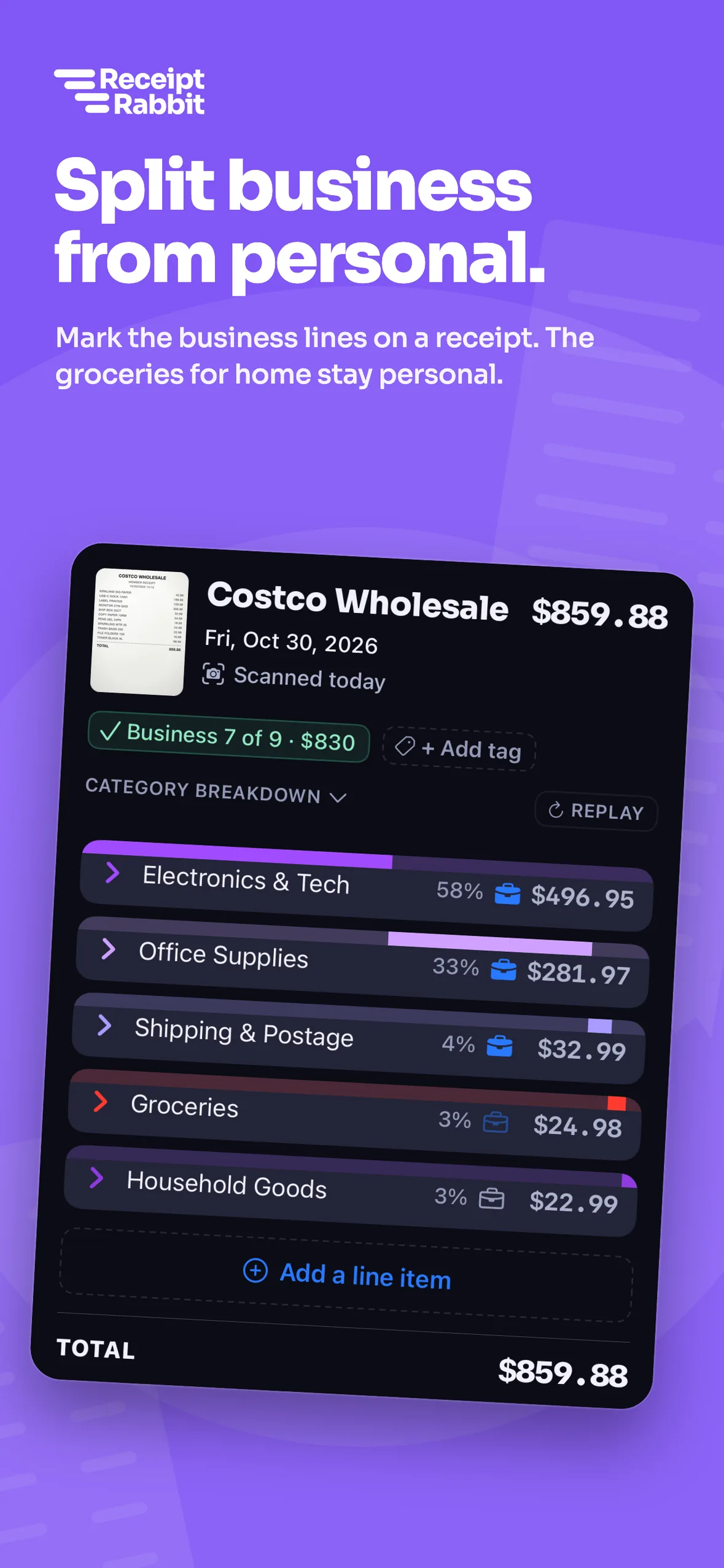
Mark the business items on a mixed receipt and send a single spend money transaction that matches the full card charge.
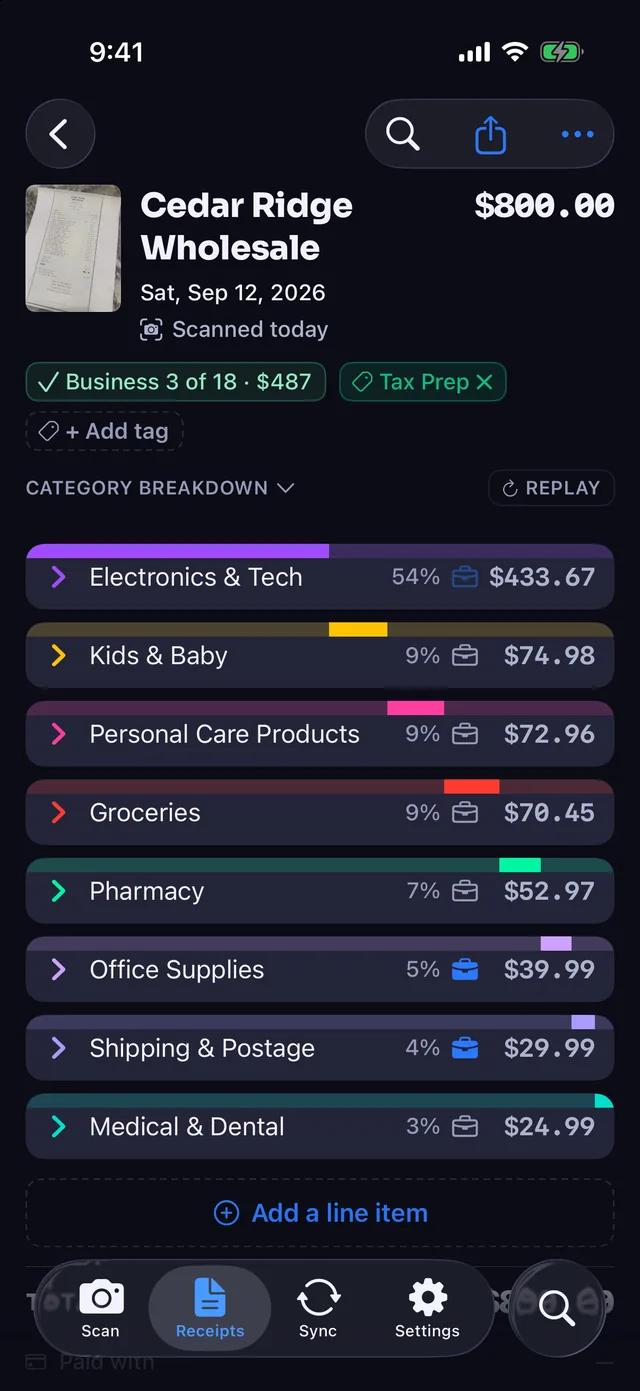
- 42 categories across 11 groups. Every line item is categorized, along with the vendor, date, card, tax, and total.
- Business lines mapped to Xero. Business items go straight to the Xero expense accounts you choose.
- One line for personal items. Non-business items group onto one line booked to your chosen personal account, so the total matches the card charge.
- One spend money transaction. Xero gets one split transaction paid from your chosen bank or card account, with the photo or PDF attached.
Review every receipt before it touches your books
Automatic sending after each scan is off by default, so nothing posts to Xero until you check the lines and tap send.
- Three ways to add receipts. Scan paper with the iPhone camera, import a photo or PDF from Files, or forward an email receipt.
- Send when ready. Review the extracted items and tap send, or turn on automatic sending after each scan.
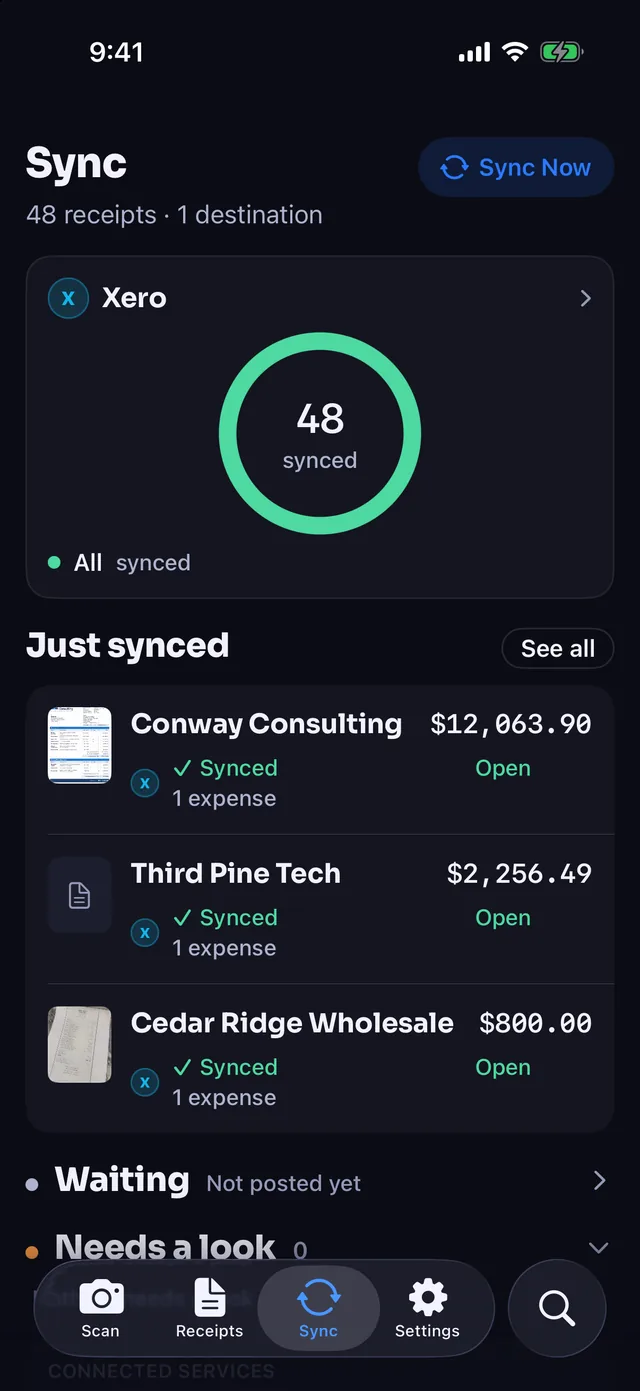
- Clear sync status. Check the Sync tab any time to see your Xero connection status and recent sync activity.
Map your Xero accounts once
Connect Xero and set up your existing chart of accounts, card rules, and delete preferences.
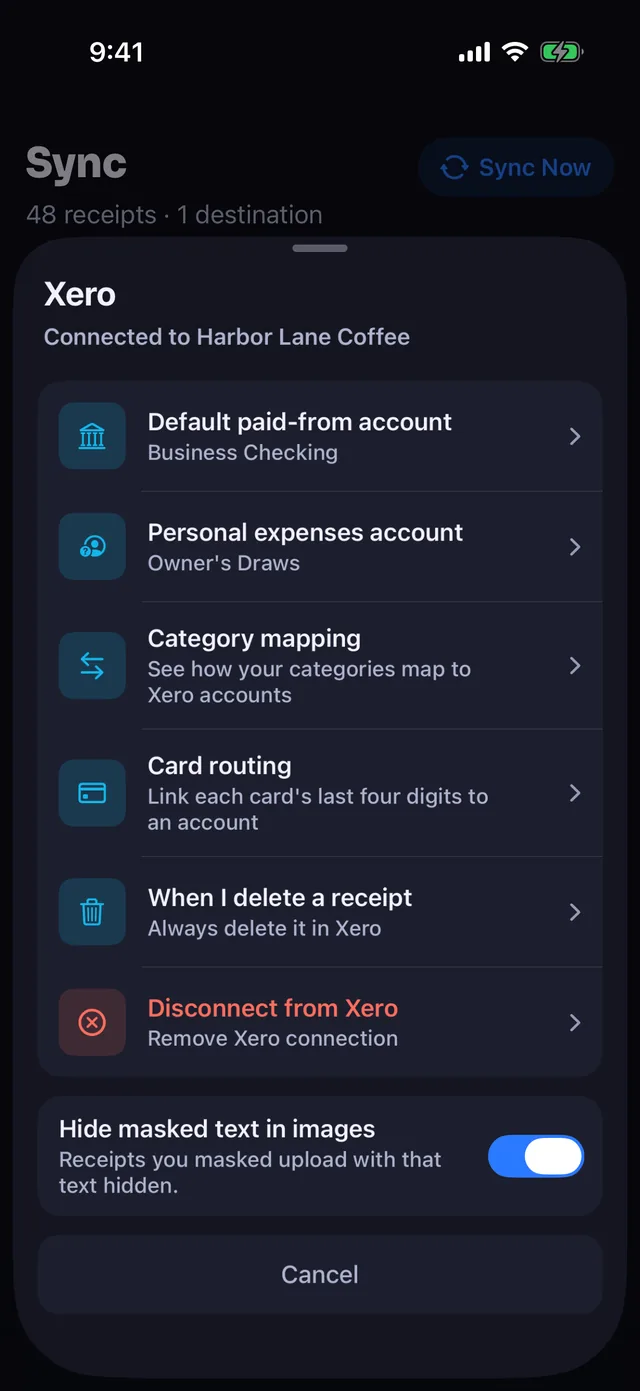
- Category mapping. Map Receipt Rabbit categories to your existing Xero expense accounts.
- Default and personal accounts. Pick your default paid-from account and the personal account for non-business lines (mixed receipts wait until this is set).
- Card routing rules. Match the last 4 digits on a receipt to a Xero bank or card account, or change it per receipt.
- Delete behavior. Choose whether deleting a receipt in the app removes it from Xero, never does, or asks first (reconciled transactions stay).
- Hide masked text in images. On by default. Photos uploaded to Xero cover text you hid and your Always Hide list. PDFs upload unchanged.
Reconcile cleanly with your Xero bank feed
Send your receipt
Review the extracted receipt in Receipt Rabbit and tap send to post it to Xero.
Card charge clears
Your bank feed imports the cleared card charge into Xero.
Confirm in Xero
Xero suggests a match between the bank statement line and your receipt transaction, and you confirm it.
What Receipt Rabbit can see and change in Xero
Reads
- Chart of accounts. Reads your expense accounts and the bank or card accounts that receipts are paid from.
- Contacts. Reads existing contacts so the app does not create duplicates.
Writes
- Spend money transactions. Creates one split spend money transaction per receipt.
- Attachments. Uploads the receipt photo or PDF to the transaction.
- New contacts. Creates a contact only when a receipt's store is not already in your Xero contacts.
Never
- Bank feeds stay untouched. Receipt Rabbit never reads your Xero bank feed, and your bank connection stays inside Xero.
- Never moves money. The app never starts a payment or moves money.
- Disconnect any time. You can disconnect from Xero any time in the app's Xero settings on the Sync tab.
Privacy
No user account
Receipt Rabbit has no login and no user database.
Stored on your devices
Receipts stay on your iPhone and in your own iCloud, and your Xero connection lives in your iPhone Keychain.
On-device masking
Before categorizing receipts, your iPhone masks phone and card numbers in text and personal details on photos, best effort. Photos sent to Xero keep your masking and Always Hide words covered by default, while PDFs upload as they are.
Full detail: Privacy Policy and End User License Agreement. Questions: support@receiptrabbit.io.
Pricing for Xero sync
Free: $0
No Xero sync
- 30 scans a month
- Line items, CSV, and image exports
Plus: $4/month or $30/year
No Xero sync
- 100 scans a month
- Lunch Money sync, CSV, and image exports
Pro: $8/month or $60/year
Includes Xero sync
- 300 scans a month
- Xero and Lunch Money sync
- 7-day free trial on annual plan
Xero questions
Does Receipt Rabbit work with Xero?
Yes, on iPhone (iOS 18 and later) with a Receipt Rabbit Pro plan ($8/month or $60/year, 300 scans a month). Each receipt posts to Xero as one split spend money transaction with the receipt photo or PDF attached.
How does receipt reconciliation work with my Xero bank feed?
Receipt Rabbit sends a spend money transaction whose split lines add up to the full receipt total. When your bank feed imports the cleared charge into Xero, Xero matches the bank statement line to that spend money transaction, and you confirm the match in Xero.
How does Receipt Rabbit handle a receipt with both business and personal items?
You mark the business line items, and they go to your mapped Xero expense accounts. All remaining items group onto one line booked to a personal account you pick once, so the total matches your card charge. Mixed receipts wait until you pick that account.
What if I use multiple business cards or bank accounts?
Set a default paid-from account and add card routing rules in your Xero settings. When Receipt Rabbit reads the last 4 digits of a card on a receipt, it assigns the matching Xero bank or card account. You can also change the account per receipt.
Can I review receipts before they go to Xero?
Yes. Automatic sending after each scan starts off by default, so receipts stay on your iPhone until you check the line items and tap send. If you prefer, you can turn on sending after each scan.
Spot an error on this page? Email support@receiptrabbit.io and we will correct it.
Try Receipt Rabbit Pro free for 7 days on the annual plan ($60/year, or $8/month) on the App Store for iPhone (iOS 18+).
Platform: iPhone (iOS 18 and later)
Requirement: Receipt Rabbit Pro ($8/month or $60/year) and an active Xero account
By Pine River Labs · Updated
Xero is a trademark of Xero Limited. Receipt Rabbit is not affiliated with, endorsed by, or sponsored by Xero Limited.