

Every line item on your receipt categorized
Built for freelancers and solo business owners on iPhone. Receipt Rabbit gives each line item a category and lets you mark business lines individually.
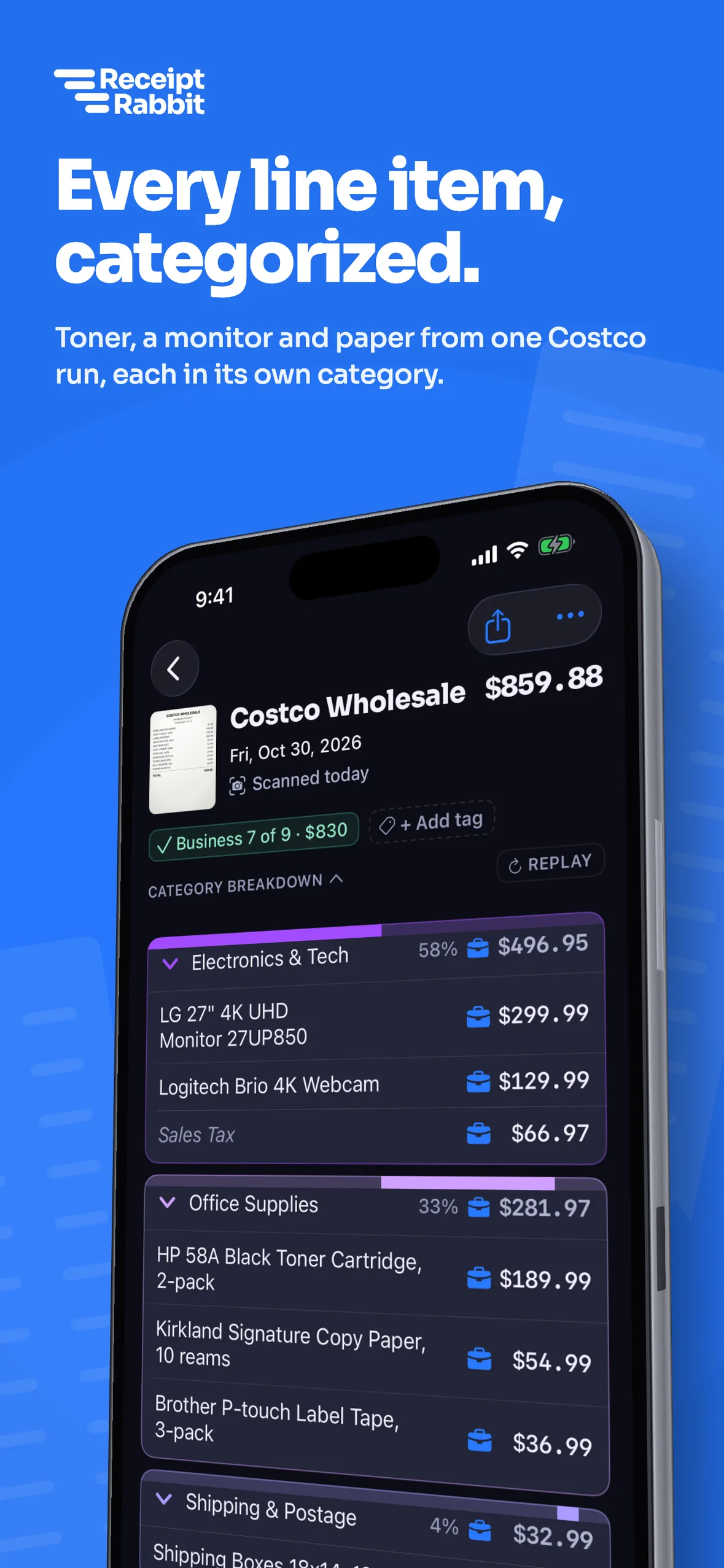

One receipt splits into every category you bought
Receipt Rabbit reads every line item on a store receipt or invoice and gives each line its own spending category.
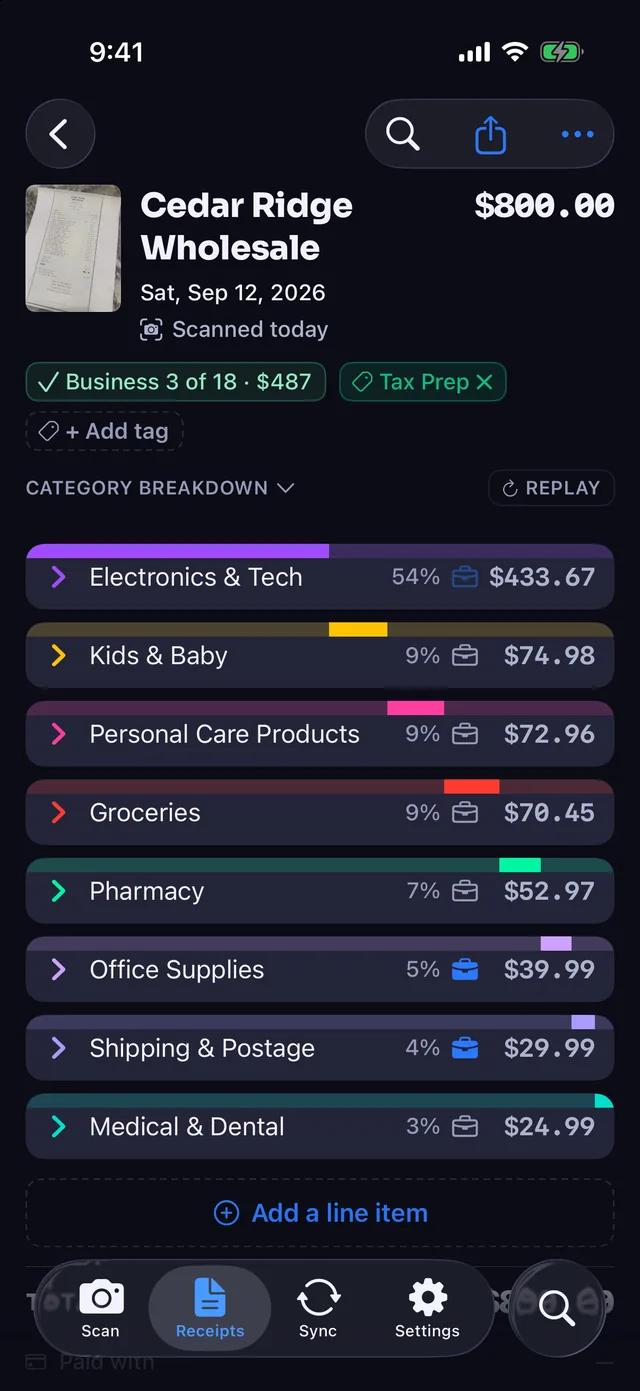
| Cedar Ridge Wholesale, $800.00 | Amount |
|---|---|
| Electronics & Tech | $433.67 |
| Kids & Baby | $74.98 |
| Personal Care Products | $72.96 |
| Groceries | $70.45 |
| Pharmacy | $52.97 |
| Office Supplies | $39.99 |
| Shipping & Postage | $29.99 |
| Medical & Dental | $24.99 |
- Costco runs split cleanly. A monitor, webcam, toner and paper divide into Electronics & Tech and Office Supplies on a single receipt.
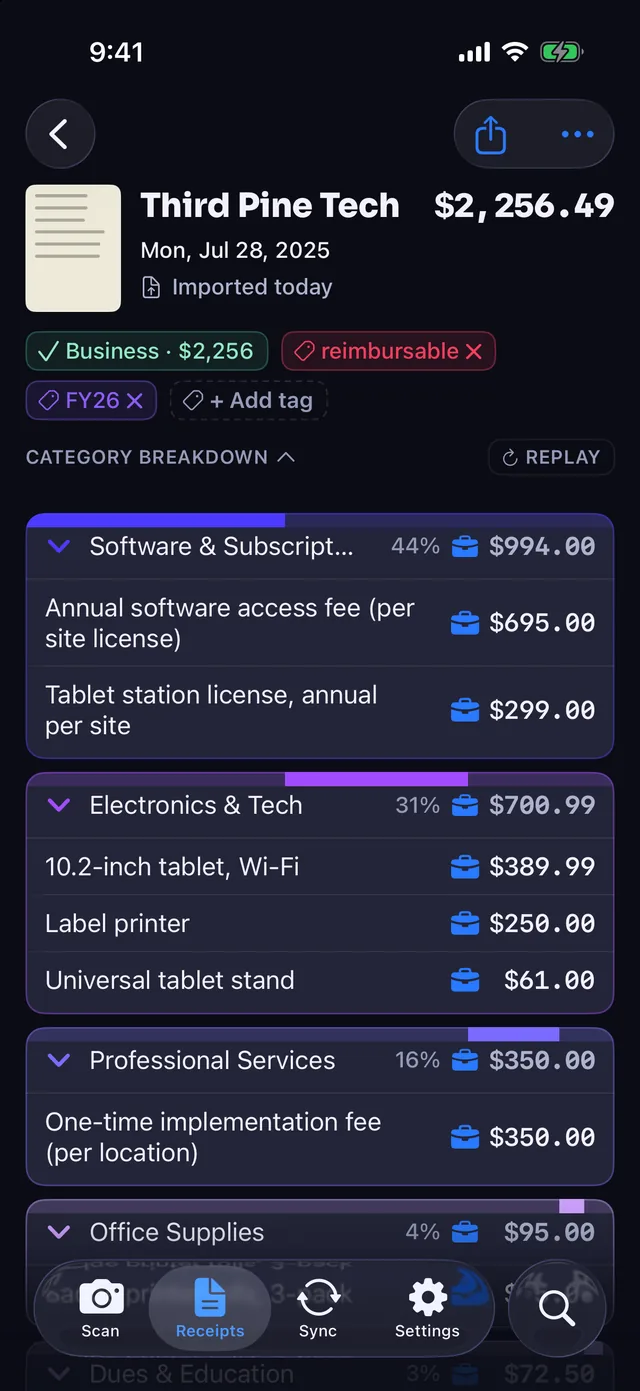
- Multi-line invoices stay accurate. An annual software license, tablet, label printer, setup fee and shipping go to four separate categories.
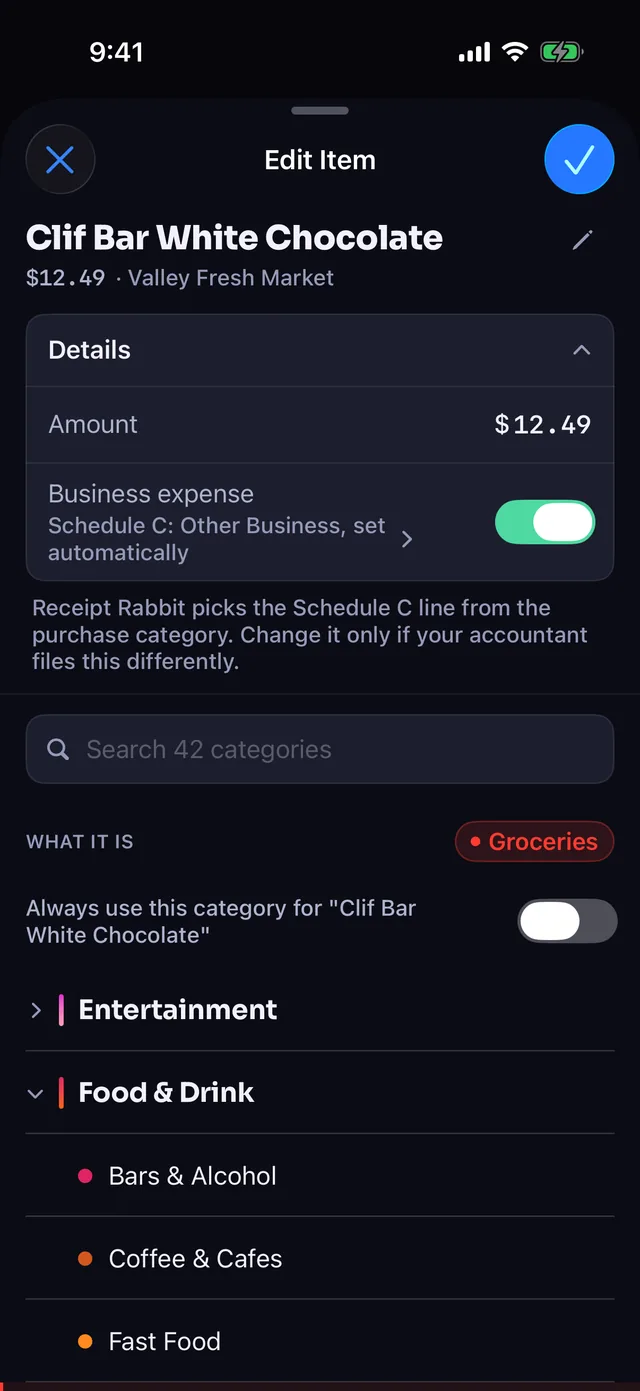
- One tap to change a line. Tap any item to search the 42 categories and pick a different match.
Line-item categorization shows what you actually bought
Assigning one category to an entire receipt hides mixed purchases. Categorizing each line item keeps your spending records accurate.
| One category per receipt | Receipt Rabbit | |
|---|---|---|
| Mixed store trip | No: One category for all | Yes: Each item categorized separately |
| Hardware store run | No: Five items, one category | Yes: Five items, five categories |
| Business and personal | No: Whole receipt marked business | Yes: Business marked per line |
| Multi-part invoice | No: One lump sum total | Yes: Each line item separated |
| Your books receive | No: One combined receipt total | Yes: Itemized lines by category |
Every Receipt Rabbit plan categorizes every line item on your receipts. Start on the Free plan with 30 receipts a month on your iPhone, with no account or login required.
Mark business lines and leave personal items personal
Separate business expenses from personal shopping on the same receipt without scanning twice or doing manual math.
- Flag single lines. Tap individual line items to mark them as business expenses while personal lines stay personal.
- Select in bulk. Pick several lines on a receipt and mark them all as business at once.
- Tag for tracking. Add tags like reimbursable or a tax year to organize your expenses.
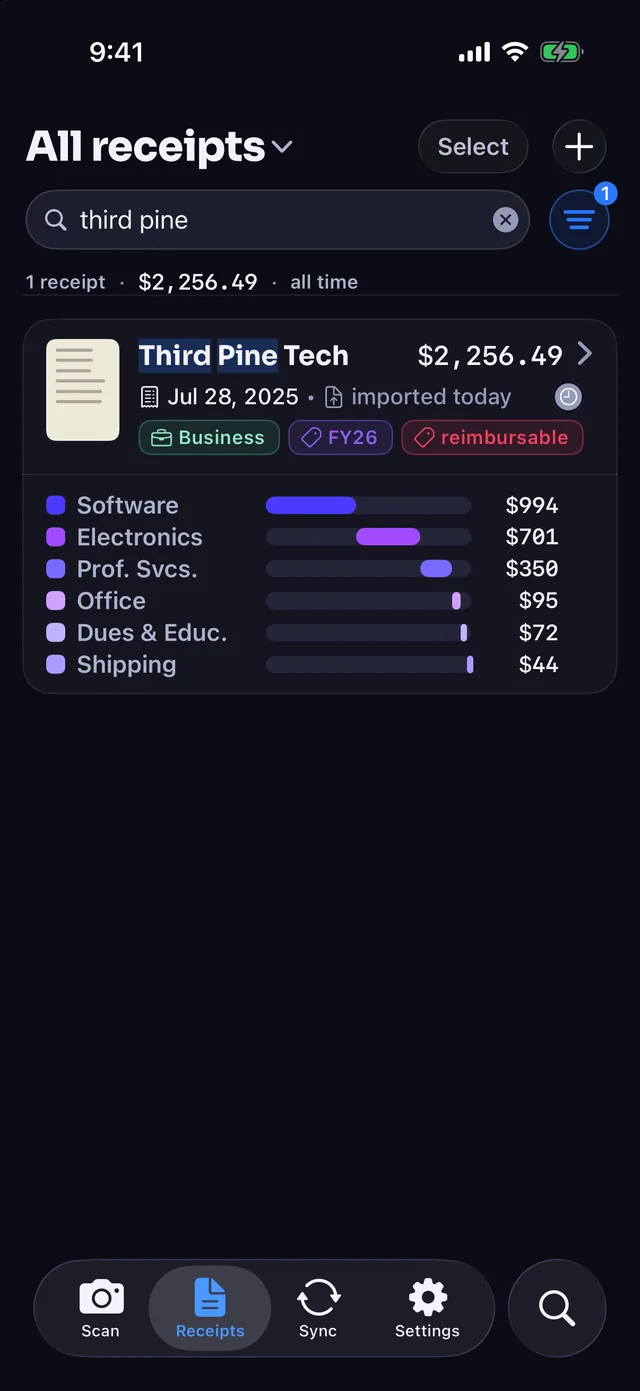
- Spot tags fast. Your tags appear directly on the receipt card in your main list.
42 fixed categories keep your books consistent all year
Receipt Rabbit uses 42 fixed categories organized into 11 groups, so identical purchases always land in the same place.
- Dedicated Work & Office group. Business categories like Software & Subscriptions and Shipping & Postage live in their own group.
- Same category every month. Fixed category names mean printer paper lands in Office Supplies all year long.
- Map your accounts once. Fixed category names mean you connect your accounting categories a single time.
Your category split carries directly into your books
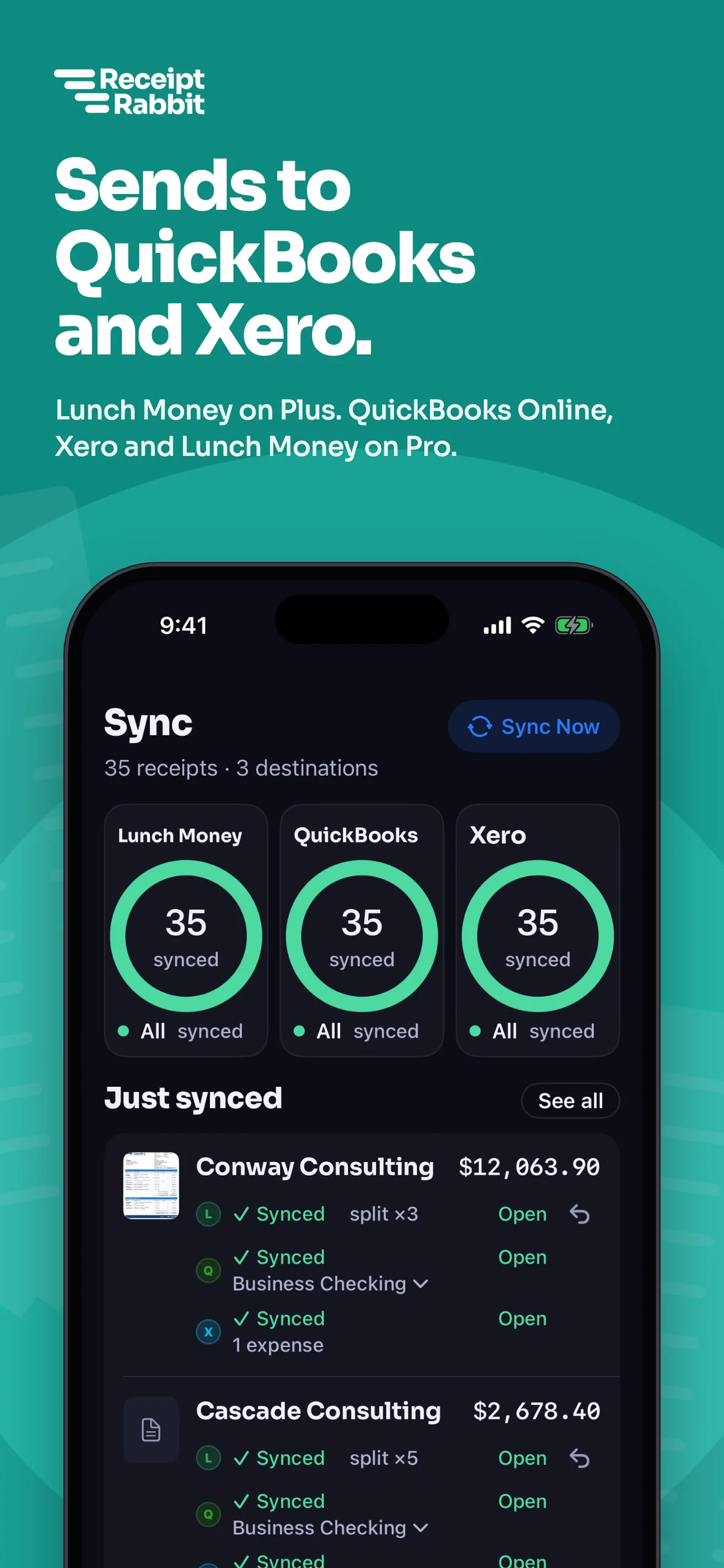
Sync right after scanning on Plus or Pro, or review your receipt first and send it when you are ready.
- QuickBooks Online (Pro). Posts the receipt as one Expense with a separate line for each spending category.
- Lunch Money (Plus or Pro). Splits the matching bank transaction across the same categories from your receipt.
- Xero (Pro). Syncs your categorized receipts directly to Xero, either right after scanning or after you review.
- Spreadsheet & reports. Export a CSV with one row per line item on Free, or generate expense reports and accountant packages on Pro.
Questions
What is line-item receipt categorization?
Line-item categorization reads every individual line on a receipt and assigns each item its own spending category. A single hardware store trip with a drill, printer paper, bubble mailers, a first-aid kit and dish soap splits into five separate categories.
How many spending categories does Receipt Rabbit have?
Receipt Rabbit uses 42 fixed categories organized into 11 groups, including a dedicated Work & Office group for business expenses like Software & Subscriptions and Shipping & Postage.
Can I change a line item's category if I disagree with it?
Yes. Tap any line item on the receipt to open the category picker, search the 42 categories, and select the one you want.
Can I mix business and personal items on one receipt?
Yes. You can mark individual lines as business expenses or select several lines and mark them all at once. Personal items stay personal on the same receipt. You can also add tags like reimbursable or a tax year.
Does the line-item split carry over to my accounting software?
Yes. QuickBooks Online (Pro) posts one Expense with a line per category, Lunch Money (Plus or Pro) splits the matching bank transaction, and Xero (Pro) syncs your receipts. The Free plan exports a CSV spreadsheet with one row per line item.
Is line-item categorization included on the free plan?
Yes. Every plan categorizes each line item. The Free plan includes 30 receipts a month and CSV exports. Plus gives you 100 receipts a month ($4/month or $30/year), and Pro gives you 300 receipts a month ($8/month or $60/year).
Spot an error on this page? Email support@receiptrabbit.io and we will correct it.
Scan 30 receipts a month free, with every line categorized and no login required.