

Dext alternative for one‑person businesses: Receipt Rabbit vs Dext
An iPhone receipt scanner for one-person businesses. Get every line item on every scan with zero per-document extraction fees, starting free.
By Pine River Labs, makers of Receipt Rabbit · Updated 2026-10-18
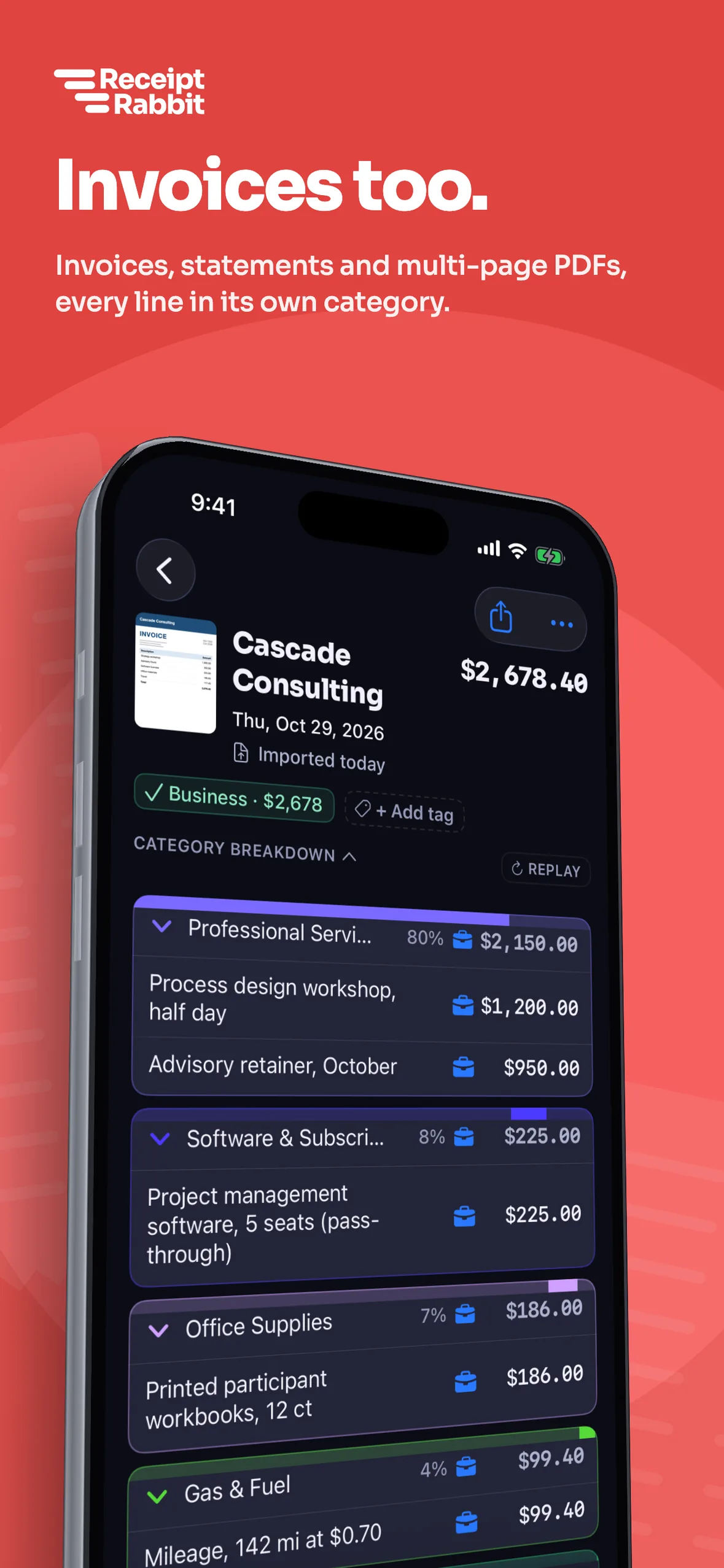

Receipt Rabbit includes line-item extraction for a fraction of Dext's price
| Feature | Receipt Rabbit | Dext |
|---|---|---|
| Built for | Solo iPhone owners | Firms and multi-user teams |
| Free plan | Yes: 30 scans a month | No: 14-day free trial |
| Price | Free to $8 a month | From $25.21 a month (billed annually) |
| Line items on every receipt | Yes: Included on all plans | No: 5 a month, then paid |
| Category per line | Yes: 42 categories | Yes: Splits into cost codes |
| Business or personal per line | Yes: On the same receipt | Not stated on Dext's pages |
| QuickBooks Online and Xero | Yes: On Pro ($8 a month) | Yes: 36+ integrations |
| Users | 1 user (no account needed) | 5 users on default plan |
| Bank statements | No: No | Yes: 10 sheets a month included |
| Mileage | No: No | Yes: GPS trip logging |
| Android | No: iPhone only | Yes: iOS and Android |
Dext prices reflect its default US business plan setting checked 2026-10-18, where a slider raises the monthly document allowance.
30 receipts with line items: about $37.71 a month on Dext, free on Receipt Rabbit
Receipt Rabbit reads every line on every receipt on all plans. Dext includes 5 line-item extractions a month on its $25.21 a month default annual plan, then charges $0.50 per document or $20.50 for 50.
- Free for 30 scans. Scan 30 receipts a month with full line-item extraction and email forwarding for free.
- Plus for 100 scans. Get 100 scans a month and Lunch Money sync for $4 a month or $30 a year.
- Pro for 300 scans. 300 scans a month with QuickBooks and Xero for $8 a month, or $60 a year (about $5.00 a month).
Our arithmetic from Dext's published prices: 30 receipts a month with line items adds $12.50 (25 extra at $0.50 each) to Dext's $25.21 base. Receipt Rabbit Free includes all 30.
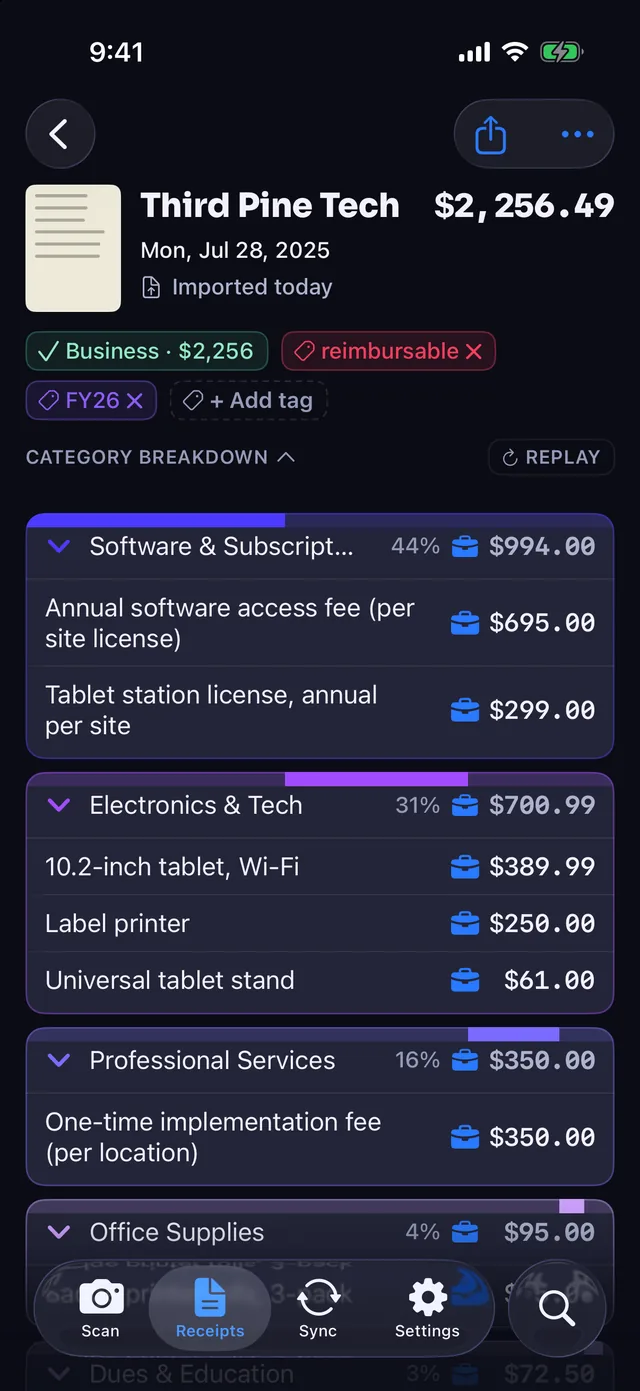
Split business and personal lines on one receipt for Schedule C
Sort mixed receipts right on your iPhone. Every scan categorizes each item into 42 categories across 11 groups, including a Work & Office group.
- Business or personal per line. Mark individual lines as business expenses or leave them personal on the exact same receipt.
- Automatic Schedule C mapping. Your Tax Profile maps every business line straight to its matching Schedule C tax category.
- Line items match the total. Coupons, discounts, taxes, and fees follow the main category so line items add up to the total.
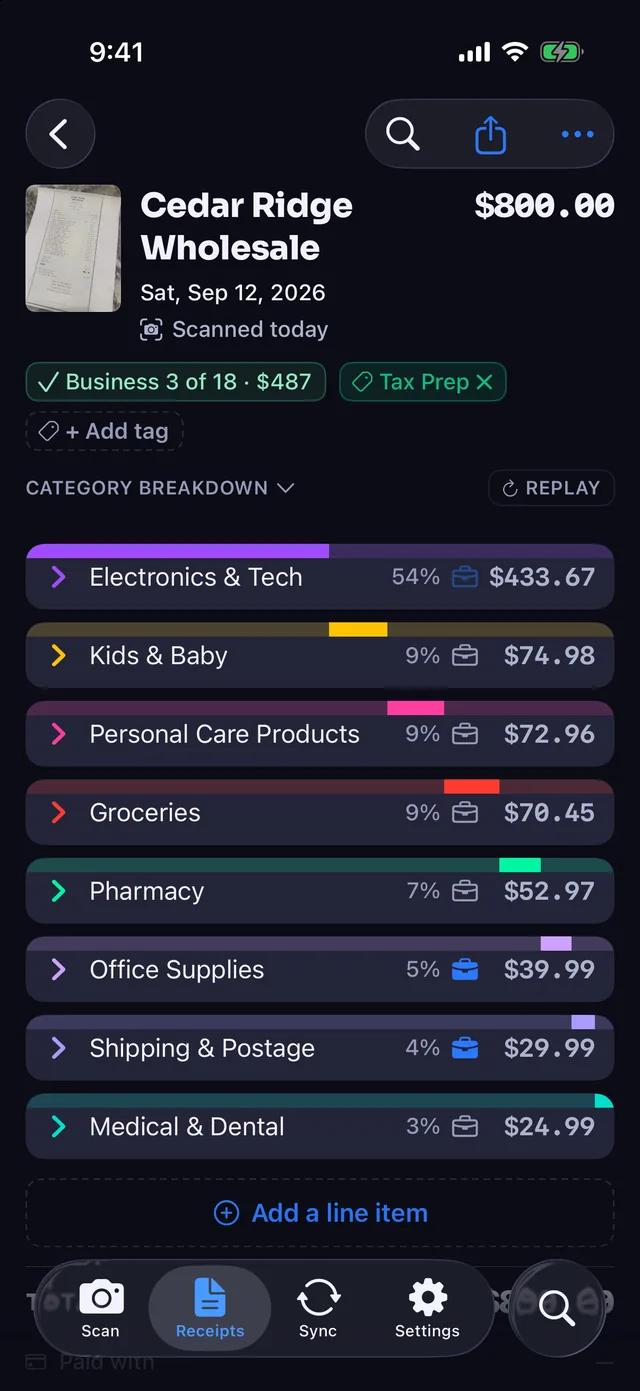
Send split receipts to QuickBooks Online, Xero, and Lunch Money
Map your categories to your QuickBooks Online chart of accounts once on Pro. Receipt Rabbit posts each receipt with its image attached and asks for the QuickBooks Accounting permission only, never Payments.
- Multi-account QuickBooks expenses. Each receipt posts as one Expense with a separate line per QuickBooks category on Pro.
- Clean bank-feed matching. Unmarked personal lines go to a non-business account you choose so the Expense matches the full card charge.
- Xero and Lunch Money. Sync with Xero on Pro, or split matching Lunch Money transactions by category on Plus and Pro.
- Email forwarding on all plans. Forward emailed receipts or drop in PDFs up to 10 pages on Free, Plus, and Pro.
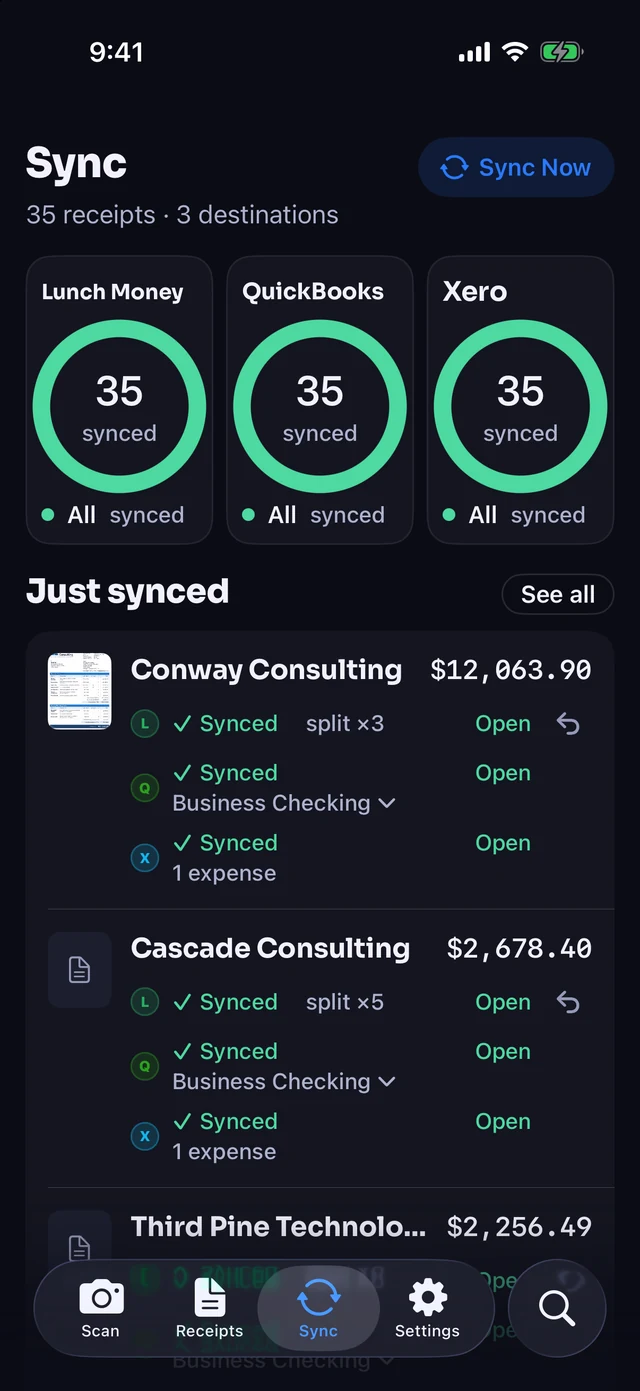
Pick the tool built for the size of your business
Pick Dext for accounting firms, teams, and bank statements
- Firms and multi-user teams. Dext serves over 700,000 businesses and 12,000 firms, with 5 users on its default plan.
- Bank and supplier statements. Extract 10 bank statement sheets and 5 supplier statements a month on the default plan.
- Broad software and bank links. Connect to 36+ accounting and e-commerce tools, including Sage, and over 11,500 banks.
- Android and GPS mileage. Use mobile apps on both Android and iOS with built-in GPS trip logging.
Pick Receipt Rabbit for one-person businesses on iPhone
- Line items without add-on fees. Every scan extracts every line item on Free, Plus, and Pro with zero per-document charges.
- Built for solo iPhone owners. Start scanning right away on iOS 18 or later with no account, login, or sign-up.
- Mixed receipts made simple. Split business and personal items on one receipt and map business lines to Schedule C.
- Priced for one person. Get 30 free scans a month, or pay $60 a year for 300 scans a month on Pro.
What Receipt Rabbit leaves out on purpose
- iPhone only. The app requires iOS 18 or later with no Android or PC version.
- One user per subscription. You get a single-user app with no team approvals, permissions, or company card management.
- Zero bank connections. Receipt Rabbit has no bank or card connection of its own and does not extract bank statements.
- No mileage tracking. The app focuses strictly on receipts and invoices without GPS trip logging.
- Metered monthly scans. Free includes 30 scans a month, Plus includes 100, and Pro includes 300 scans a month.
Questions people ask
How does QuickBooks Online sync compare between Receipt Rabbit and Dext?
Receipt Rabbit Pro posts each receipt to QuickBooks Online as one Expense with a separate line per category and the image attached. Personal lines go to a non-business account you choose so the total matches your card charge. Dext's pages do not state per-line personal handling.
Does Receipt Rabbit include email forwarding on the free plan?
Yes, every Receipt Rabbit plan includes email forwarding and 30 free scans a month. Forwarded receipts count toward your monthly scans, and you can also import photos, files, or PDFs up to 10 pages. Dext gives each user and account its own Extract by Email address.
How do privacy and receipt storage compare to Dext?
Receipt Rabbit saves receipts on your iPhone and in your private iCloud. The app masks a compressed copy on the device, blacking out card numbers, member IDs, cardholder names, phone numbers, and email addresses it finds. Receipt images are not kept on our servers after categorization.
Can I use Receipt Rabbit without accounting software?
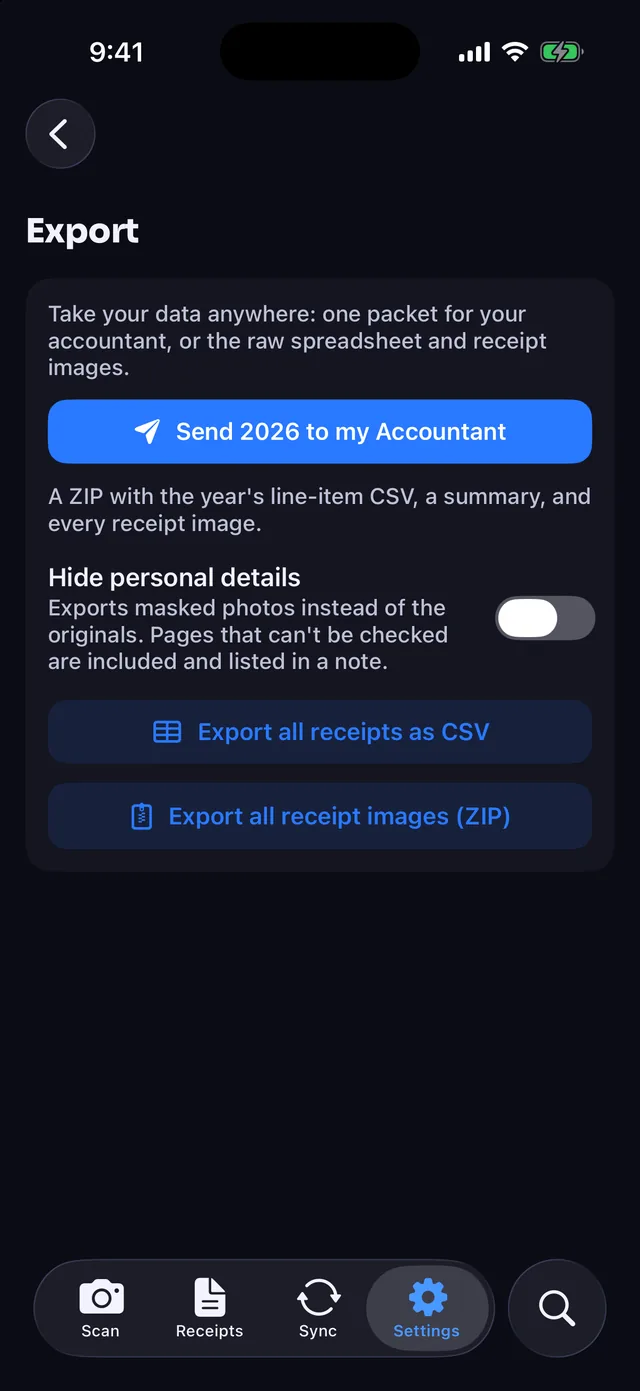
Yes, Receipt Rabbit works as a complete expense tracker on its own without connecting an external destination. You can tag receipts by client or tax year, search item names from iPhone Spotlight, and export a line-item spreadsheet and image zip any time for free.
How does Receipt Rabbit handle tax time and client reimbursements?
Every business line maps to a Schedule C category through your Tax Profile, and Pro builds client expense reports. At tax time, Pro's accountant export creates one zip per tax year containing every receipt image and a master spreadsheet with one row per line item.
Spot an error on this page? Email support@receiptrabbit.io and we will correct it.
Download Receipt Rabbit on the App Store and start scanning free.
Sources, checked 2026-10-18
- [1] Dext pricing: dext.com/us/business/pricing (checked 2026-10-18)
- [2] Dext extraction pricing: dext.com/us/business/pricing/extraction-pricing (checked 2026-10-18)
- [3] Dext line-item extraction: dext.com/us/business/products/line-item-extra... (checked 2026-10-18)
- [4] Dext integrations: dext.com/us/integrations (checked 2026-10-18)
- [5] Dext Help Center, Extract by Email address: help.dext.com/en/articles/759027-how-to-find-... (checked 2026-10-18)
- [6] Dext expense management app: dext.com/us/expense-management-app (checked 2026-10-18)
- [RR] Receipt Rabbit product facts from Pine River Labs: receiptrabbit.io (checked 2026-10-18)
Dext, QuickBooks, QuickBooks Online, Sage, Xero, Lunch Money, App Store, iPhone, iPad, Mac, iCloud and Android are trademarks of their respective owners, and Receipt Rabbit is not affiliated with them.