

QuickBooks receipt capture vs Receipt Rabbit: split receipts across accounts
An iPhone app for solo freelancers on QuickBooks Online: QuickBooks reads the receipt header, while Receipt Rabbit splits every line into one Expense.
By Pine River Labs, makers of Receipt Rabbit · Updated 2026-10-18

How QuickBooks receipt capture and Receipt Rabbit compare
QuickBooks facts come from Intuit's pages, checked 2026-10-18.
| QuickBooks receipt capture | Receipt Rabbit | |
|---|---|---|
| What a scan reads | Date, vendor, amount, payment method, tax | Every line item across 42 categories |
| One receipt across several accounts | Not stated on Intuit's pages | Yes: One split Expense per receipt |
| Business and personal on one receipt | Not stated on Intuit's pages | Yes: Mark business lines per receipt |
| Bank feed matching | Yes: Matches or suggests bank transactions | Full Expense total lets QuickBooks suggest match |
| Ways to add receipts | Camera, web upload, email forwarding | Camera, Photos, Files, share, PDFs, email |
| Price | Free plan, or $38 to $340/mo | Free 30/mo; QuickBooks sync on Pro, $8/mo |
| Platforms | QuickBooks Online web and QuickBooks mobile app | iPhone only, iOS 18 or later |
| Several users | Yes: Supported on higher tiers | No: 1 user per subscription |
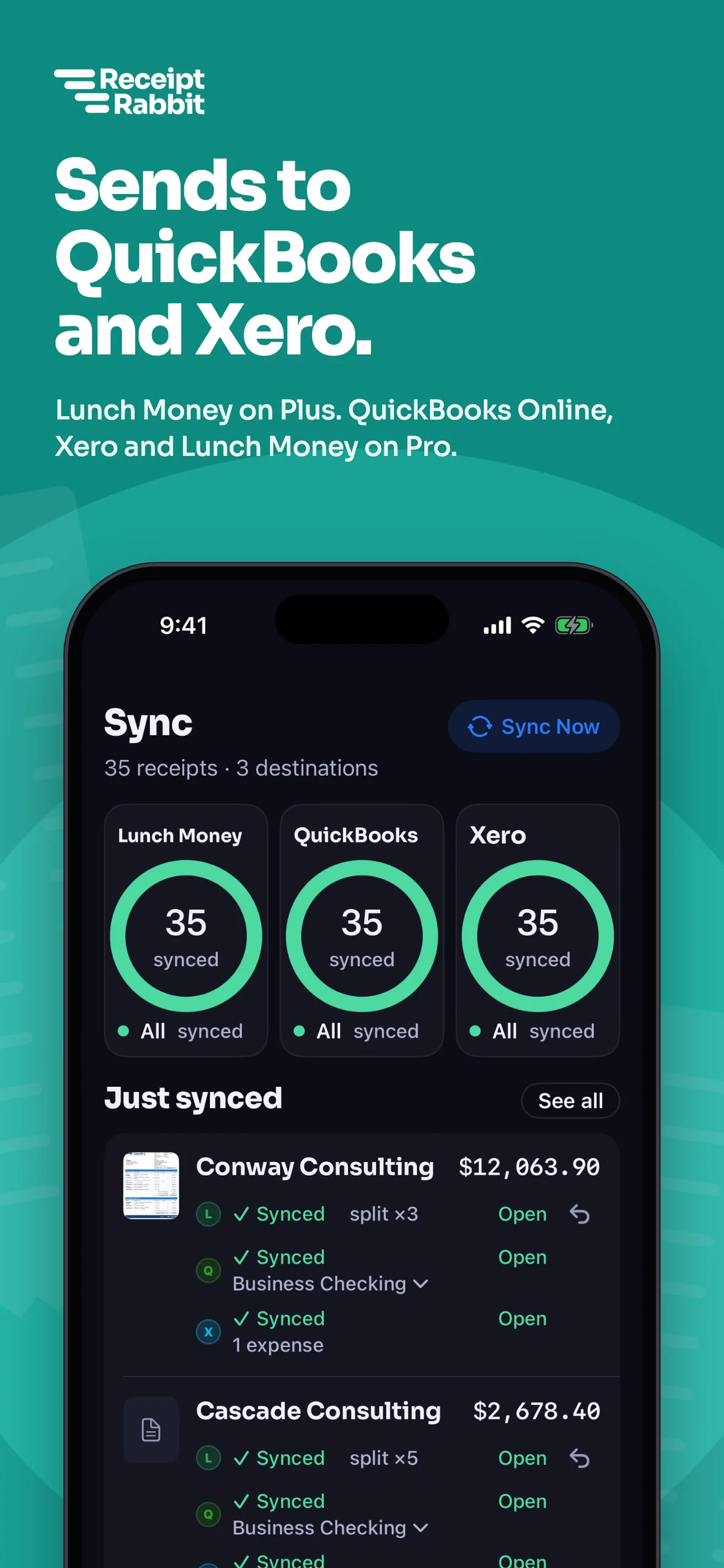
Every plan extracts line items, and Free covers 30 receipts a month. QuickBooks Online sync requires Receipt Rabbit Pro ($8 a month or $60 a year, 300 receipts a month).
Turn a mixed receipt into one split Expense
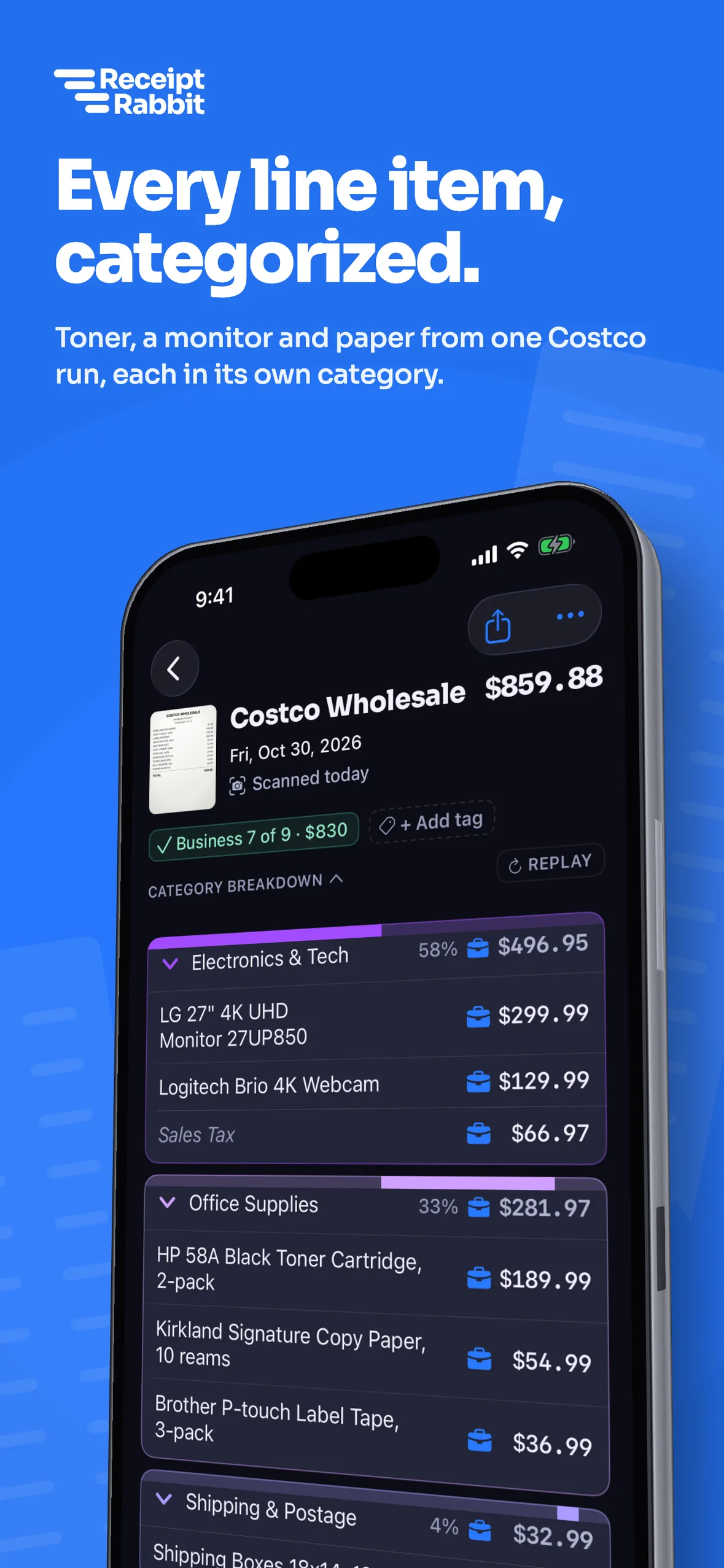
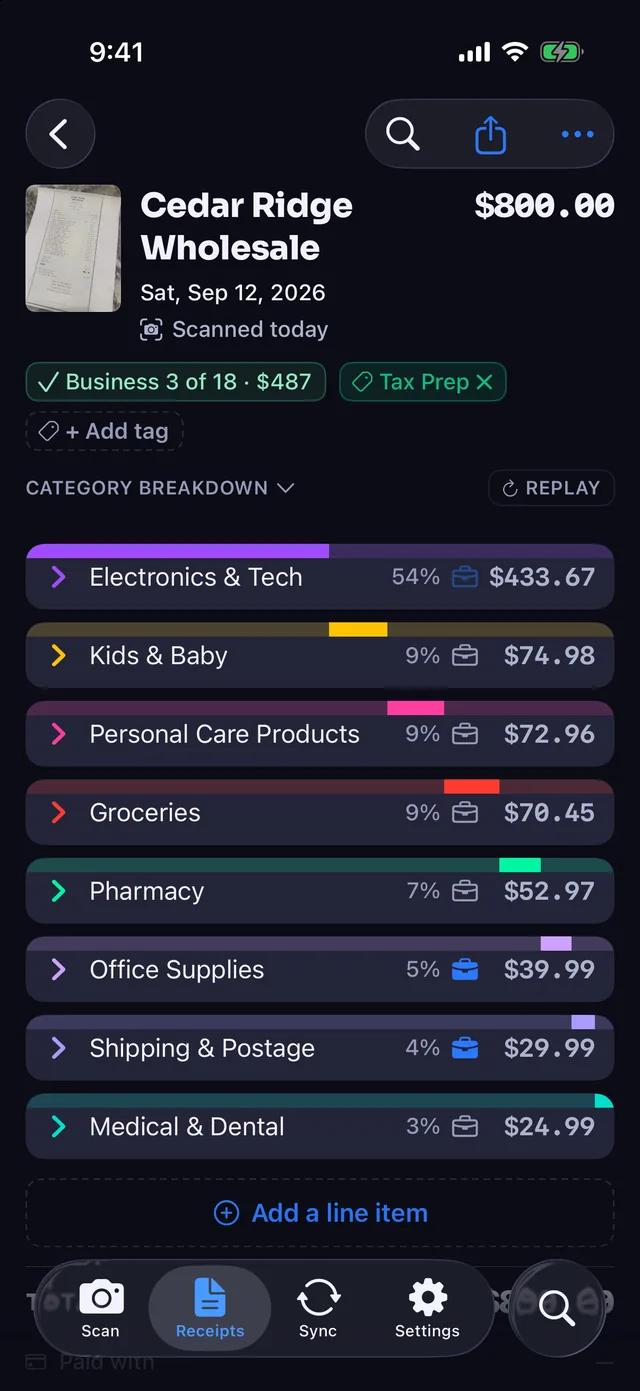
Receipt Rabbit reads every line on your receipt and assigns a category from 42 categories in 11 groups. On Pro, it posts one split Expense to QuickBooks Online.
- One Expense line per category. Map each category to an account once, and every sync reuses it.
- Personal lines stay separate. Lines you don't mark business go to one account you pick once, such as Owner's Draw.
- Receipt image attached. Every synced Expense includes the original receipt photo in QuickBooks Online.
- Card totals still match. The Expense total equals the full receipt total so QuickBooks suggests the bank-feed match for you to confirm.
Separate business and personal items per line
Mark the business lines on a receipt, and everything else stays personal. Coupons, discounts, taxes, and fees follow the receipt's main category so totals add up.
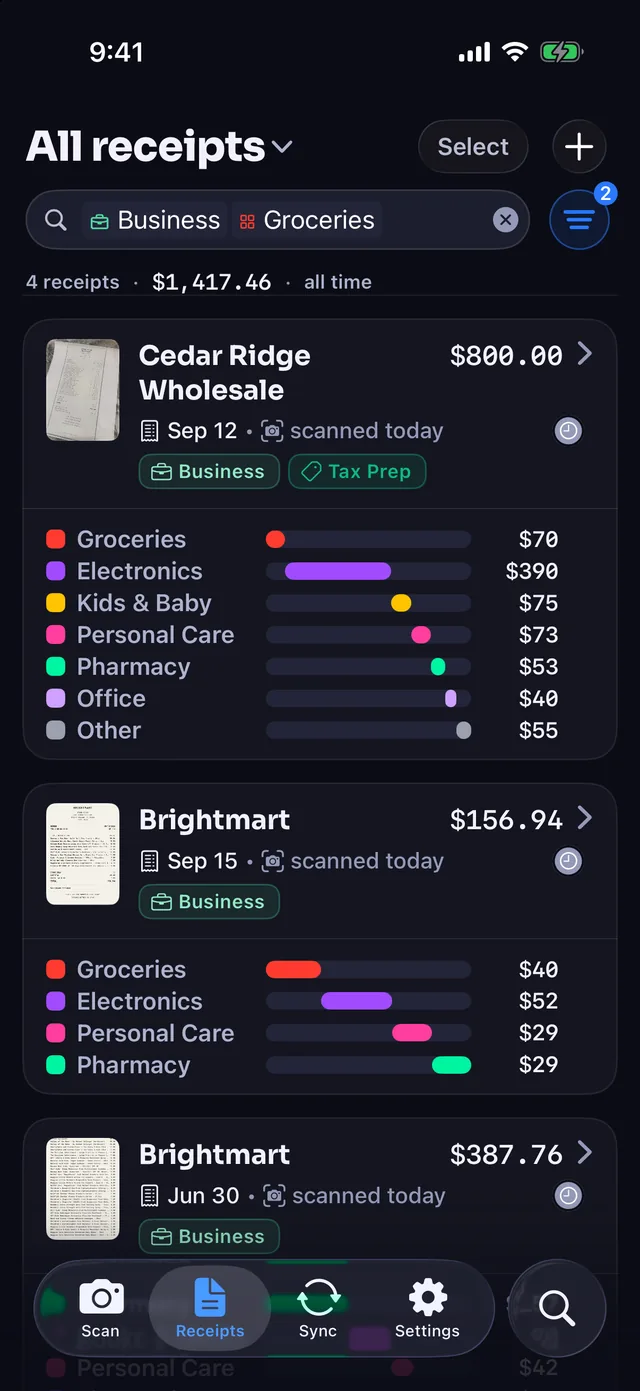
- Business flag per line. Mark any line Business, whatever its category, while the Work & Office group covers business-only costs.
- Schedule C mapping. Business lines map to a Schedule C category through your Tax Profile.
- Review before syncing. You can sync on scan or turn auto-sync off to check each receipt first.
When QuickBooks receipt capture alone is enough
- Single-category receipts. Each receipt you scan belongs to one expense account and uses automatic or custom categorization rules.
- Header fields are enough. Intuit states that QuickBooks pulls the date, vendor, amount, payment method, and tax with the receipt image.
- Included with your plan. You already use Intuit's Free plan or pay $38 to $340 a month for QuickBooks Online.
- Not on an iPhone. You upload from a browser or the QuickBooks mobile app instead.
- Several people capture receipts. Higher QuickBooks Online tiers support multiple users, and an admin can set up @assist.intuit.com email forwarding.
When to add Receipt Rabbit
- Mixed business categories. You want one receipt split across several accounts in your QuickBooks chart of accounts.
- Business and personal together. You buy supplies and personal items on one card charge and need the full total to match.
- Tax-year accountant export. Pro exports 1 zip per tax year with every receipt image and a line-item master spreadsheet.
- Tags and item search. You tag receipts by client, project, trip, or tax year and search single items from iPhone Spotlight.
What Receipt Rabbit doesn't do
- iPhone only. The app requires iOS 18 or later and has no Android or PC version.
- One user per subscription. Receipt Rabbit has no shared accounts, team approvals, or company card management.
- No mileage tracking. Receipt Rabbit reads receipts only and does not track vehicle mileage.
- No bank or payment access. It asks for QuickBooks Accounting permission only, never reads your bank feed, and cannot move money.
- Sync depends on your plan. Free includes 30 receipts/month, Plus ($4/month, 100 receipts) adds Lunch Money, and Pro ($8/month, 300 receipts) adds QuickBooks and Xero.
Questions people ask
Does QuickBooks receipt capture read line items?
Intuit states that QuickBooks pulls date, vendor, amount, payment method, and tax. Line-item extraction and splitting one receipt across accounts are not stated on Intuit's pages. Receipt Rabbit reads every line item and categorizes each line separately.
Will I get duplicate expenses if I use both?
Send each receipt through one tool to stay safe. QuickBooks may match a scanned receipt to the Expense that Receipt Rabbit already posted, or it may create a new expense. Use Receipt Rabbit for mixed receipts and QuickBooks for the rest.
How do personal items on a receipt match my bank feed in QuickBooks?
Personal lines go to one non-business account so the Expense matches your card charge. You pick that account once, such as Owner's Draw. Receipt Rabbit posts business and personal lines on one Expense so QuickBooks suggests the bank-feed match.
Can Receipt Rabbit read my bank feed or move money in QuickBooks?
No, Receipt Rabbit never reads your bank feed and cannot move money. It asks for the QuickBooks Accounting permission only and never asks for Payments permission. It only posts split Expenses with attached receipt images to QuickBooks Online.
What happens to my receipt photos and personal information?
Receipts are stored on your iPhone and in your private iCloud. Before a photo is sent for categorization, the app tries to black out card numbers, member IDs, names, phone numbers, and addresses. We do not keep images on our servers after categorization.
Split your next mixed receipt by line item, free for 30 receipts a month. QuickBooks sync on Pro, $8/mo.
Sources, checked 2026-10-18
If a fact on this page is wrong or out of date, email support@receiptrabbit.io and we will fix it and change the Updated date.
- QuickBooks receipts features: quickbooks.intuit.com/features/receipts
- QuickBooks receipt capture article: quickbooks.intuit.com/r/expenses/receipt-capture-app
- Intuit help, email receipts and bills to QuickBooks Online: quickbooks.intuit.com/learn-support/en-us/help-art...
- QuickBooks pricing: quickbooks.intuit.com/pricing
- Receipt Rabbit: Receipt Rabbit product facts, Pine River Labs, checked 2026-10-18.
QuickBooks and QuickBooks Online are trademarks of Intuit Inc. Receipt Rabbit is not affiliated with, endorsed by, or sponsored by Intuit Inc.