

Search your receipts by the specific item you bought
Built for solo businesses on iPhone. Search every line item down to the exact product, even when you forget the store or total.
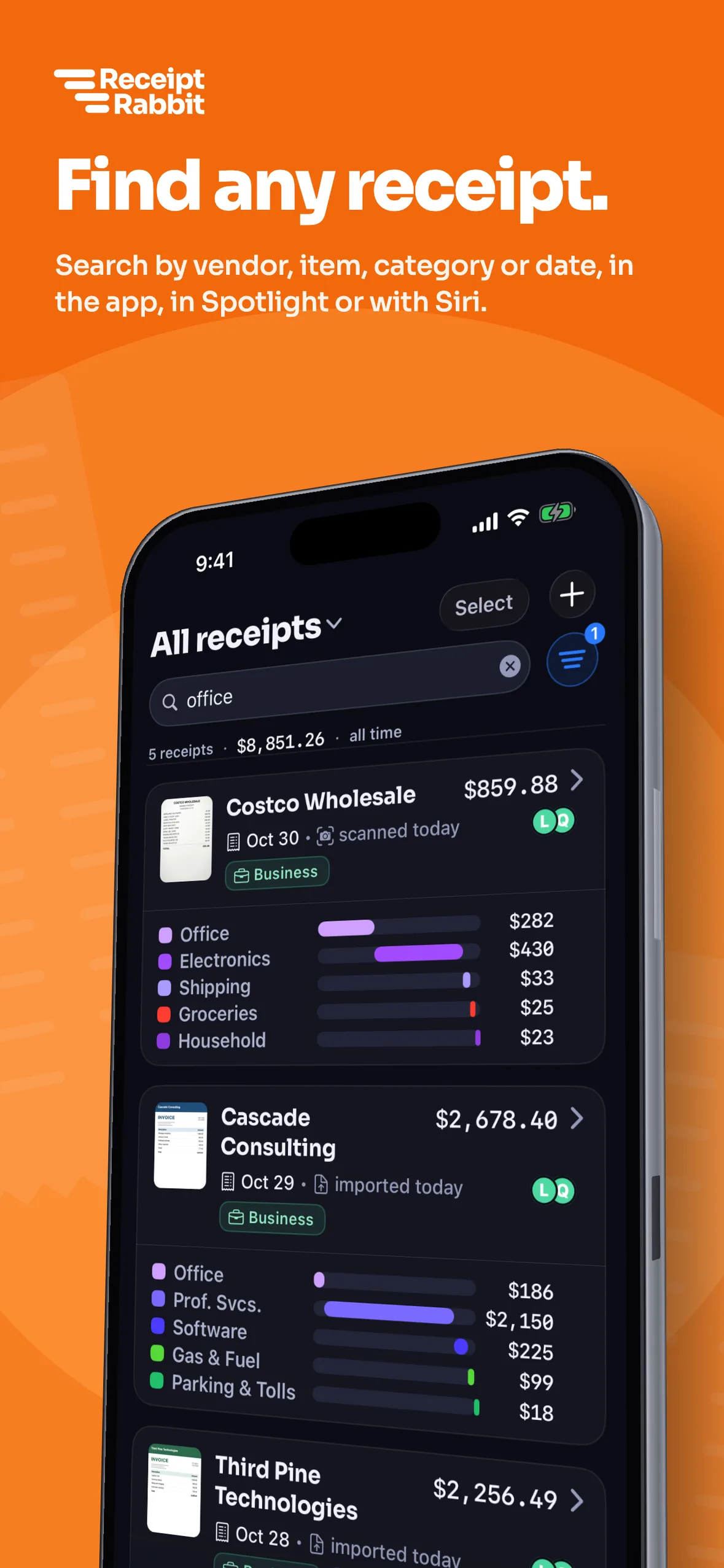

Free for 30 receipts a month with no account to create and no accounting app required.
Type the item and pull up the receipt
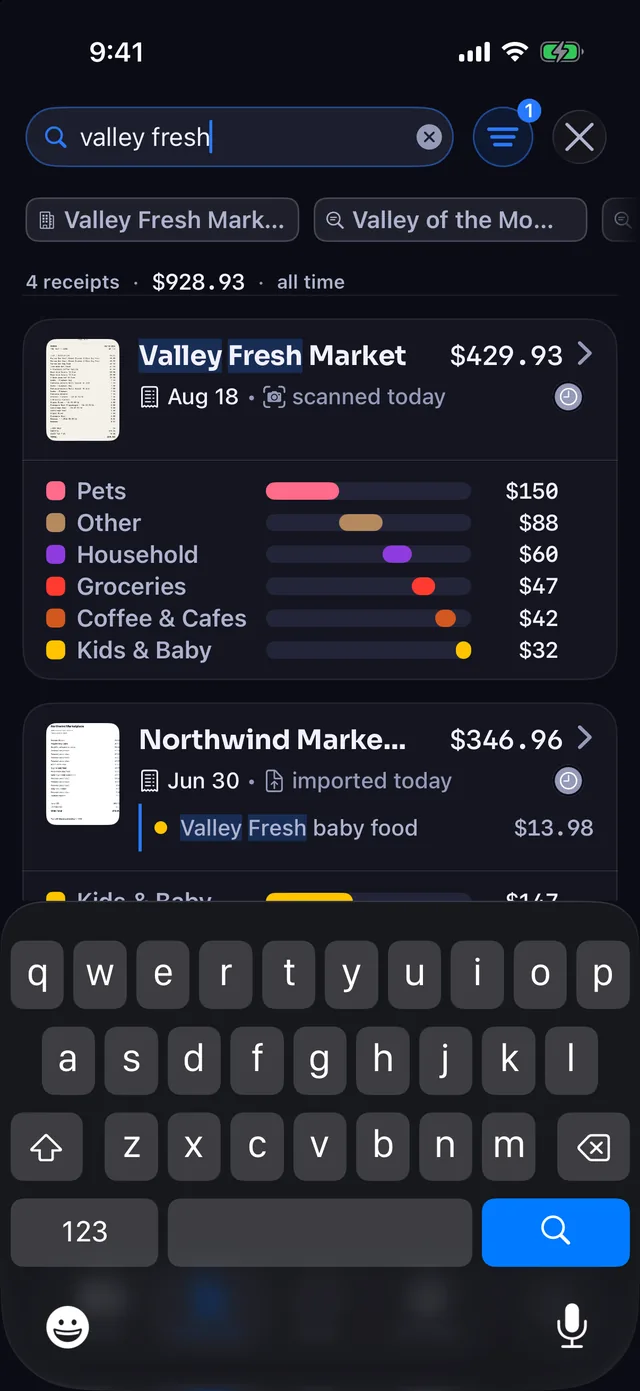
Typing "valley fresh" pulls up receipts from Valley Fresh Market alongside a Northwind Market receipt with the matching "Valley Fresh baby food" line item highlighted. You can also search for items like "toner" or "printer cable" across every store.
- Every individual line item is indexed and categorized on its own across 42 categories.
- Store names and dates let you type a merchant, date, or month to narrow your results.
- Your notes and tags are searchable alongside the items you bought.
- Full raw receipt text is searchable for anything printed on the paper.
Narrow results with filter chips and sorting
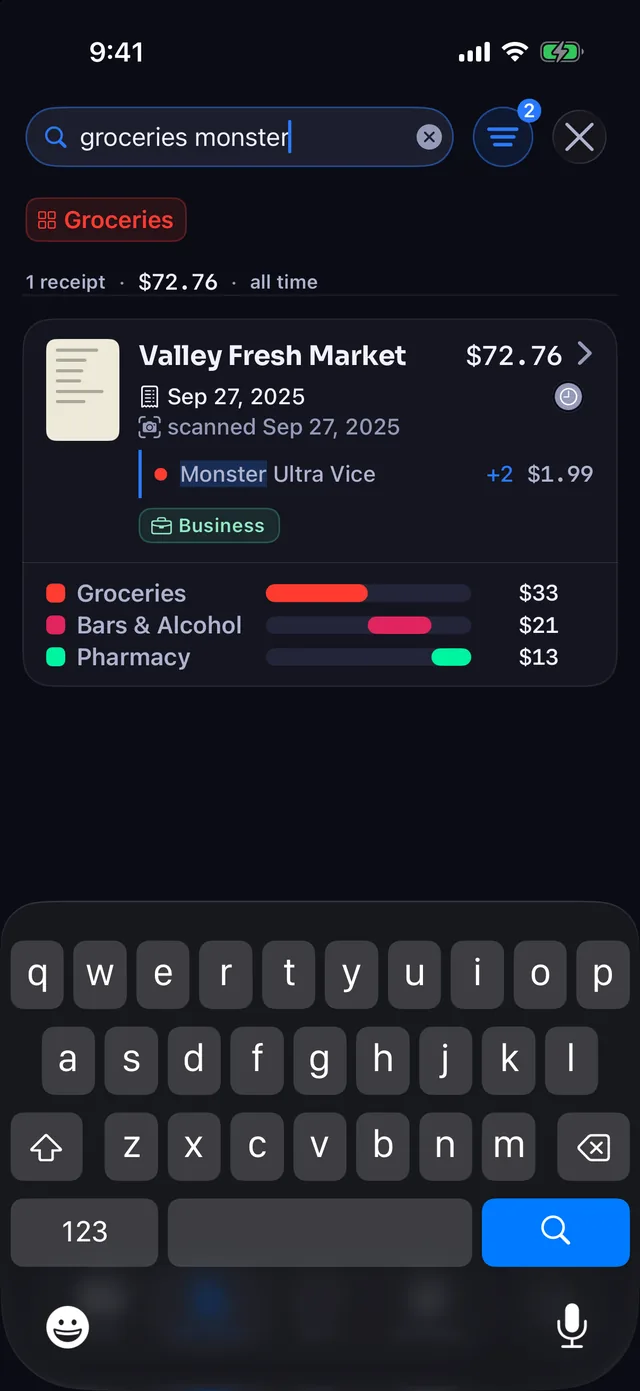
- Instant filter chips appear as you type, so you can tap Groceries or select two stores together.
- Detailed filter options narrow results by category, date range, tag, dollar amount, or receipts needing review.
- Flexible sorting orders receipts by date to review a month, or by total to spot your biggest expenses.
Find purchases from Spotlight, Siri, and Control Center
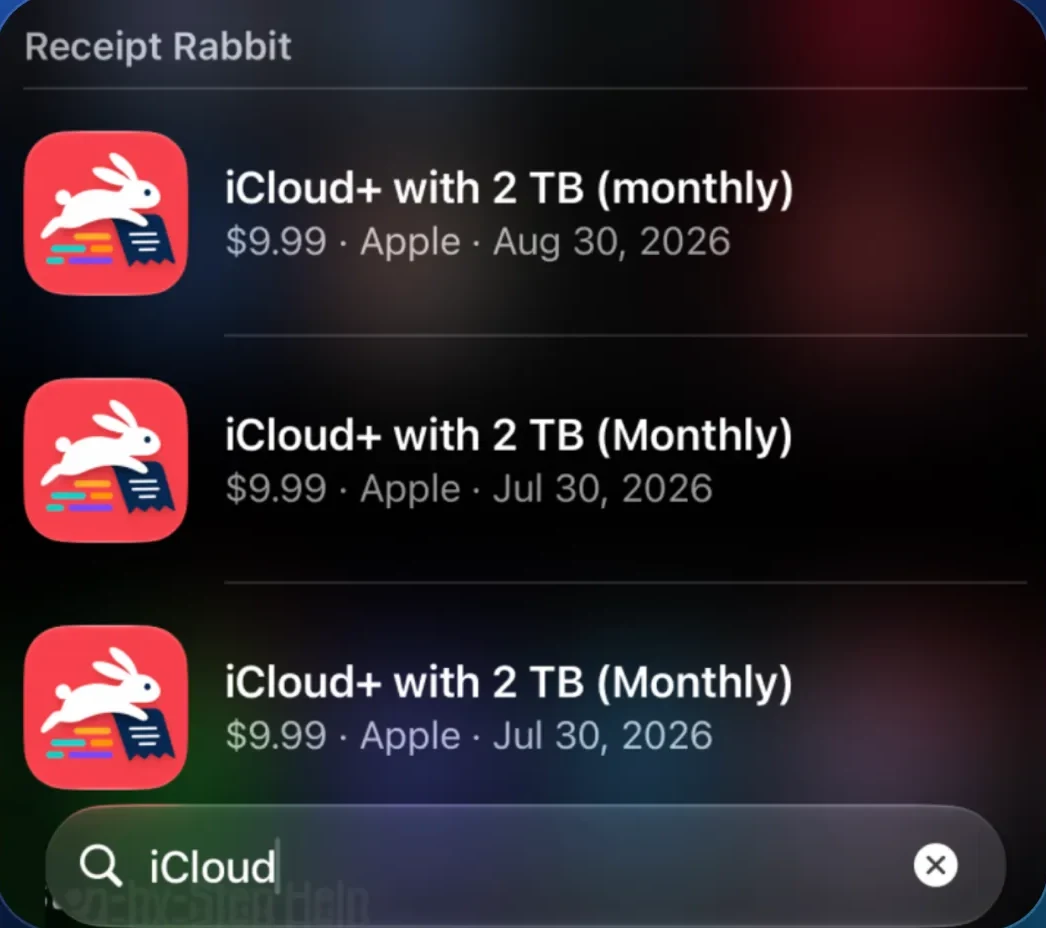
Full receipts and individual line items are indexed in iPhone Spotlight, so you can find a purchase from your Home Screen without opening the app.
- Siri and Shortcuts let you ask Siri to scan a receipt, save one, or search for an item or store.
- iOS 18 Controls put a Scan Receipt button in Control Center, on the Lock Screen, or on the Action Button.
Browse a PDF of every receipt in your own iCloud Drive
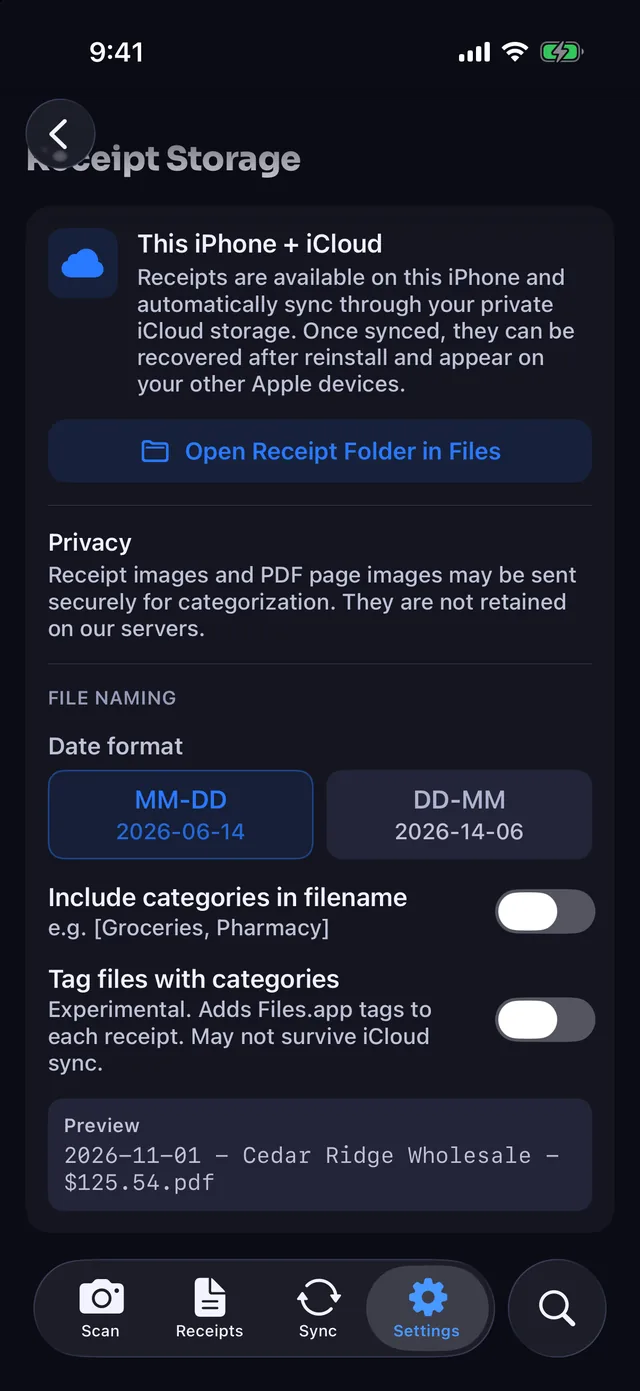
Every receipt saves automatically to a "Receipt Rabbit" folder as a clean PDF:
2026-11-01 - Cedar Ridge Wholesale - $125.54.pdf
- Automatic file naming uses the date, store, and total, with an option to include categories.
- Direct Files app access lets you browse your PDFs without opening Receipt Rabbit.
- Private iCloud sync keeps your receipts across your devices with no account to create with us.
Full line-item search, iPhone Spotlight, and the iCloud Drive PDF folder all work on the Free plan (30 receipts a month). You do not need QuickBooks, Lunch Money, or any accounting app connected.
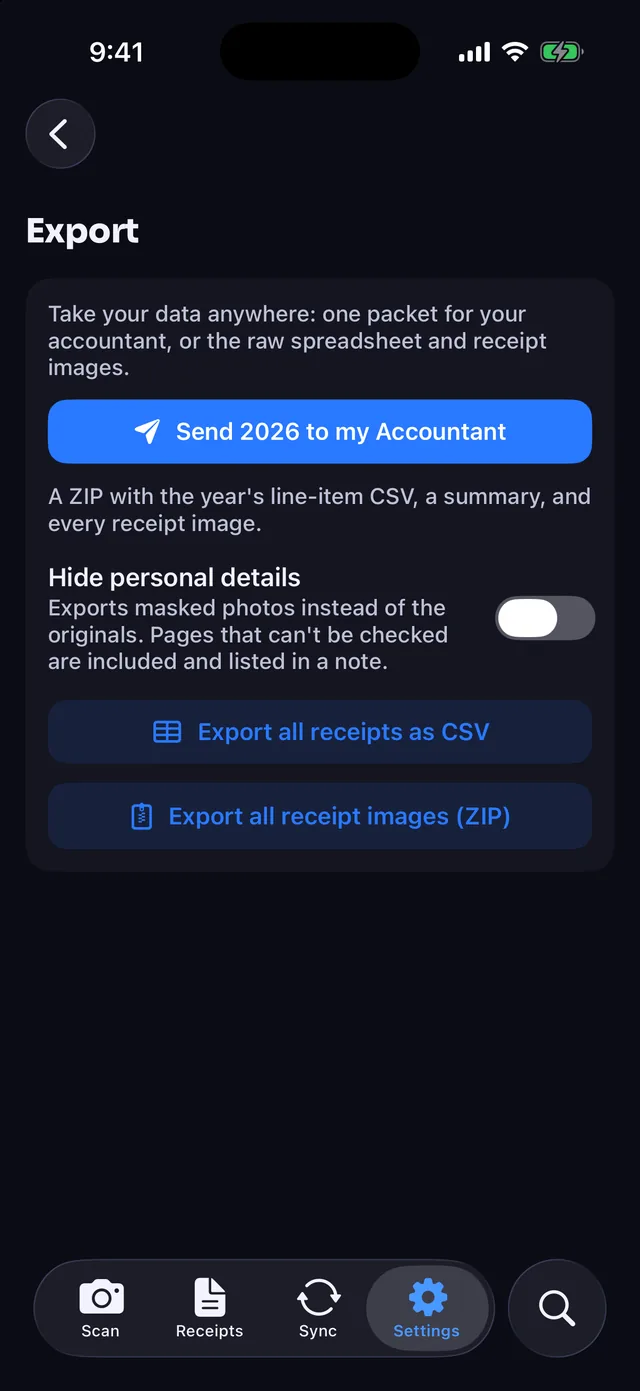
Hand your accountant every line item for the year
- Free CSV and image ZIP exports give you a line-item spreadsheet of all receipts and a folder of original images.
- Tax-year export on Pro bundles a master line-item spreadsheet and every original receipt image into one ZIP.
- Client expense reports (included in Pro) export selected receipts after a project or trip so you can bill your client.
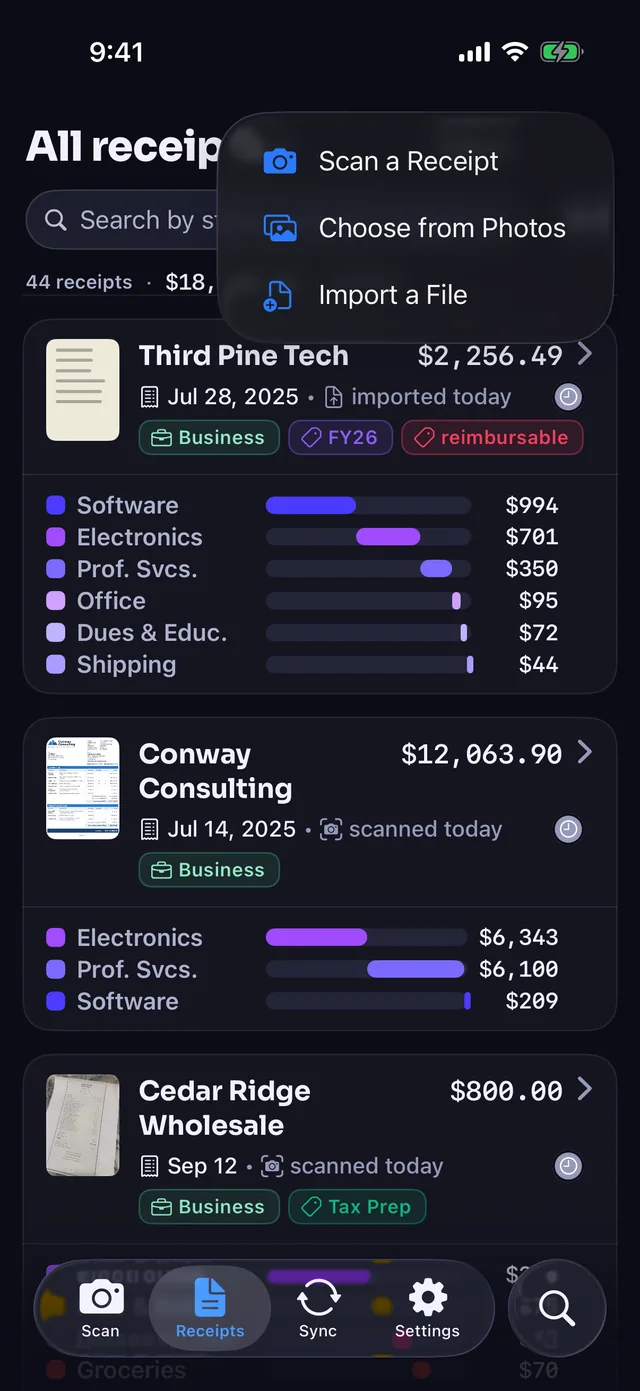
Scan, import or forward any paper or digital receipt
- Camera scanning finds the edges, crops, and straightens your paper receipt automatically.
- Photos and Files import lets you pick a single image or PDF, or import a stack at once.
- Share Sheet support sends receipts straight from Mail, Safari, or any other app on your iPhone.
- Multi-page PDF support reads long invoices and receipts up to 10 pages.
- Email forwarding gives you a personal Receipt Rabbit address to forward emailed receipts, included on Free.
Spotlight search questions
Can I search receipts by the specific item I bought?
Yes. Receipt Rabbit reads every individual line item on your receipt and categorizes it across 42 categories. Type "stouffers", "toner", or "printer cable" to see every receipt with that item and the matching line shown, whichever store sold it.
Do receipts show up in iPhone Spotlight?
Yes. Both full receipts and individual line items are indexed in iPhone Spotlight. You can swipe down on your Home Screen, type the item or store you are looking for, and open the matching receipt directly.
Where are my receipts stored?
Your receipts are stored on your iPhone and in your personal iCloud account. Every receipt is also saved automatically as a PDF in a "Receipt Rabbit" folder in your iCloud Drive. There is no account or login to create with us.
Can I add a scan button to Control Center?
Yes. On iOS 18 and later, you can add a Scan Receipt control to Control Center, your Lock Screen, or the Action Button. You can also ask Siri to scan or find a receipt using Siri and Shortcuts.
Do I need QuickBooks or Lunch Money to search my receipts?
No. Line-item search, iPhone Spotlight, and the iCloud Drive PDF folder work on the Free plan (30 receipts/month) with no accounting app connected. Plus ($4/month or $30/year) covers 100 receipts, and Pro ($8/month or $60/year, with a 7-day free trial on annual) covers 300.
Spot an error on this page? Email support@receiptrabbit.io and we will correct it.
By Pine River Labs · Updated
Search every line item from Spotlight, starting free with 30 receipts a month.