

Best receipt scanner app for itemizing receipts (2026)
Receipt Rabbit categorizes every line on every plan, Free included. SparkReceipt requires its $129/yr Elite plan, and Dext charges from $20.50/mo extra.
By Pine River Labs, makers of Receipt Rabbit · Competitor facts checked 2026-10-01

Top picks by platform and role
Best for iPhone: Receipt Rabbit
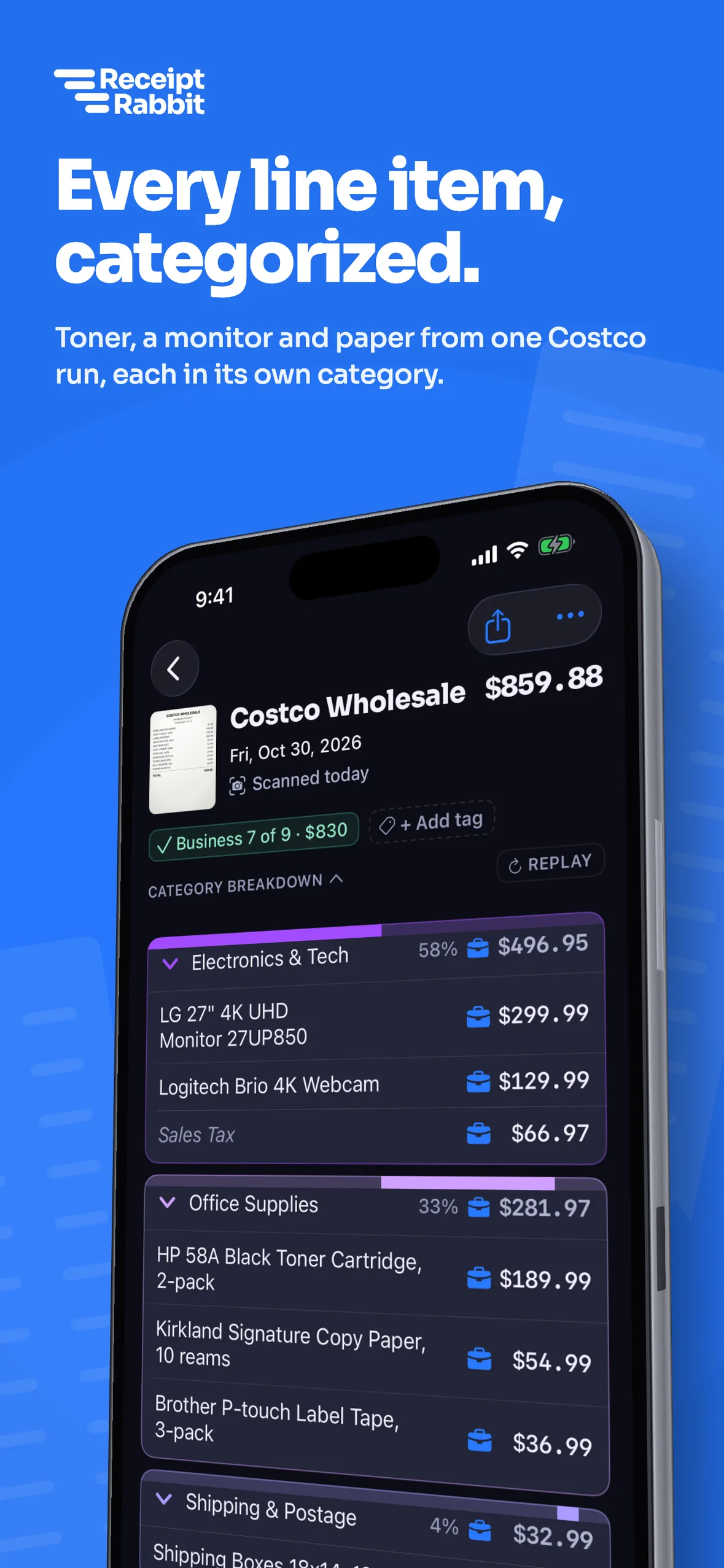
Reads every line item, assigns 42 categories, marks business or personal per line, and includes 30 free receipts a month.
Best for bookkeeping firms: Dext
Connects to 36+ platforms for firms managing client books, with line-item extraction as a paid add-on from $20.50 a month.
Best for Android: SparkReceipt
Works on Android, iPhone and web, with line-item extraction included on the $129 a year Elite plan.
Every receipt line item categorized
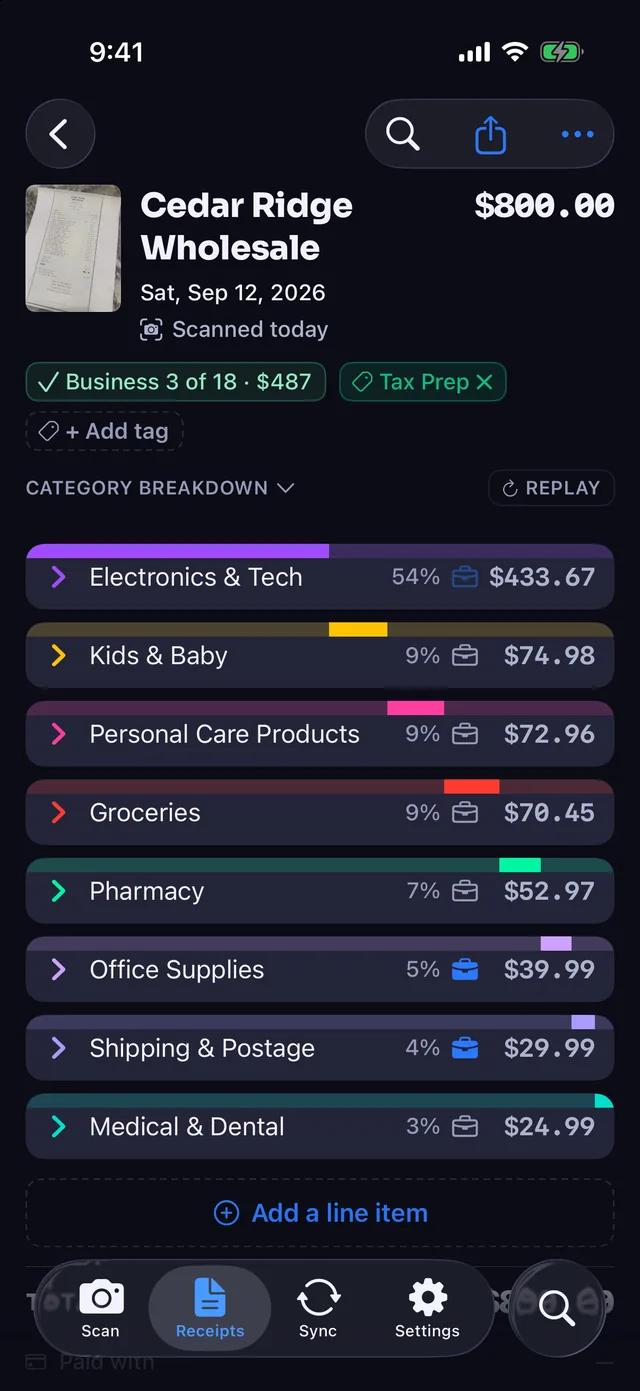
A single warehouse-club run can mix office supplies, groceries and household goods on one receipt. Itemizing separates those lines so business and personal lines are recorded separately.
- 42 categories per line. Receipt Rabbit reads every line and assigns a category from 42 categories in 11 groups, including Work & Office.
- Business or personal per line. You mark individual lines as business or personal on the same receipt, and business lines map to Schedule C.
- Totals that match the receipt. Coupons, discounts, taxes and fees follow the receipt's main category so your split lines add up to the total.
Line items, sync and price, side by side
Competitor facts come from each vendor's own pages, checked 2026-10-01 ("Not stated" means the page did not say). Scroll sideways on phones.
| App | Reads line items | Category per line | Accounting sync | Platforms | Free tier | Paid price |
|---|---|---|---|---|---|---|
| Receipt Rabbit | Yes: On every plan, Free included | Yes: 42 categories | Yes: QBO, Xero, Lunch Money | iPhone (iOS 18+) | Yes: 30 receipts a month | Plus $4/mo, 100 a month; Pro $8/mo, 300 a month |
| SparkReceipt | Elite plan only ($129/yr) | Not stated (sorts into tax categories) | Yes: QuickBooks Online and Xero | iPhone, Android, web | No: 7-day trial | Pro $69/yr, Elite $129/yr with line items |
| Dext | Paid add-on from $20.50/mo | Not stated per line (suggests categories) | Yes: 36+ platforms including QBO, Xero | iOS, Android, desktop | No: 14-day trial | Business $25.21/mo billed annually, 250 docs; line items extra |
| TaxLens | Yes: Yes | Yes: IRS tax category per line | Not stated (CSV export) | iPhone, iPad, Mac, Vision | Free plan, scan limit not stated | Pro $4.99/wk, $9.99/mo or $49.99/yr |
| Itemize AI | Yes: Yes | Per-item tags; categories not stated per line | Not stated (CSV export) | iPhone, iPad, Mac, Vision | No: Subscription required | $4.99/wk or $39.99/yr |
| Receipt AI | Yes: Yes | Yes: Custom categories and tax codes | Yes: QBO (line items) and Xero on Business | SMS, email, WhatsApp, web | First 10 receipts free, one-time | Pro from $29/mo (100 pages), Business not stated |
| Expensify | Not stated for SmartScan | Manual split into separate expenses | Yes: QBO and Xero on Collect | Not stated on pages checked | Free plan, scan limit not stated | Collect $5 per member a month |
Pick the right app for your workflow
Receipt Rabbit
Solo iPhone users can split mixed business and personal receipts and sync them to QuickBooks, Xero or Lunch Money.
SparkReceipt
Android and web users get bank-feed intake and line-item extraction on the $129 a year Elite plan.
Dext
Bookkeeping firms can process many client businesses across 36+ accounting platforms with add-on line items.
TaxLens
Apple users who file by spreadsheet get IRS tax categories per line, 30+ currencies and CSV exports.
Itemize AI
Subscribers on Apple devices get automatic per-item tags and CSV exports starting at $39.99 a year.
Receipt AI
Teams of 5 or more people can submit receipts by SMS, email or WhatsApp into one shared account.
Expensify
Companies on the $5 per member monthly plan get approvals, mileage tracking, card matching and manual expense splitting.
Split receipts post to QuickBooks, Xero or Lunch Money
One receipt, one split transaction, in the tool you already use.
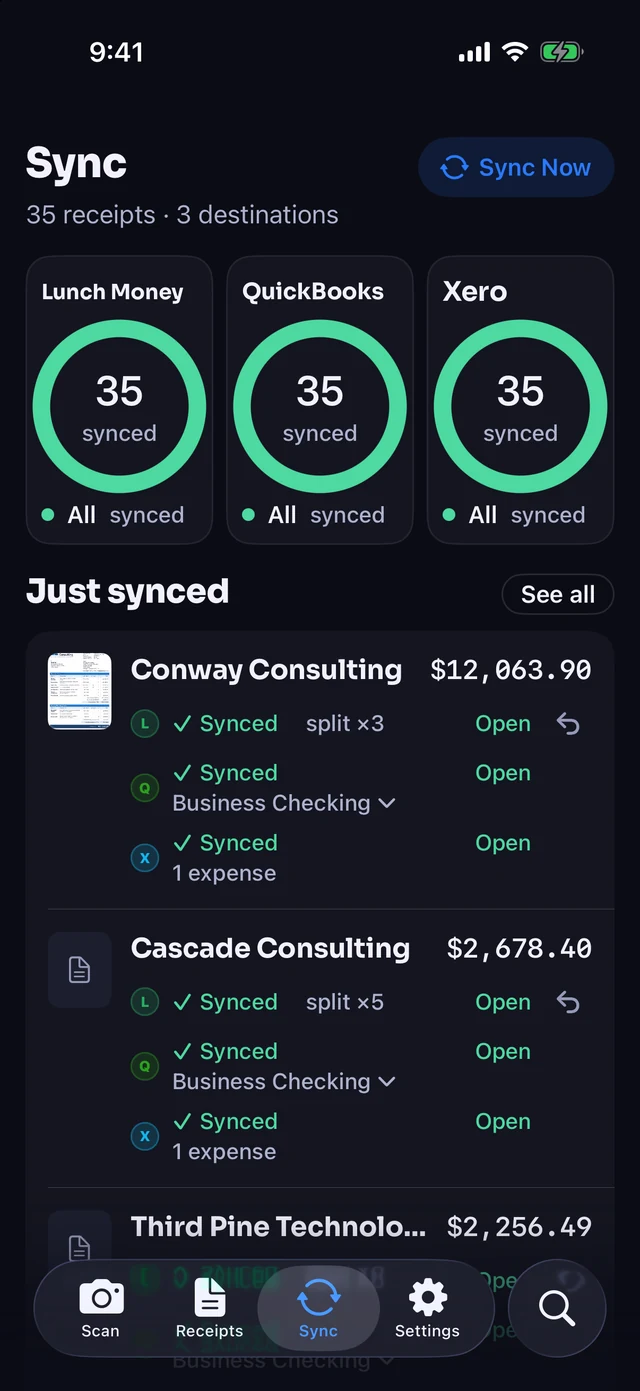
- QuickBooks Online on Pro. Posts one Expense split by category with the image attached, sending personal lines to a non-business account you pick once.
- Xero on Pro. Creates one spend money transaction per receipt, split across your expense accounts, on the $8 a month Pro plan.
- Lunch Money on Plus. Splits each receipt by category on the $4 a month or $30 a year Plus plan.
What Receipt Rabbit doesn't do
- iPhone only. The app requires an iPhone running iOS 18 or later and has no Android or PC version.
- Three sync destinations only. Direct sync works with QuickBooks Online, Xero and Lunch Money, with CSV and zip exports for other tools.
- Built for one person. Each subscription covers 1 user. No team approvals, shared accounts or company cards.
- No mileage tracking. Receipt Rabbit scans and itemizes receipts from your camera, Photos, Files, PDFs and email without tracking drives.
- Monthly receipt limits. Free includes 30, Plus ($4/mo) 100 with Lunch Money, and Pro ($8/mo) 300 receipts a month with QuickBooks and Xero.
Questions people ask
What does "itemized" mean in a receipt app?
Itemized means the app reads and categorizes every line item. Instead of putting an entire store trip under one category, you can mark individual lines as business or personal on the same receipt.
Which receipt apps categorize each line separately?
Receipt Rabbit, TaxLens and Receipt AI state a category per line item. Itemize AI assigns categories and item tags (business or personal not mentioned), Dext suggests categories, SparkReceipt sorts into tax categories, and Expensify splits by hand.
Which apps can send split expenses to QuickBooks Online?
Receipt Rabbit posts one Expense per receipt to QuickBooks Online with separate category lines. Receipt AI says it syncs line items to QuickBooks Online on its Business plans. SparkReceipt, Dext and Expensify (Collect) sync to QuickBooks Online, but their pages do not state a line-level split.
Is there a free receipt app that itemizes and splits receipts by category?
Receipt Rabbit's Free plan itemizes up to 30 receipts a month with CSV exports. TaxLens has a free plan (scan limit not stated, unlimited exports need Pro), and Receipt AI includes your first 10 receipts free.
Does Receipt Rabbit work on Android?
No, Receipt Rabbit is available only for iPhone running iOS 18 or later. Android users who need line-item extraction can look at SparkReceipt (Elite plan) or Dext (with the line-item add-on).
Every line itemized. 30 receipts a month free. No account.
Sources, checked 2026-10-01
Receipt Rabbit's makers wrote this page. Competitor facts come from each vendor's own pages; "not stated" means the page did not say. Spot an error about your product? Email support@receiptrabbit.io with a link to your current page and we will correct it.
- SparkReceipt pricing: sparkreceipt.com/pricing
- SparkReceipt features: sparkreceipt.com/features/receipt-scanner
- SparkReceipt QuickBooks Online: sparkreceipt.com/integrations/quickbooks-online
- Dext pricing, 14-day trial and line-item add-on: dext.com/us/business/pricing
- Dext receipts scanner: dext.com/us/business/product/receipts-scanner...
- TaxLens itemized scanner: taxlensapp.com/features/itemized-receipt-scanner
- TaxLens home: taxlensapp.com
- TaxLens App Store listing (prices, devices): apps.apple.com/us/app/taxlens-receipt-scanner...
- TaxLens free plan wording: taxlensapp.com/receipt-management-app
- Itemize AI App Store listing: apps.apple.com/us/app/itemize-ai-receipt-scan...
- Receipt AI QuickBooks: receipt-ai.com/quickbooks
- Receipt AI home: receipt-ai.com
- Receipt AI plans (vendor blog, 2025-10-03): receipt-ai.com/articles/receipt-ai-pricing-pl...
- Receipt AI $29 entry price and first 10 receipts free (vendor blog): receipt-ai.com/articles/from-free-trial-to-pa...
- Expensify SmartScan: use.expensify.com/receipt-scanning-app
- Expensify plans (Expensify blog, found by search): use.expensify.com/blog/collect-plan-pricing-u...
- Expensify split expenses: use.expensify.com/blog/expensify-july-2025-pr...
- Receipt Rabbit: checked against the app's source on 2026-09-30 (limits, categories, platform, integrations, export).
SparkReceipt, Dext, TaxLens, Itemize AI, Receipt AI, Expensify, QuickBooks, Xero and Lunch Money are trademarks of their respective owners. Receipt Rabbit is not affiliated with, endorsed by, or sponsored by them.