


Separate business and personal line items on the same receipt.
Receipt Rabbit is an iPhone receipt scanner that categorizes every line item, so you can separate business purchases from personal ones on the same receipt. Free for 30 receipts a month. No account.

For iPhone (iOS 18 or later). Plus is $4/month and Pro is $8/month.
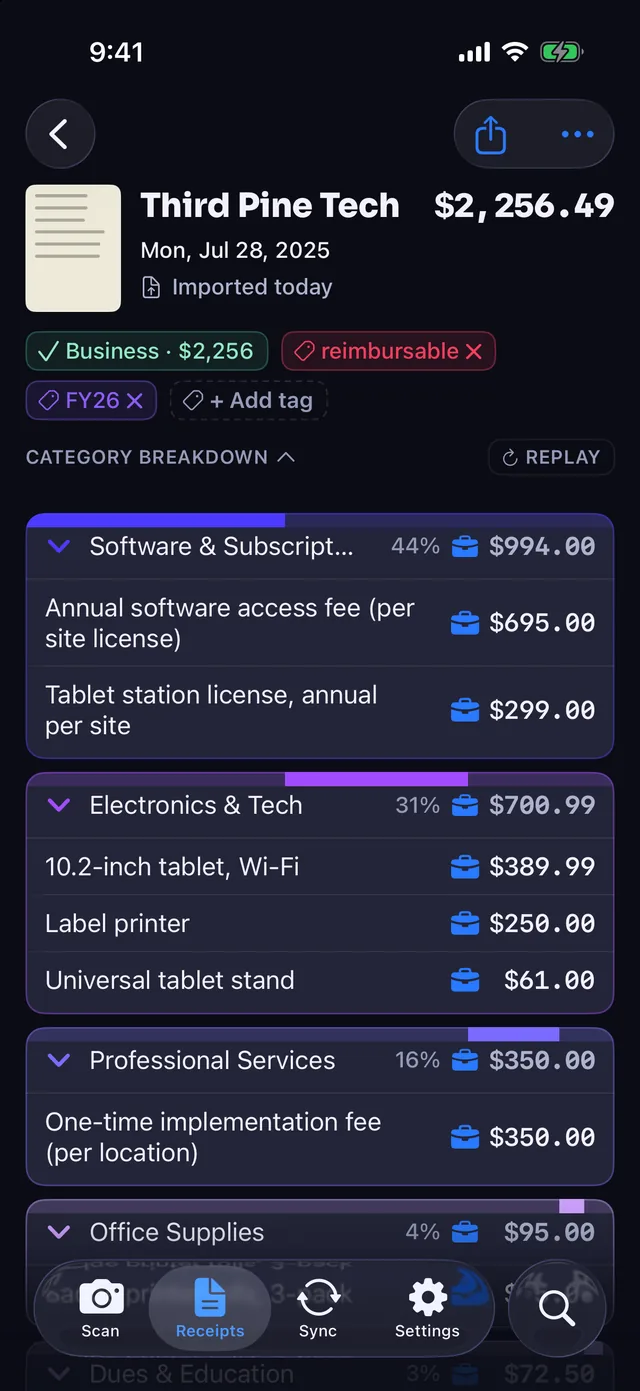
Put every line item in the right category
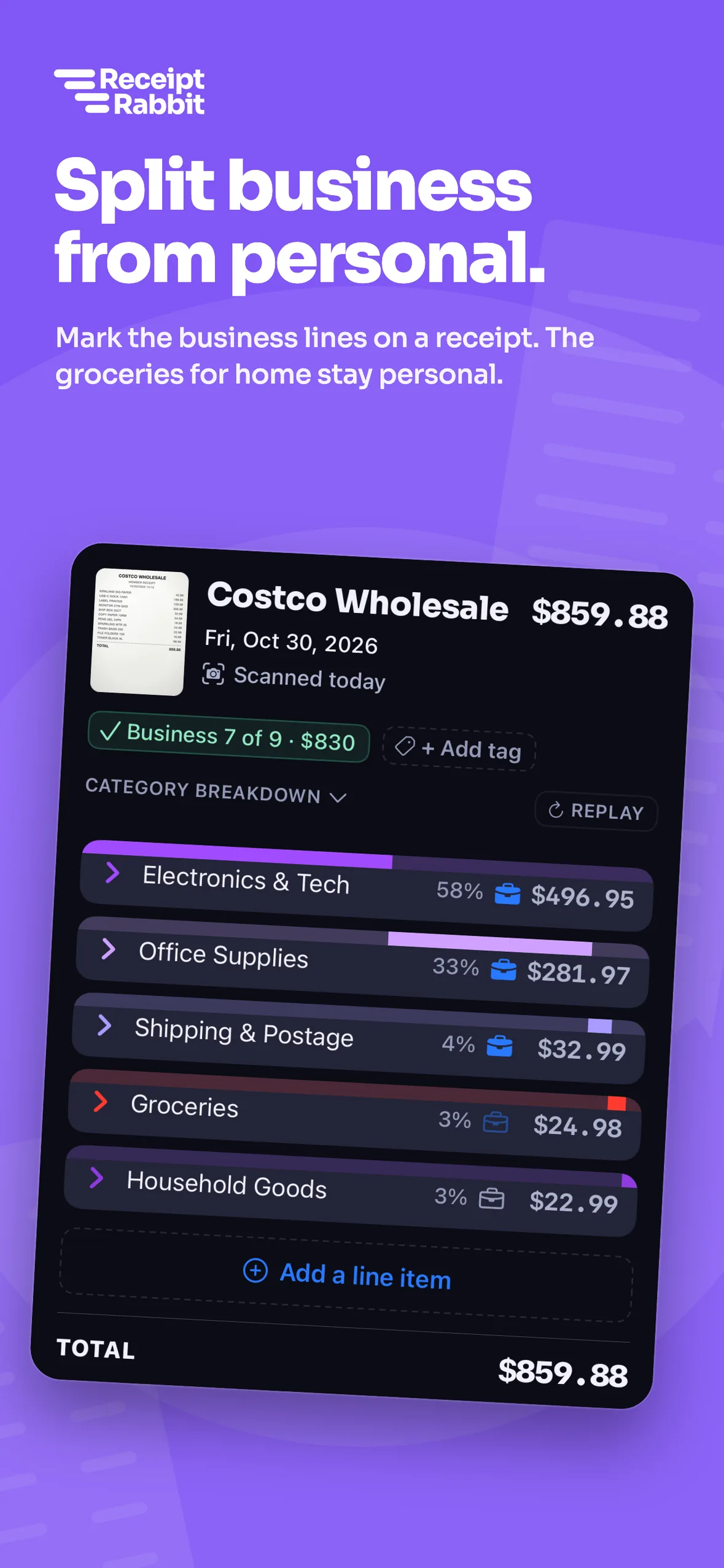
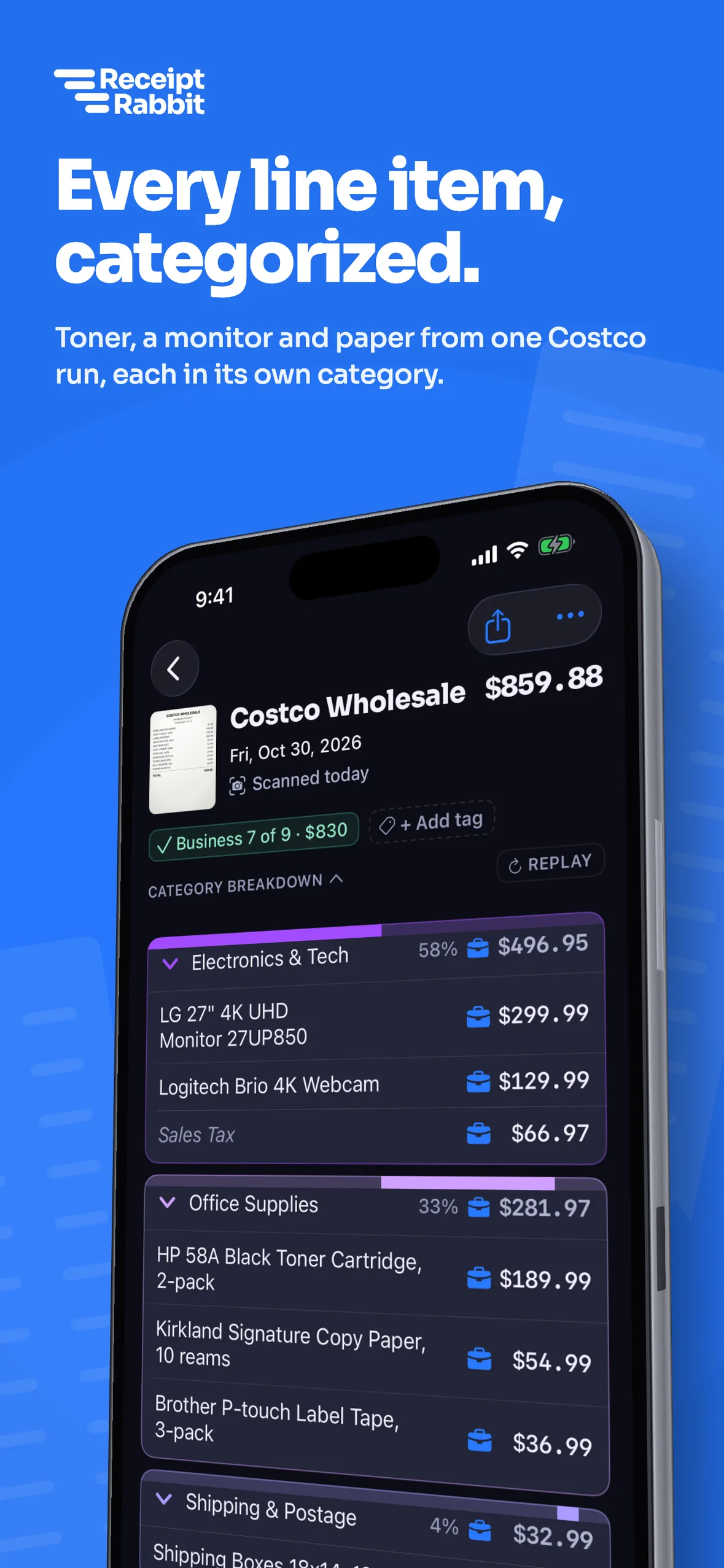
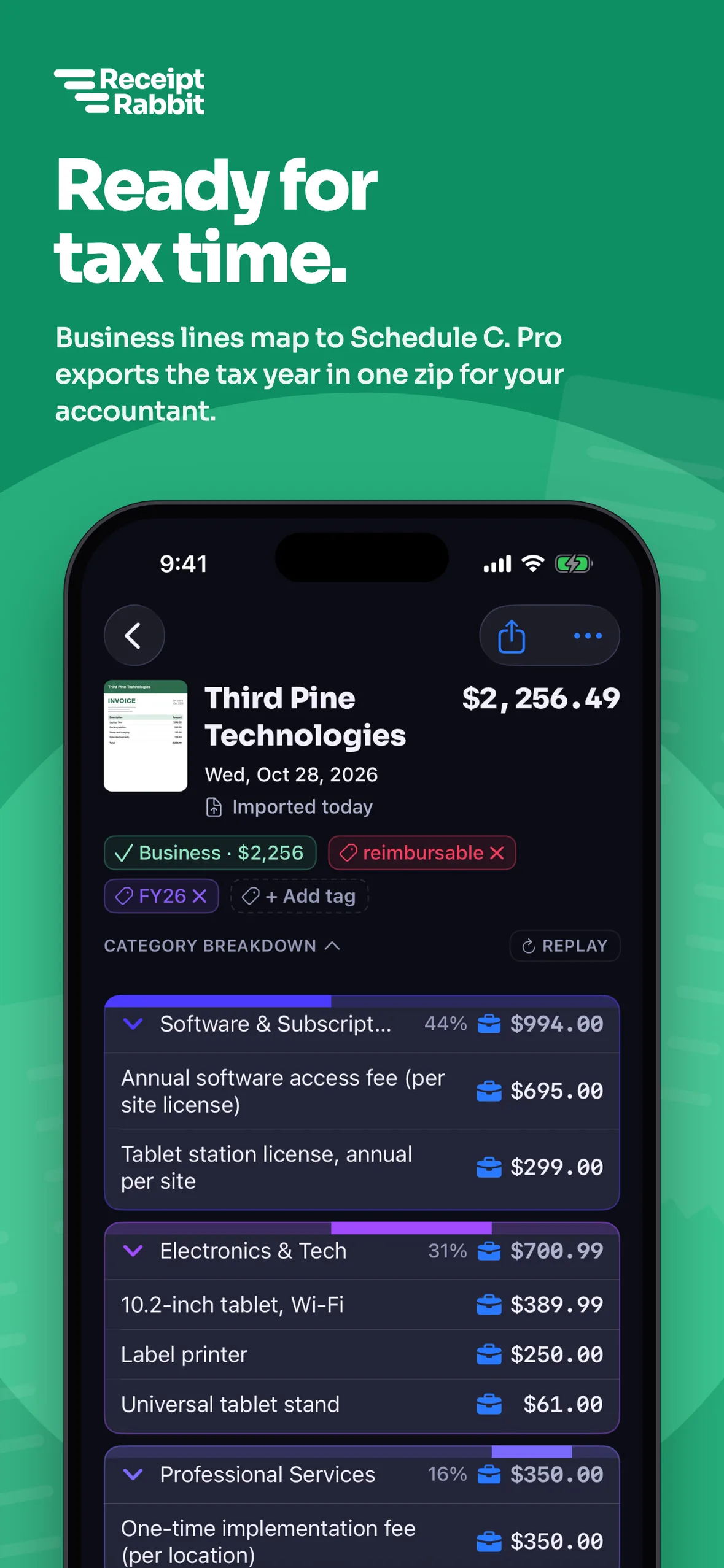
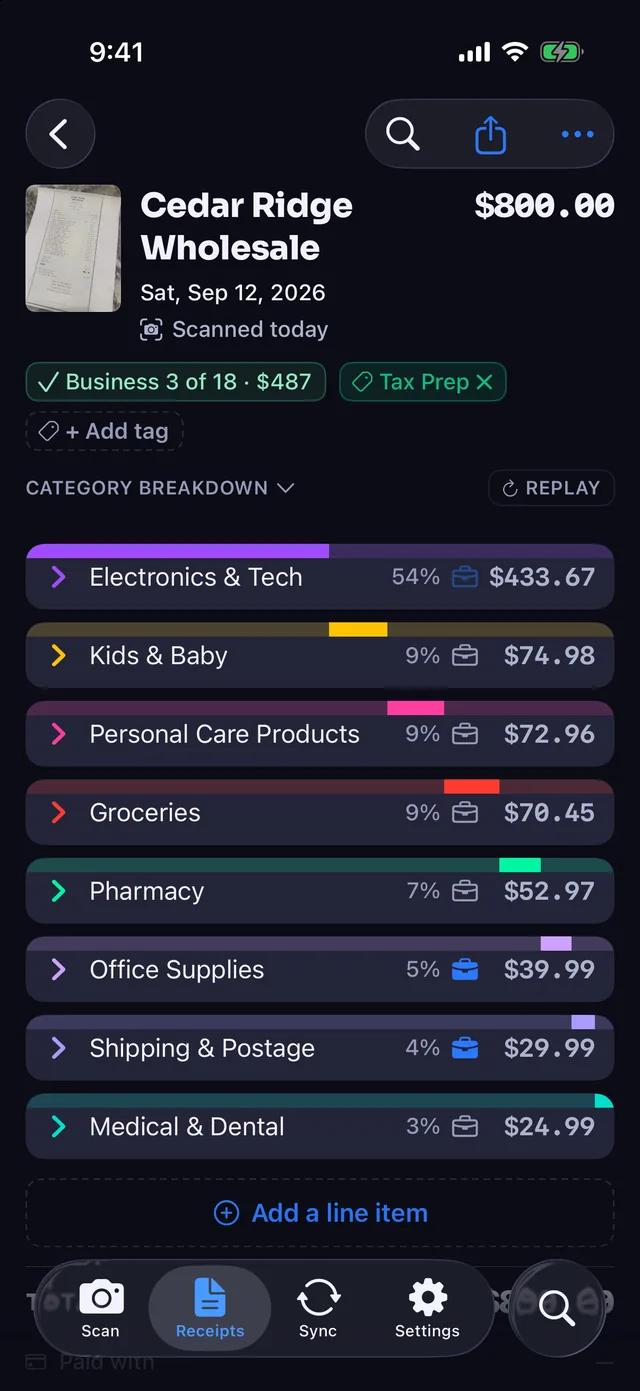
One receipt can hold office supplies, groceries, and personal items. Receipt Rabbit categorizes every line item automatically.
- 42 categories in 11 groups: Every line item gets a category, including a dedicated Work & Office group.
- Business and personal on one receipt: Mark any individual line as business, and your Tax Profile maps it to Schedule C.
- Totals that match the charge: Coupons, discounts, taxes, and fees follow the receipt's main category so the math adds up.
Go from paper or email receipt to your books in three steps
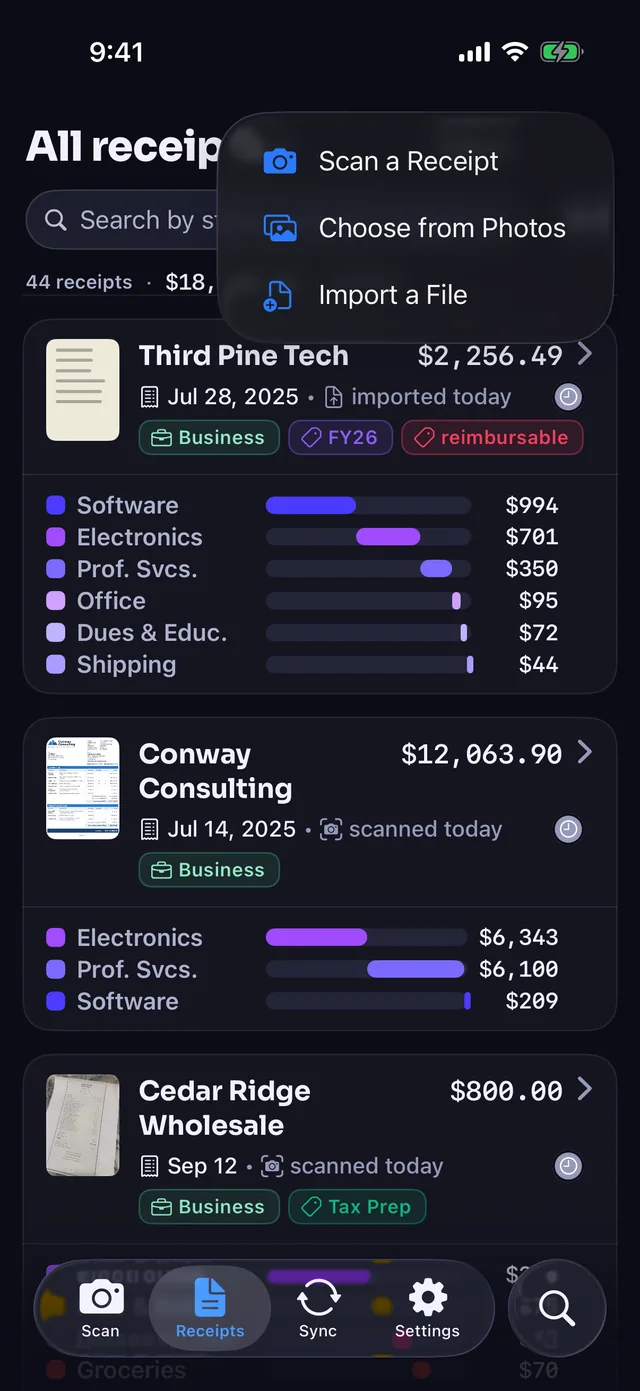
Add a receipt
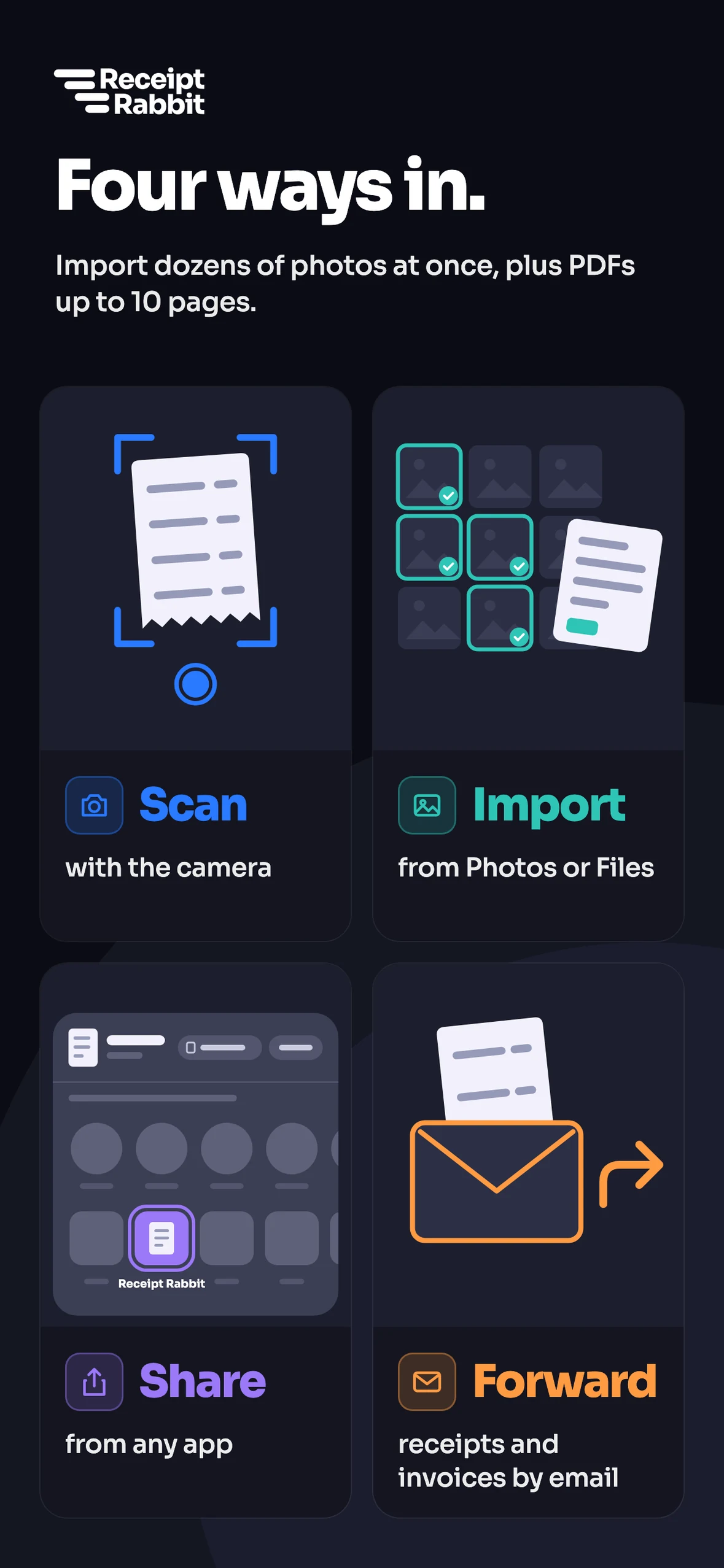
Scan with the camera, pick from Photos, import a PDF from Files, share from another app, or use email forwarding on any plan.
Check the lines
Tap any line to change its category, mark business lines for Schedule C, and add tags for clients, projects, trips, or tax years.
Sync or export
Export a line-item CSV and receipt image ZIP on any plan. Upgrade to Plus for Lunch Money sync, or to Pro for QuickBooks Online and Xero sync, expense report workbooks, and tax-year accountant packages.
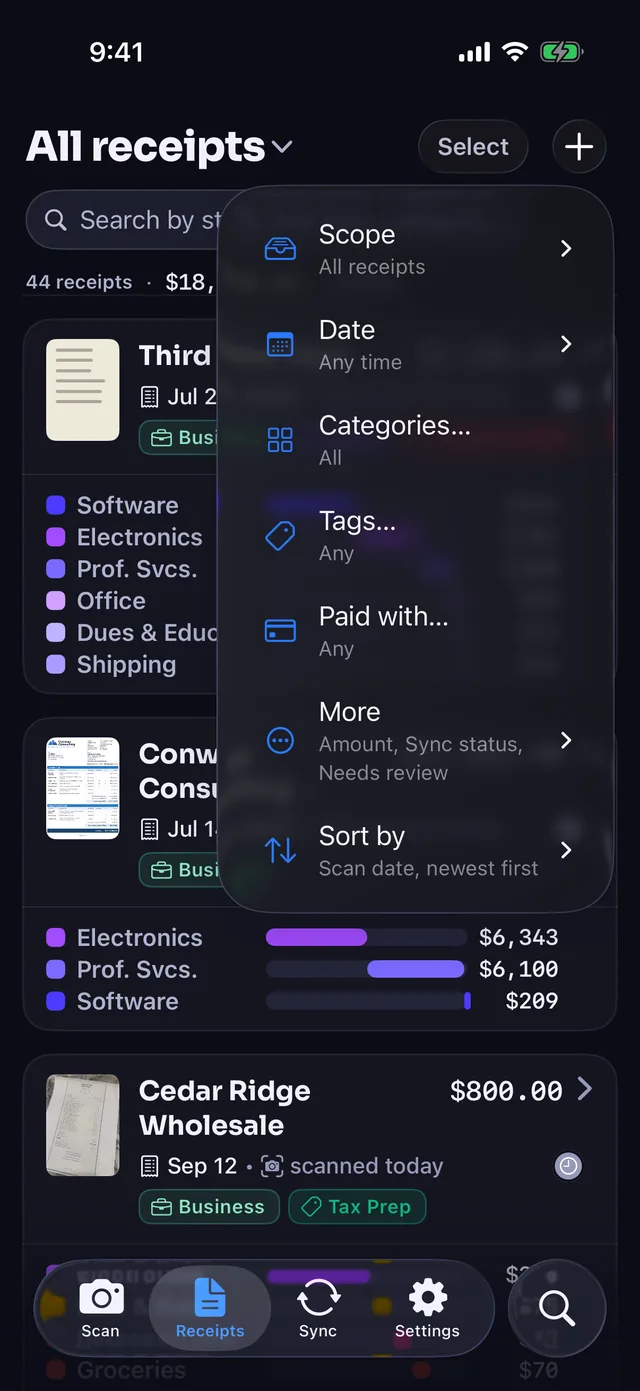
Group receipts by trip, track payment cards, and capture 2 to 5 receipts in one photo
Every plan includes trips, payment cards, multi-receipt photos, and extra attachments.
- Trips: Tag every receipt dated in a date range automatically, while skipping utilities, rent, insurance, software subscriptions, and shipped orders by default.
- Payment cards: Cards are recorded automatically from the network and last 4 digits on a receipt. Name each card and set a Business or Personal default.
- Multi-receipt photos: Snap 2 to 5 receipts in one photo and tap "Split" to save them separately, or split from the receipt menu.
- Extra attachments: Attach extra images or PDFs to any receipt with "Add Image or PDF" and flip through them in a paged viewer.
Send split receipts to QuickBooks Online, Xero, or Lunch Money
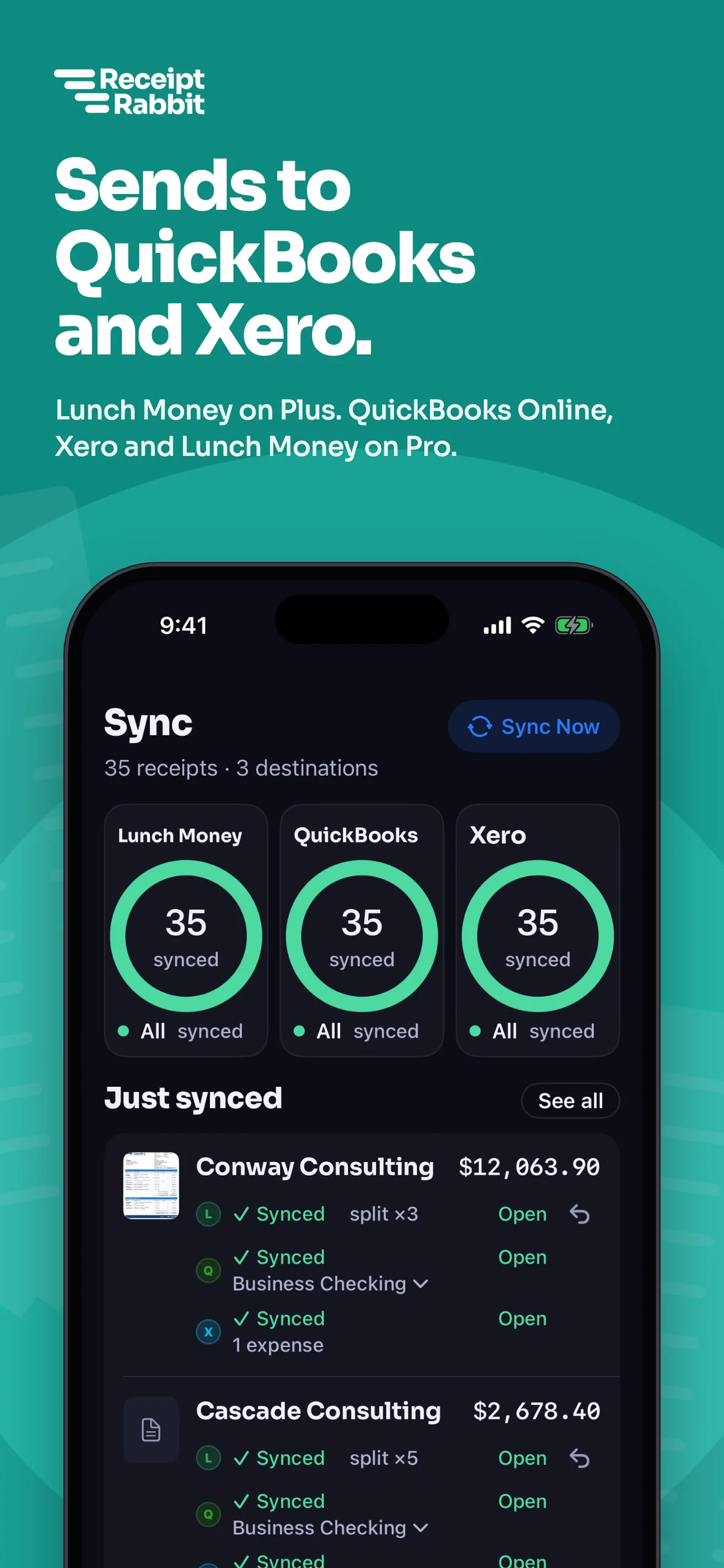
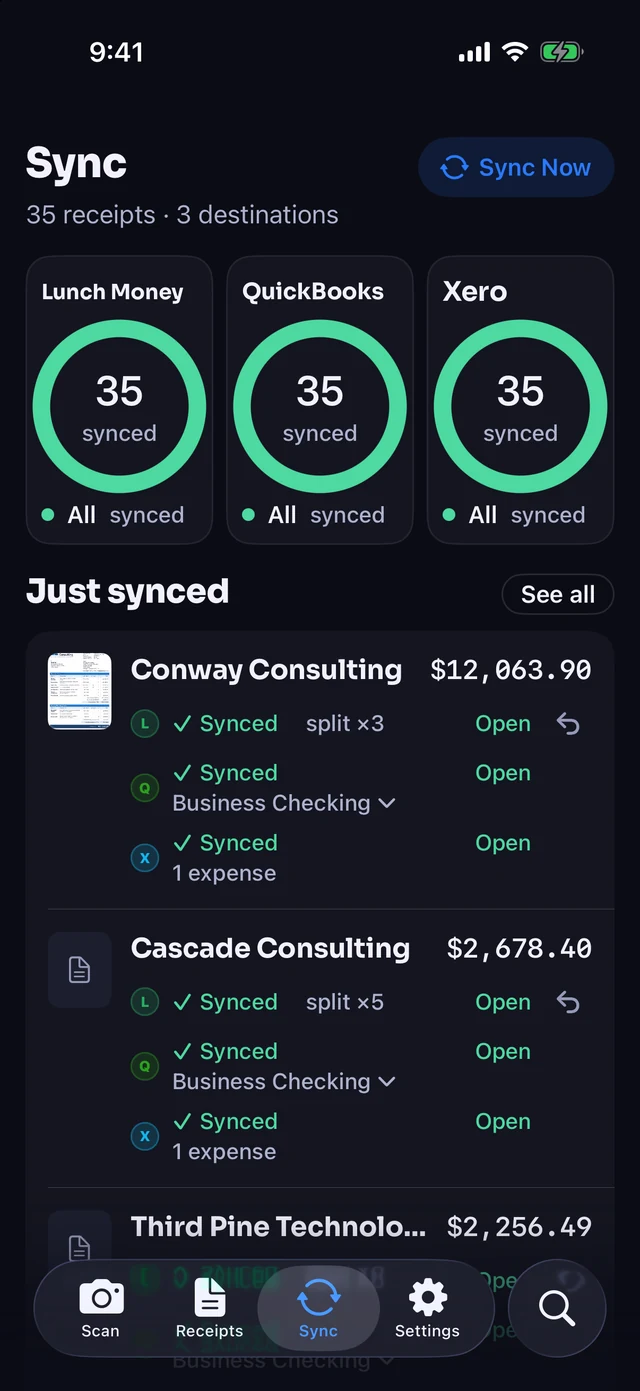
Receipt Rabbit works on its own, or you can connect your accounting software. Map your chart of accounts once, then choose whether receipts sync automatically right after you scan them or wait until you have reviewed them.
- QuickBooks Online (Pro): Posts one Expense with a line per category, image attached, and personal lines routed to a non-business account.
- Xero (Pro): Creates one spend money transaction split across your expense accounts from the bank account you choose, with the receipt attached.
- Lunch Money (Plus and Pro): Splits the matching bank transaction across categories automatically.
- Scoped accounting access: The QuickBooks connection requests only the Accounting permission (never the Payments permission) and never reads your bank feed.

Hand your accountant a clean year-end package
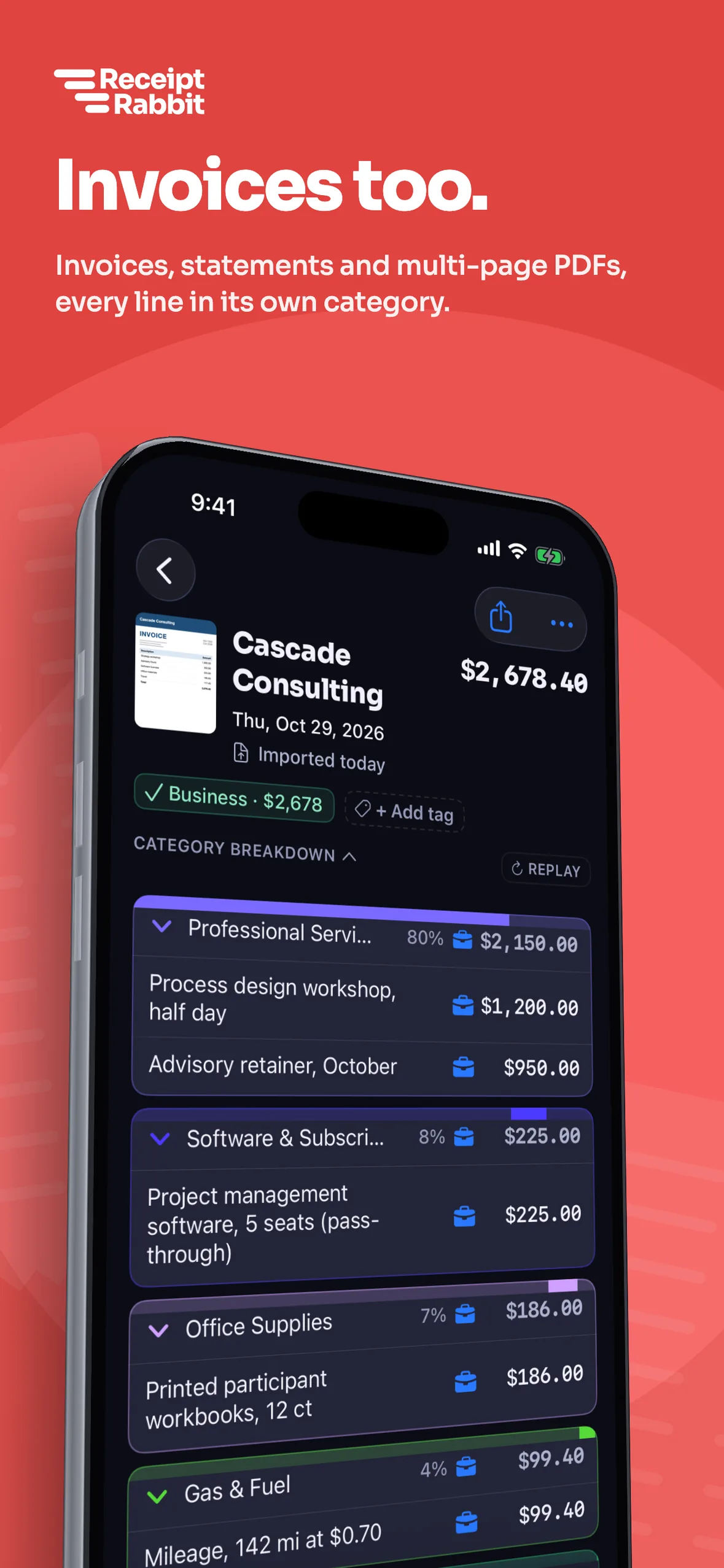
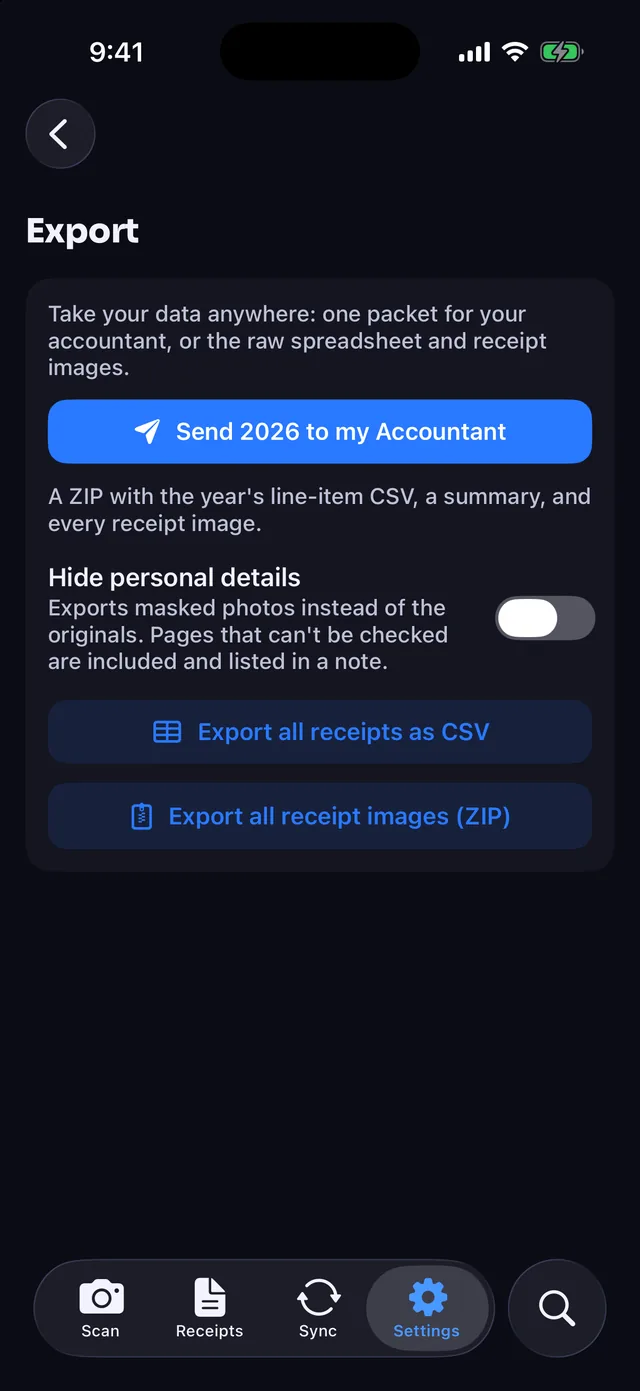
Export clean spreadsheets and every receipt file for your accountant at tax time.
- Tax-year package (Pro): One ZIP per tax year with a line-item CSV, a three-tab XLSX workbook (Totals, Receipts, Line Items), and every receipt image or PDF.
- Expense report workbooks (Pro): Filter receipts by date, tags, or Paid with, select what you need, and share a CSV and XLSX workbook with the images.
- Full data export (Every plan): Export a line-item CSV of all receipts and a ZIP of all receipt images whenever you want.
Who Receipt Rabbit is built for
Good fit
- Schedule C filers: Mark business lines on any plan and your Tax Profile maps them to Schedule C. The tax-year ZIP is on Pro.
- Solo QuickBooks Online and Xero users: Manage company receipts yourself and sync split expenses or export expense report workbooks on Pro.
- Lunch Money and household budgeters: Keep searchable receipts in your private iCloud on Free, or split bank transactions in Lunch Money on Plus and Pro.
Not built for
- Android or PC users: Receipt Rabbit is an iPhone-only app requiring iOS 18 or later.
- Multi-user teams: Built for one person managing receipts, without shared team accounts, approval workflows, or corporate card programs.
Keep your receipts and personal details private
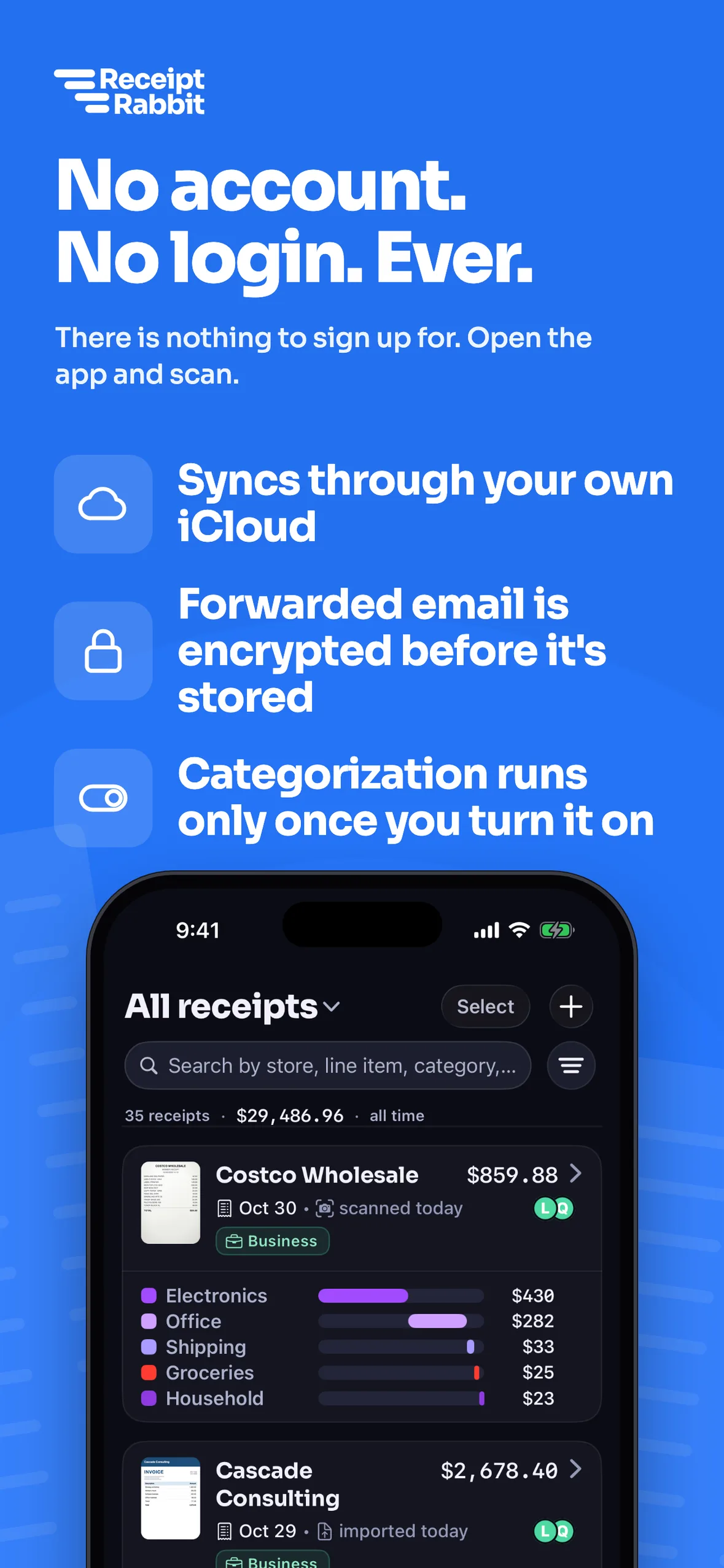
- No account or login: Never asks for your name or an email address to sign up, and subscriptions are bought anonymously through the App Store.
- On your devices: Receipts live on your iPhone and mirror to your private iCloud.
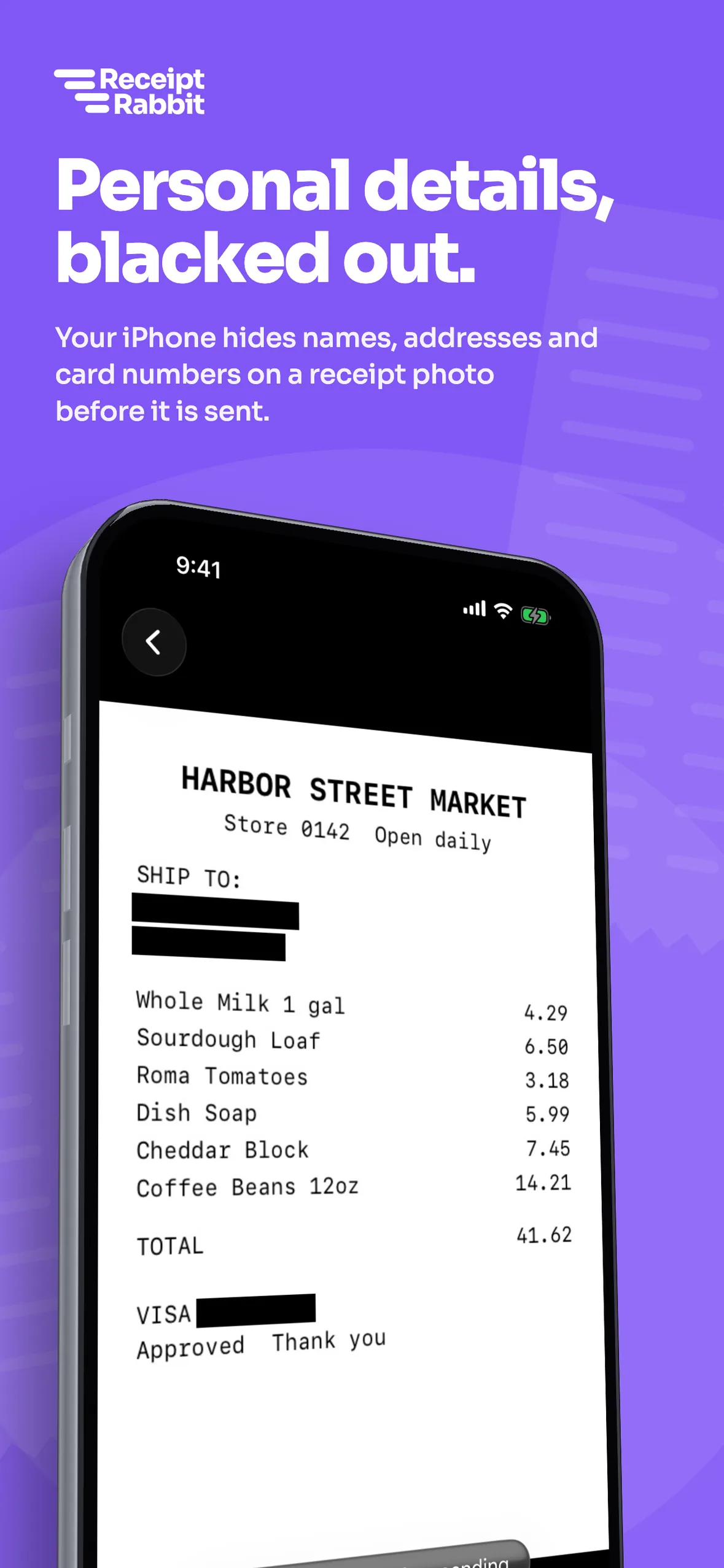
- On-device masking: Best-effort masking blacks out card numbers, cardholder names, addresses, and emails on your device before upload.
- No model training: Every model request denies training-data use and requests zero data retention.
- Server handling: Receipt images are not kept on our servers after categorization. Forwarded emails wait up to 7 days, encrypted to your device keys.

Free for 30 receipts a month, paid plans from $4
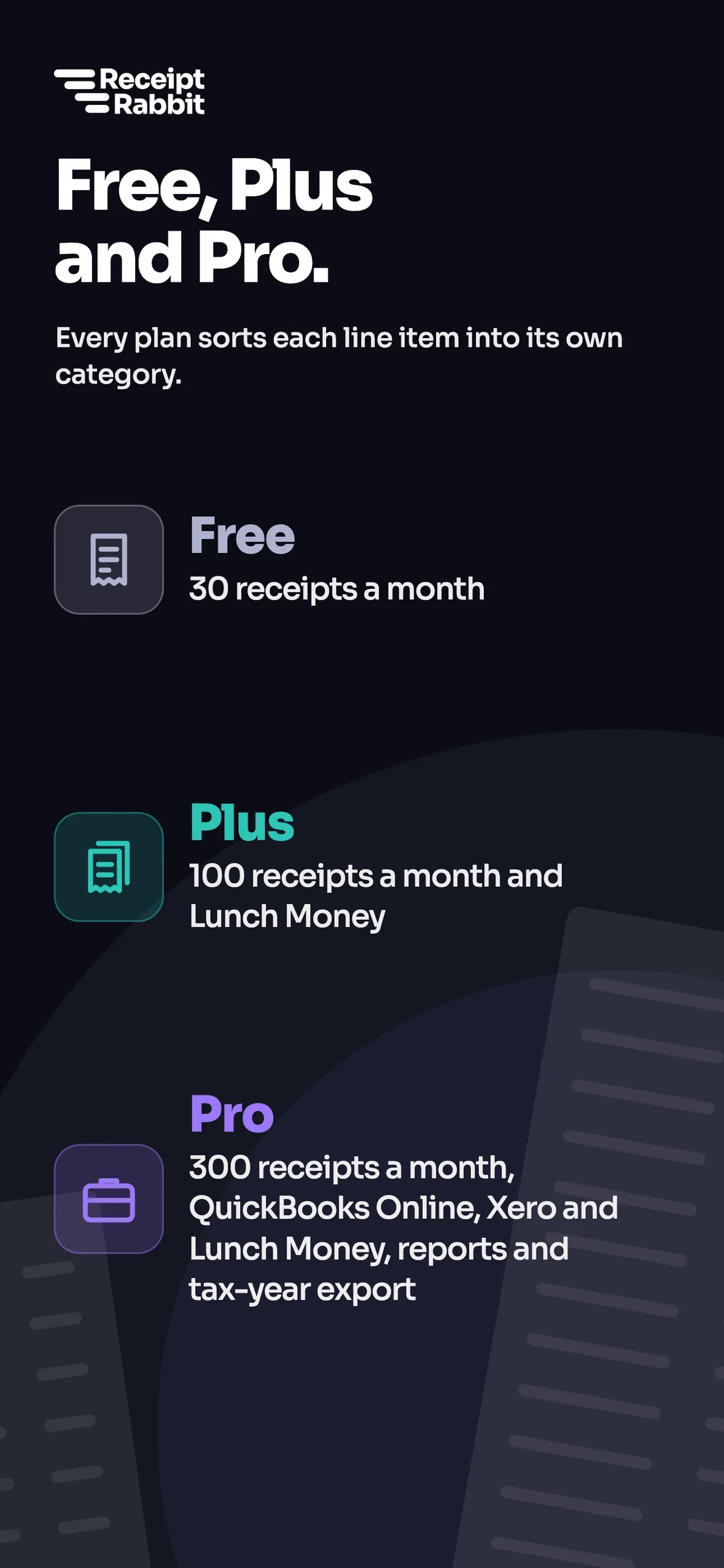
Free
$0
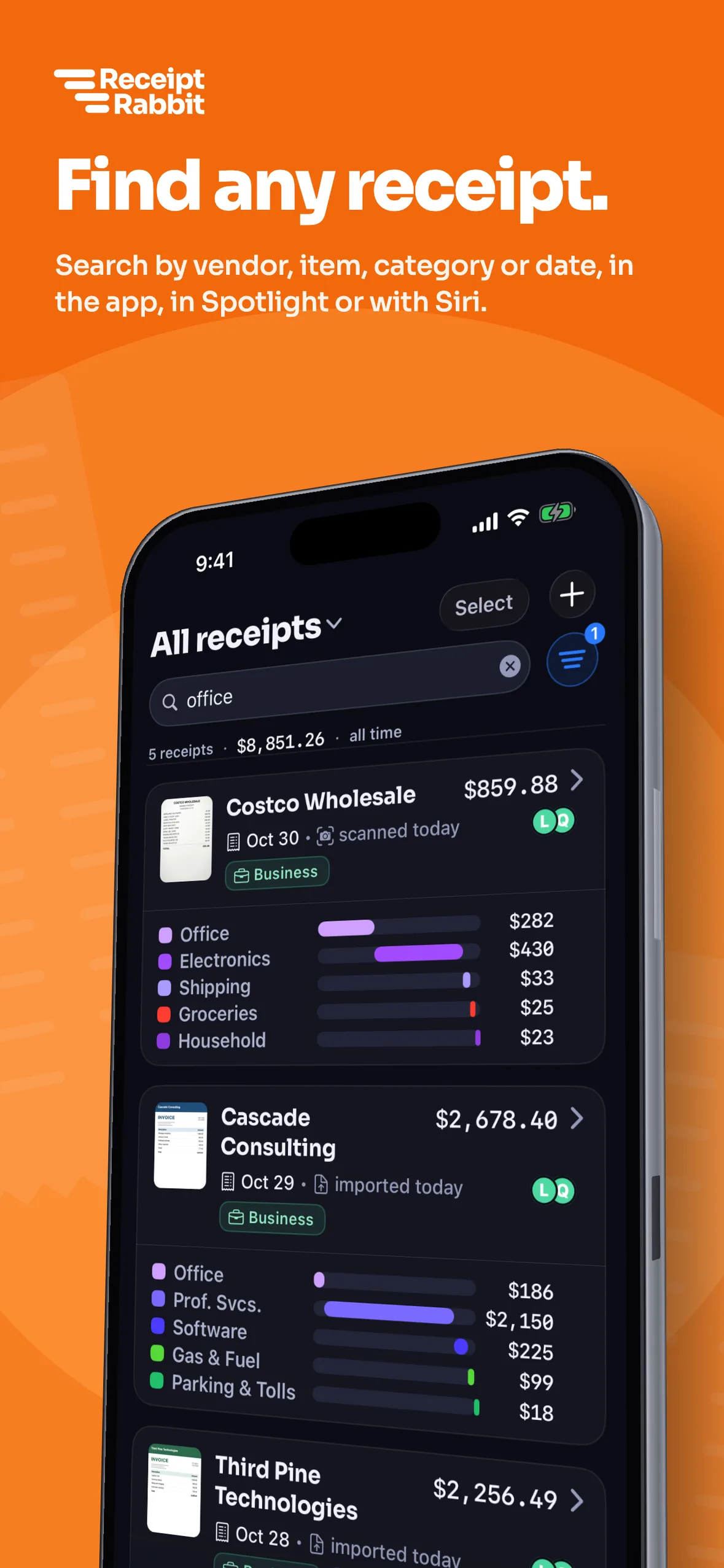
30 receipts a month: Categorizes every line item, with trips, card tracking, email forwarding, tags, Spotlight search, plus CSV and image ZIP exports.
Plus
$4/month or $30/year
100 receipts a month: Everything in Free, plus Lunch Money sync.
Pro
$8/month or $60/year
300 receipts a month: Everything in Plus, with QuickBooks Online and Xero sync, expense report workbooks, and tax-year accountant packages.
7-day free trial on Pro annual only. One user per subscription. US App Store prices.
Compare Receipt Rabbit with other receipt apps
- Best app for itemizing receipts: seven receipt apps compared on line items, QuickBooks sync, platforms, and price.
- Receipt Rabbit vs Dext (Dext was called Receipt Bank until 2021).
- Receipt Rabbit vs Expensify.
- QuickBooks receipt capture vs Receipt Rabbit.
Integration guides: QuickBooks Online receipt sync and Xero receipt scanner.
Frequently asked questions
Is Receipt Rabbit for business?
Yes. It is built for freelancers, sole proprietors, and one-person businesses. Every plan splits mixed receipts into business and personal lines and exports a line-item CSV and image ZIP. Plus adds Lunch Money sync. Pro adds QuickBooks Online and Xero sync, expense report workbooks, and tax-year packages.
Can I split one receipt between business and personal expenses?
Yes. Receipt Rabbit categorizes every line item across 42 categories in 11 groups (including Work & Office) and lets you mark individual lines as business. Your Tax Profile maps marked business lines to Schedule C.
Does Receipt Rabbit work with QuickBooks or Xero?
Yes, on Pro. QuickBooks Online gets one Expense with a line per category and the receipt image attached, routing personal lines to a non-business account. Xero gets one spend money transaction split across expense accounts with the receipt attached.
Does Receipt Rabbit support teams or approvals?
No. Each subscription is for one user. Receipt Rabbit does not have shared team accounts, approval workflows, or corporate card programs.
Can my accountant use the export without using the app?
Yes. Every plan exports a line-item CSV and a ZIP of all receipt images. Pro also exports one ZIP per tax year with every receipt image, a line-item spreadsheet, and totals.
Does Receipt Rabbit require an account or login?
No account or login is required, and it never asks for your name or an email address to sign up. Subscriptions stay anonymous through the App Store, and receipts live on your iPhone and in your private iCloud.
What does Receipt Rabbit cost?
Free includes 30 receipts a month at no charge. Plus is $4/month or $30/year for 100 receipts a month and Lunch Money sync. Pro is $8/month or $60/year (with a 7-day free trial on annual) for 300 receipts a month, QuickBooks Online, Xero, Lunch Money, expense report workbooks, and tax-year packages.
Does Receipt Rabbit work on Android?
No. Receipt Rabbit is an iPhone-only app requiring iOS 18 or later. There is no Android or PC app.
Can I scan several receipts in one photo?
Yes. When one photo holds 2 to 5 receipts, Receipt Rabbit offers "Split" to save separate receipts or "Keep as one". You can also choose "Split" from the receipt's menu.
Spot an error on this page? Email support@receiptrabbit.io and we will correct it.
Categorize 30 receipts every month for free.