

About Receipt Rabbit
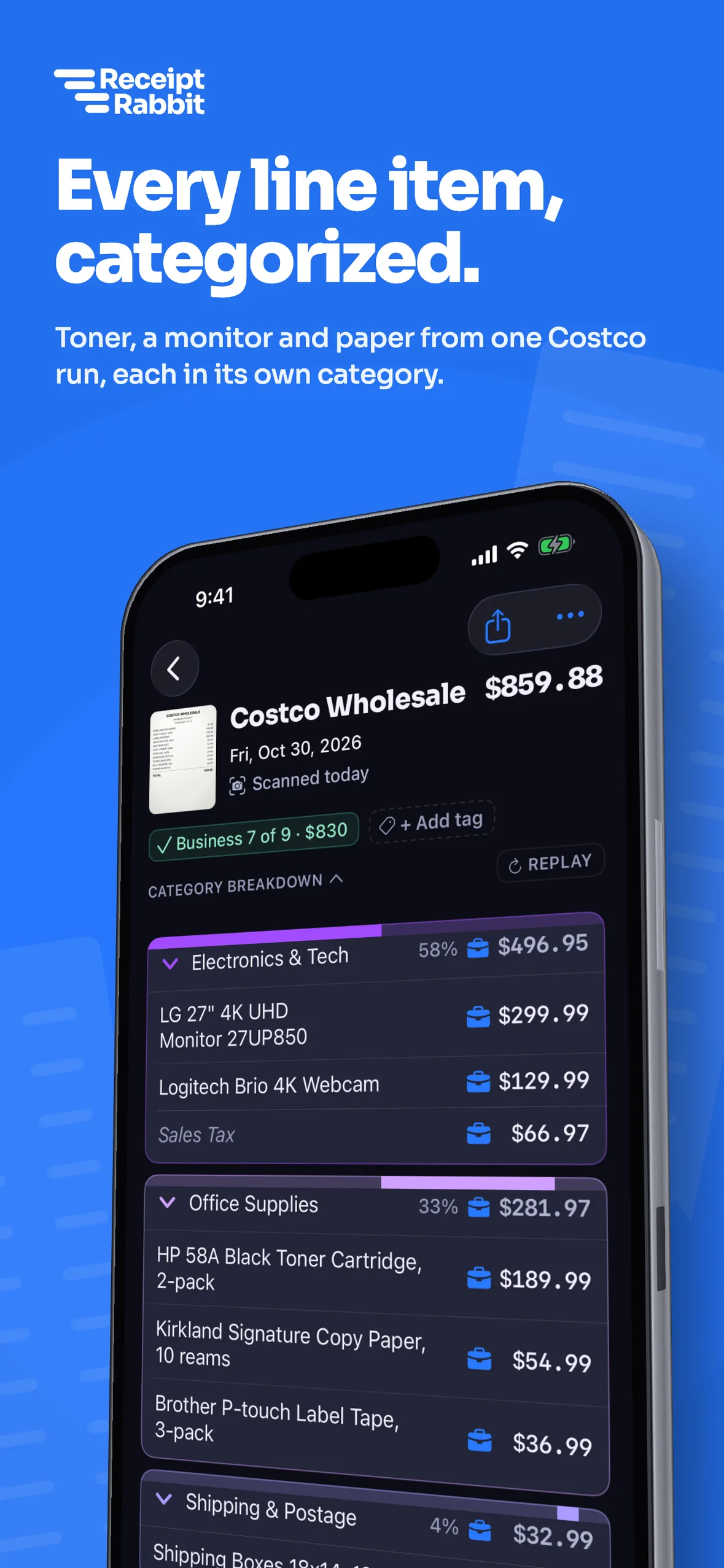
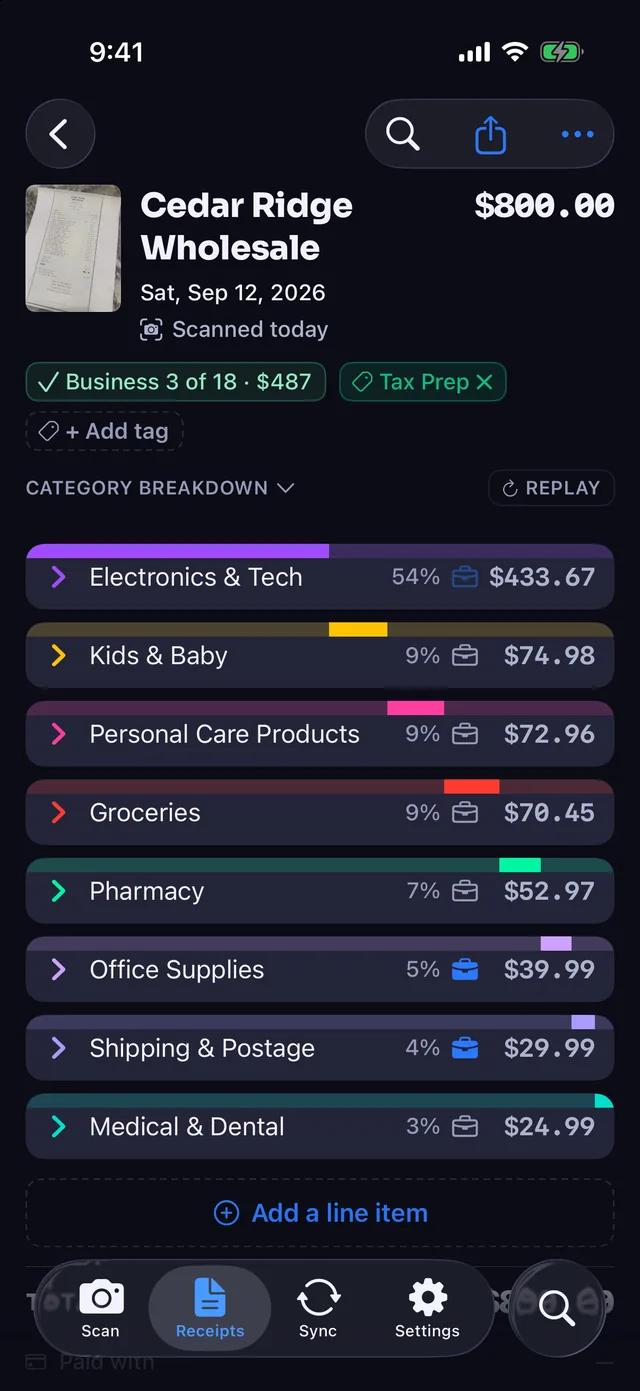
Receipt Rabbit is an iPhone app that scans receipts and categorizes every line item, so one store receipt can land in several categories.
It is for freelancers and small businesses that keep their books in QuickBooks Online or Xero, and for individuals and households that budget in Lunch Money or keep receipts on their own. It is made by Pine River Labs.
By Pine River Labs · Updated

Who makes it

Receipt Rabbit is built and published by Pine River Labs. To contact Pine River Labs, email hello@pineriverlabs.com.
What the app does
- Reads every line on a receipt and categorizes each one separately, using 42 categories in 11 groups. Coupons, discounts, taxes and fees are not spending categories; they follow the receipt's main category.
- Lets you mark any line as business, so business and personal purchases can share one receipt.
- Sends itemized expenses to QuickBooks Online or Xero (Pro), split by category, or to Lunch Money (Plus or Pro).
- Exports a tax-year package for your accountant and builds expense reports for client trips (Pro).
- Is built for one user per subscription. It has no team accounts or approval workflows.
- Takes receipts forwarded by email, as well as receipts you scan.
- Keeps every receipt searchable by item, store, category and date, in the app and in Spotlight, and files each one as a PDF in iCloud Drive.
Free
No charge
Free covers 30 receipts a month.
Plus
$4/month or $30/year
Plus covers 100 and adds Lunch Money.
Pro
$8/month or $60/year
Pro covers 300, and adds QuickBooks Online, Xero, Lunch Money, expense reports and tax-year exports.
Email forwarding is included in Free. Receipt Rabbit runs on iPhone only and is available on the App Store.
No account, and your receipts stay yours
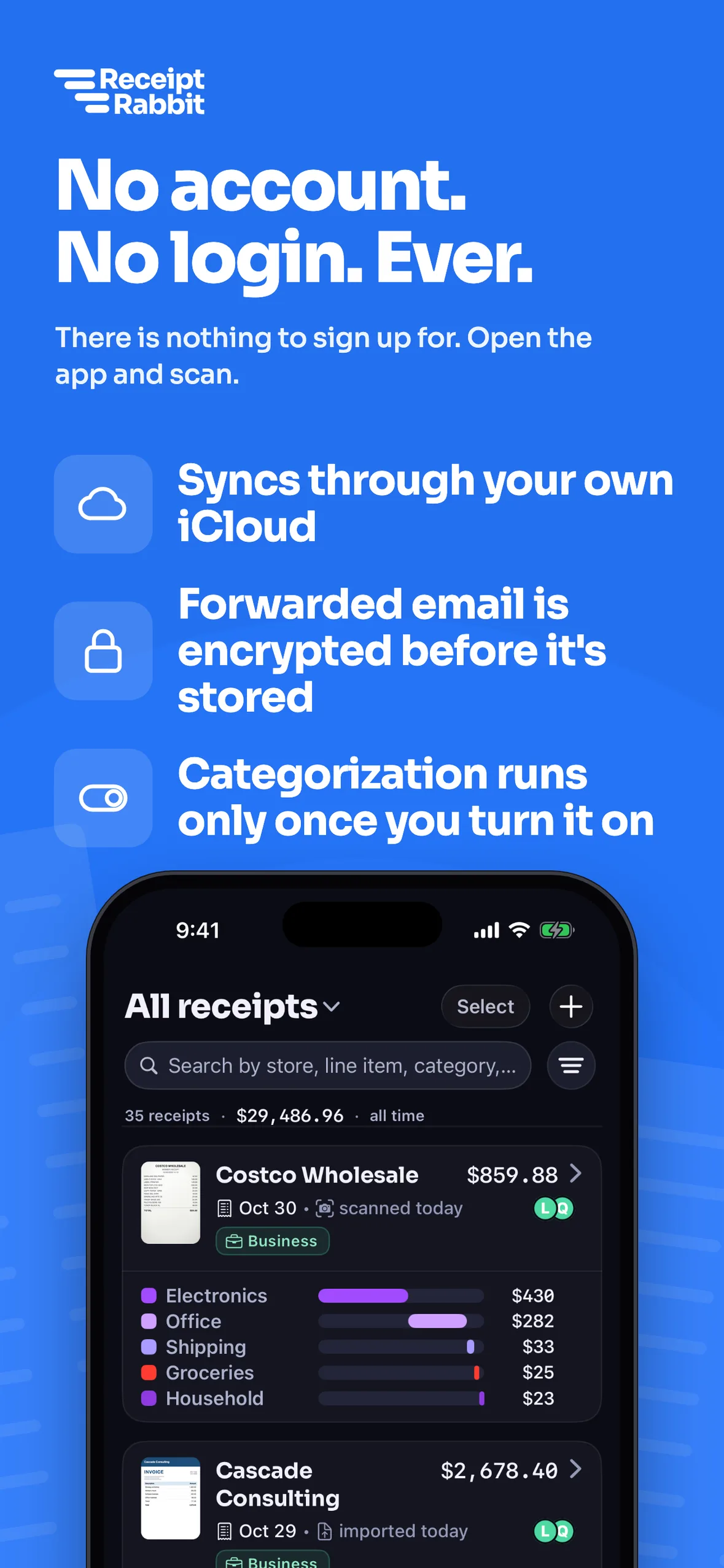
- There is no account to create and nothing to log in to.
- Receipt Rabbit has no user accounts and no user database, as our Privacy Policy explains.
- Your receipts live on your iPhone and in your own iCloud, and sync across your devices through it.
- To categorize a receipt, the app sends its photo to our categorization service, with personal details masked on your iPhone where it can find them. Redacted text is sent instead only when the photo is too large or the request fails. Our providers do not retain either.
- Phone numbers and card numbers are stripped from receipt text on your device before anything is sent.
- The app never connects to your mailbox; a receipt you forward by email comes through the Receipt Rabbit server to reach your phone.
Go from paper receipt to clean books
Capture every receipt
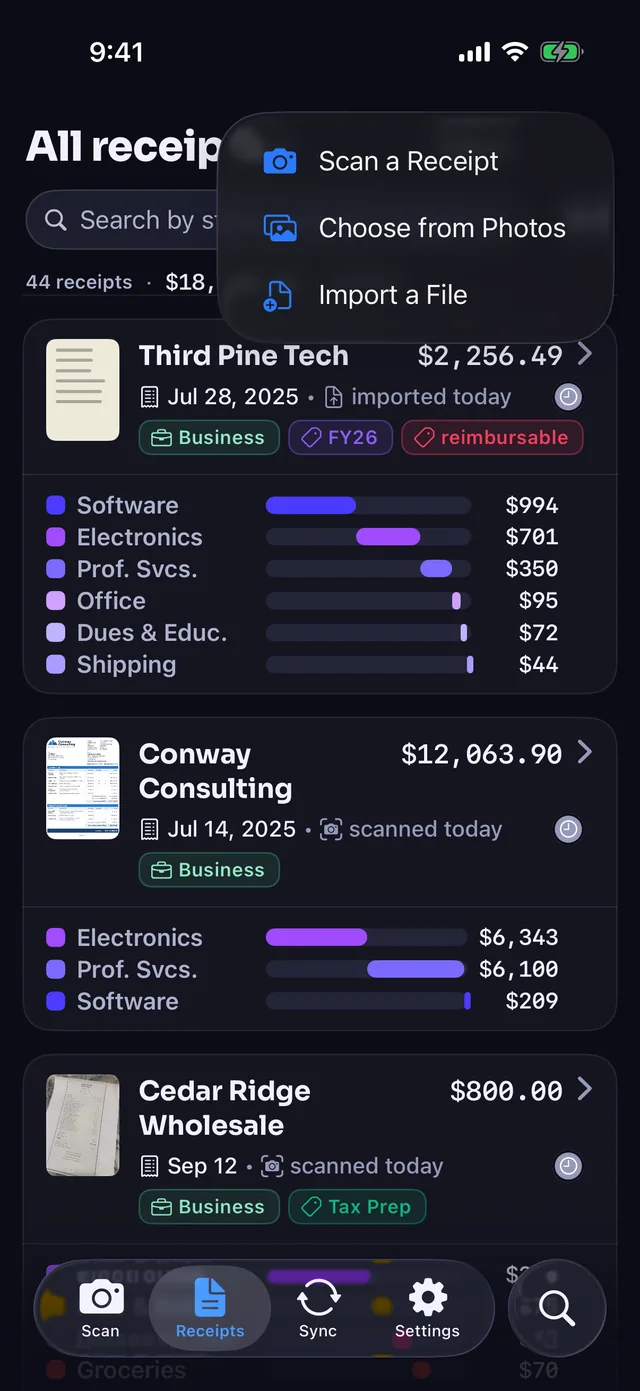
- Scan with the camera: finds the edges, crops, and straightens your receipt photo automatically.
- Import from anywhere: pick from Photos, import PDFs from Files, or share from another app.
- Forward receipt emails: send emails to your personal forwarding address on every plan, including Free.
Categorize every line
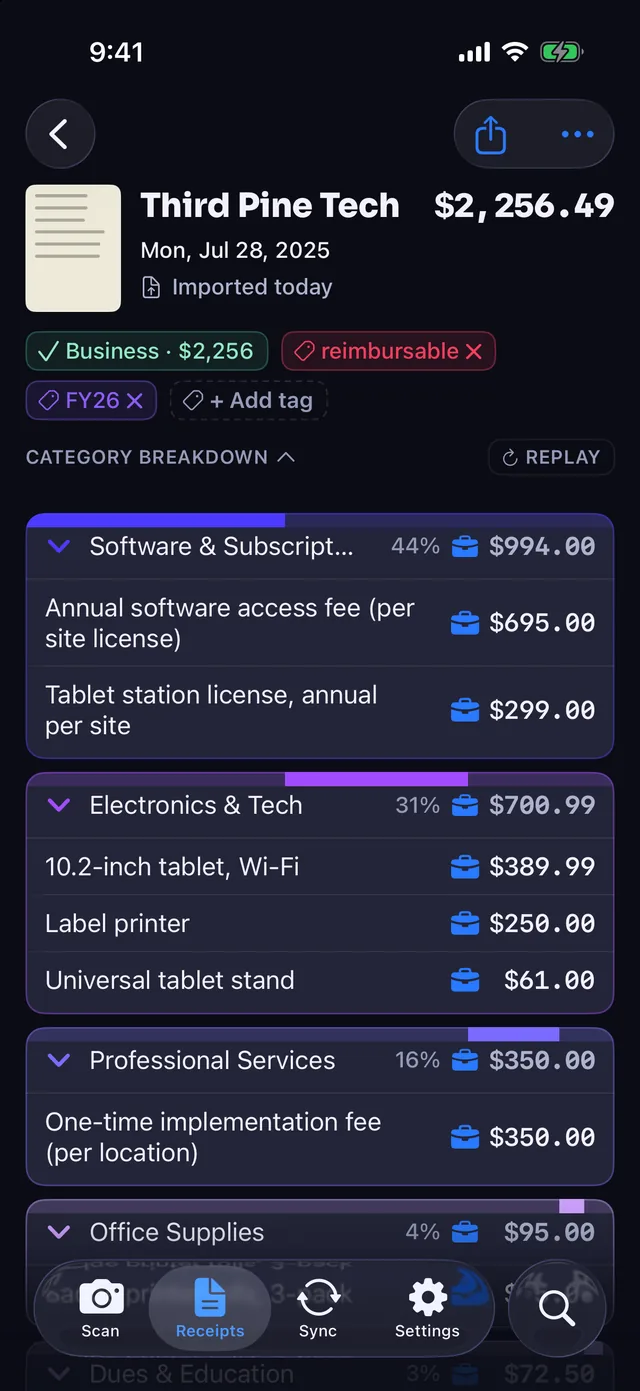
- Line-by-line categorization: assigns each item one of 42 categories in 11 groups, including Work & Office.
- Mix business and personal: tap any line to change its category or mark it as business for Schedule C.
- Accurate receipt totals: coupons, discounts, taxes, and fees follow the main category so numbers add up.
Sync to your books
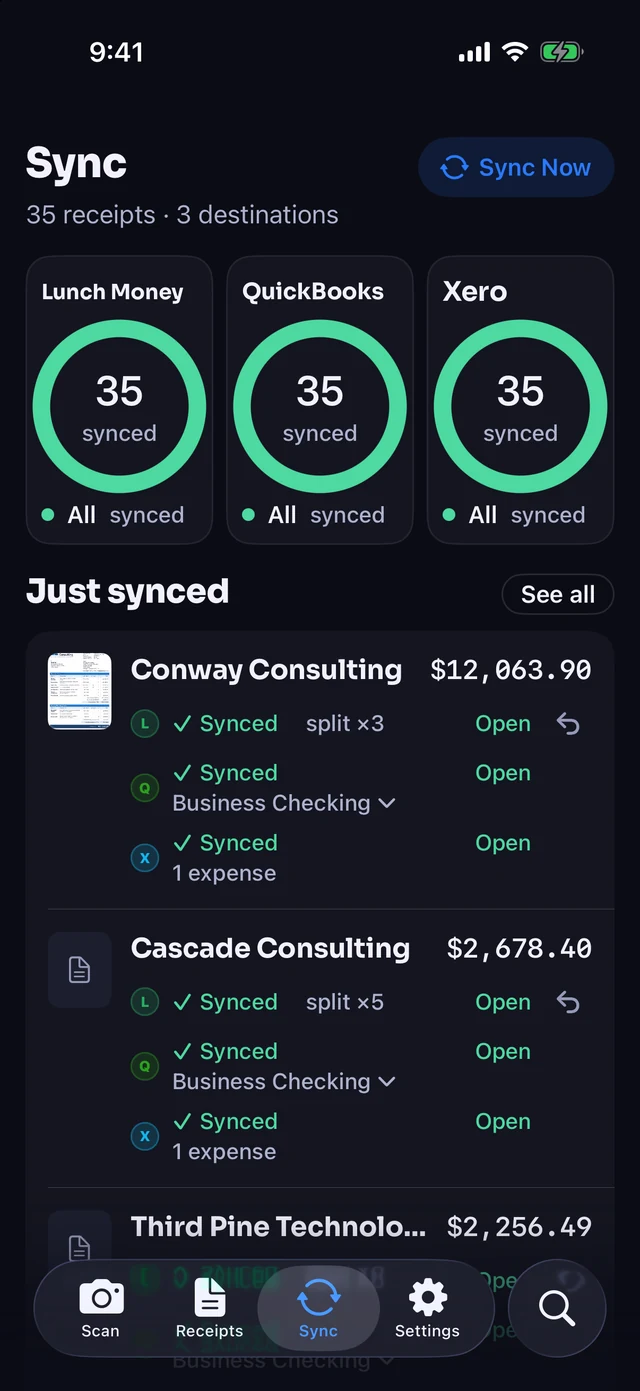
- Lunch Money on Plus and Pro: splits the matching bank transaction across categories.
- QuickBooks Online and Xero on Pro: posts split expenses with the receipt image attached.
- Works on its own: use the app with nothing connected, or review before syncing.
Export for taxes and clients
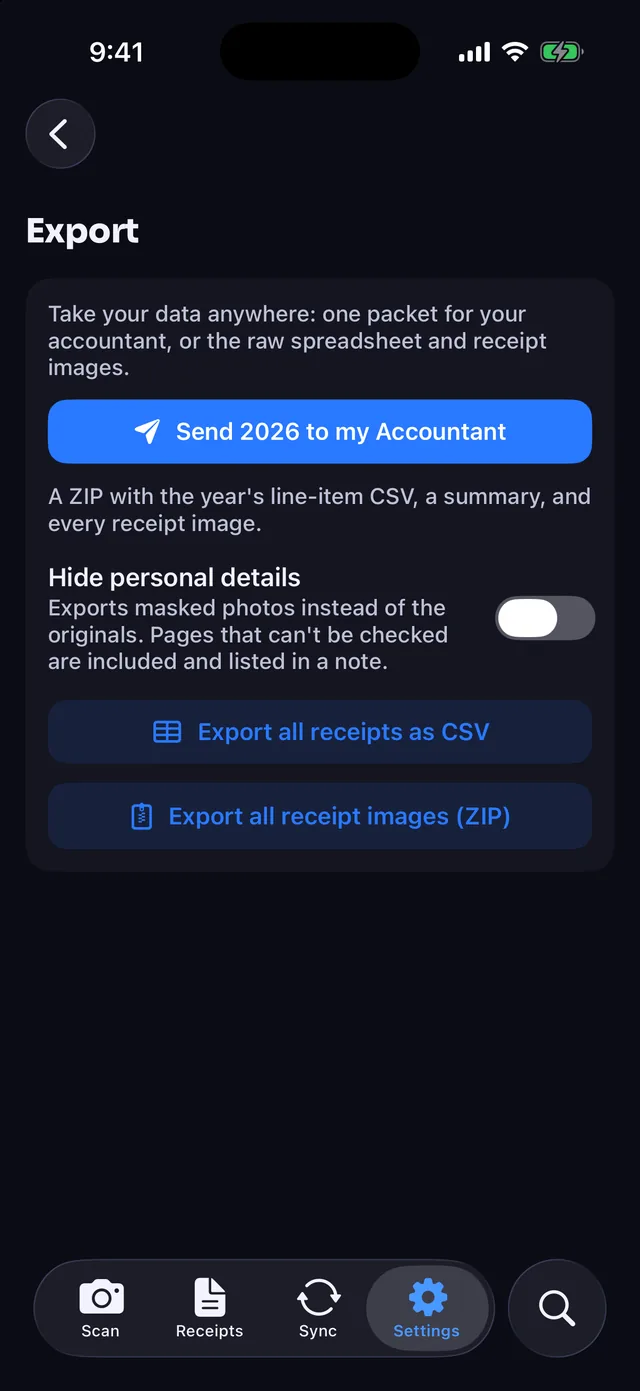
- Free CSV and image ZIP: export a line-item CSV spreadsheet and a ZIP of all receipt photos on every plan.
- Tax-year package on Pro: one ZIP per tax year with every receipt image, a master line-item spreadsheet, and a summary.
- Expense reports on Pro: builds workbooks for client trip reimbursements.
Answers to common questions
How do Free, Plus, and Pro compare?
- Free: 30 receipts a month, email forwarding, line-item CSV export, and a ZIP of all receipt images.
- Plus ($4 a month or $30 a year): 100 receipts a month and Lunch Money sync, with no free trial.
- Pro ($8 a month or $60 a year): 300 receipts a month, 7-day free trial on annual, QuickBooks Online, Xero, and Lunch Money sync, expense reports, and tax-year packages.
US App Store prices.
What happens when I hit my monthly limit?
Receipts save with their photo and get marked as over the limit. Monthly limits are 30 for Free, 100 for Plus, and 300 for Pro, with forwarded emails included. Your count resets each month (UTC).
How do split receipts sync to accounting tools?
Each receipt syncs split by category. Lunch Money (Plus and Pro) splits the matching bank transaction. QuickBooks Online and Xero (Pro) post one split transaction with the receipt image attached and never read bank feeds or move money. The app also works on its own.
Can I edit a line or mark business items?
Yes, tap any line to edit it. Each line gets one of 42 categories across 11 groups. You can also mark specific lines as business on a mixed receipt to keep everything ready for Schedule C.
Does email forwarding connect to my inbox?
No, the app never connects to your mailbox. Every plan includes a personal forwarding address, and each forwarded receipt counts toward your monthly limit. Forwarded emails are encrypted to keys only your devices hold and wait on our server until downloaded or up to 7 days.
Do I need an account or email to start?
No account, login, or email sign-up is needed. Open the app and scan. Your receipts stay on your iPhone and in your private iCloud, and subscriptions are handled anonymously through the App Store.
Are receipt photos kept or used for AI training?
No, they are not used for training, and scanned images are not kept on our servers after categorization. Before upload, your iPhone compresses and masks phone and card numbers, emails, auth codes, member IDs, and cardholder names (best effort; sent even if unconfirmed). Requests deny training-data use and request zero data retention.
Where are receipts stored if I switch iPhones?
On your iPhone and in your private iCloud. Receipts sync across your devices signed in to the same iCloud. You can search by item, store, category, and date in the app and in iPhone Spotlight.
Can I export spreadsheets and images on Free?
Yes, full CSV and image ZIP exports are free. Every plan exports a line-item CSV spreadsheet of all receipts and a ZIP of all receipt images. Pro adds expense report workbooks and a tax-year package for your accountant.
Is there an Android or PC app?
No, Receipt Rabbit is for iPhone only. It requires iOS 18 or later, and there is no Android or PC app.
Who makes Receipt Rabbit, and how do I report mistakes?
Pine River Labs makes Receipt Rabbit. For app help, email support@receiptrabbit.io or contact Pine River Labs at hello@pineriverlabs.com. If you spot a mistake on this site, email support@receiptrabbit.io and we will correct the page and update its date.
Contact
Email support@receiptrabbit.io for help with the app, questions about your data, or anything else. The Support page has more on getting help.
Start free with 30 receipts a month and no account.