

Expensify alternative for solo freelancers
Receipt Rabbit is an iPhone receipt scanner for solo freelancers that categorizes every line item automatically, with no approver workflows or manual splits.
By Pine River Labs, makers of Receipt Rabbit · Updated 2026-10-18
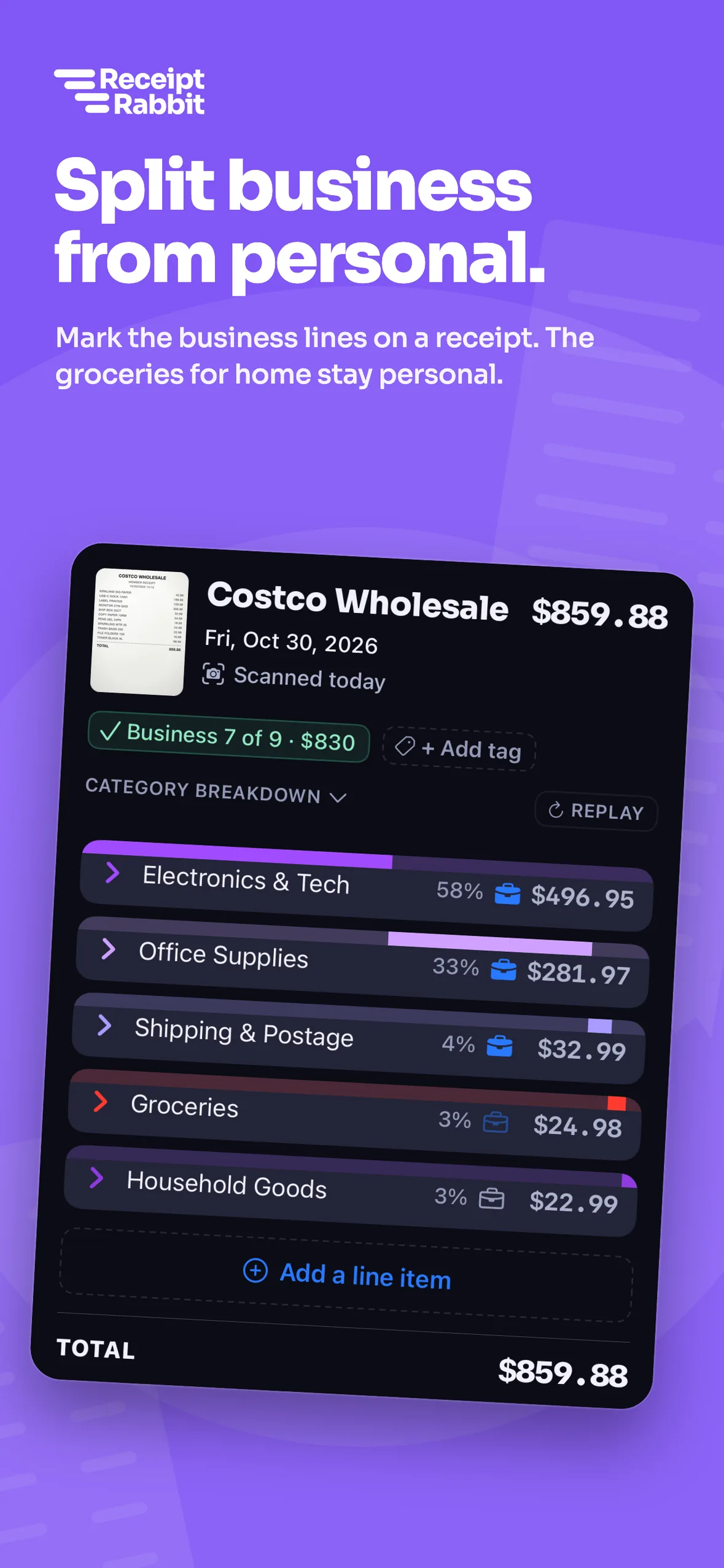

See how Receipt Rabbit and Expensify compare for one person
| Feature | Receipt Rabbit | Expensify |
|---|---|---|
| Built for | Solo iPhone users | Individuals with approvers and teams |
| Reads every line item | Yes: On every plan | No: Merchant, date, total, currency |
| Category per line | Yes: Automatic from 42 categories | No: Manual split per part |
| Business or personal per line | Yes: Tap per line item | No: Requires manual expense split |
| Free plan | Yes: 30 scans a month | Yes: Submit plan for approvers |
| Price for one person | $4 to $8 monthly, $30 to $60 yearly | $5 to $36 per member monthly |
| QuickBooks Online | Yes: On Pro ($60 a year) | Yes: On Collect or Control |
| Xero | Yes: On Pro ($60 a year) | Yes: On Collect or Control |
| Approvals and teams | No: Single user only | Yes: On paid plans |
| Mileage | No: No | Yes: With distance tracking |
| Android | No: iPhone only | Yes: iOS and Android |
Expensify US prices checked 2026-10-18: Control is $18 a member a month billed annually, $36 pay-per-use, or as low as $9 with Expensify Card.
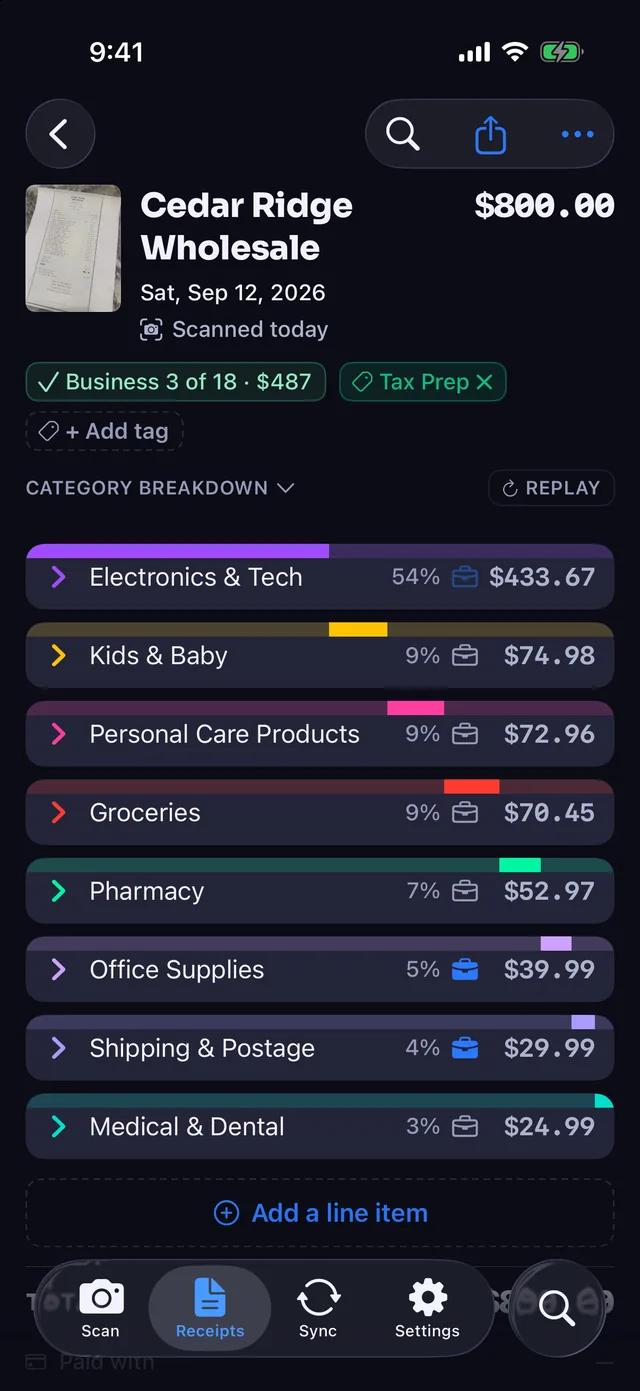
Every line item categorized automatically
Expensify SmartScan reads the merchant, date, total, and currency from a receipt. Receipt Rabbit reads every line item and assigns each one a category on every plan, including Free.
- 42 categories in 11 groups. Every line lands in a category, including a Work & Office group.
- Totals match the receipt. Coupons, discounts, taxes, and fees follow the main category so line items add up to the receipt total.
- Included on every plan. Even the Free plan with 30 scans a month categorizes every line item.
Separate business and personal items on the same receipt
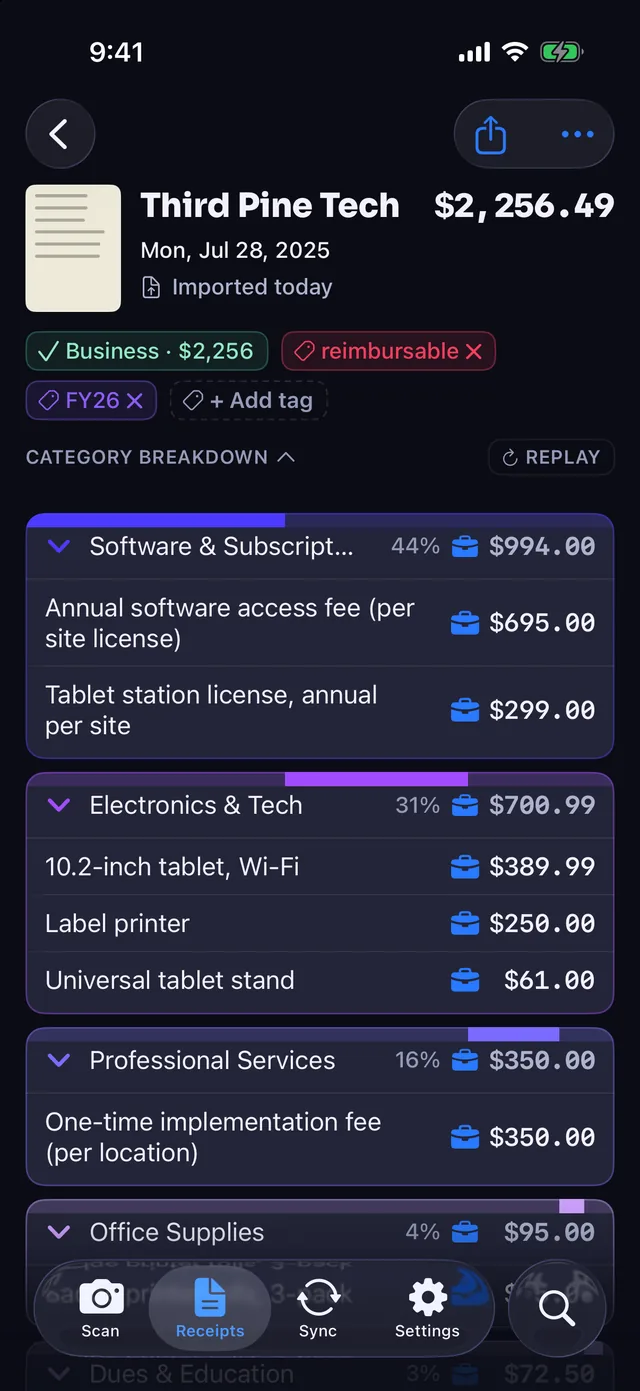
Splitting a mixed receipt in Expensify means manually dividing the expense into parts. Receipt Rabbit lets you mark individual lines as business or personal on one receipt.
- Tap lines to mark business. Leave personal items unmarked on the same receipt without typing amounts.
- Automatic Schedule C mapping. Your Tax Profile maps each business line to a Schedule C category.
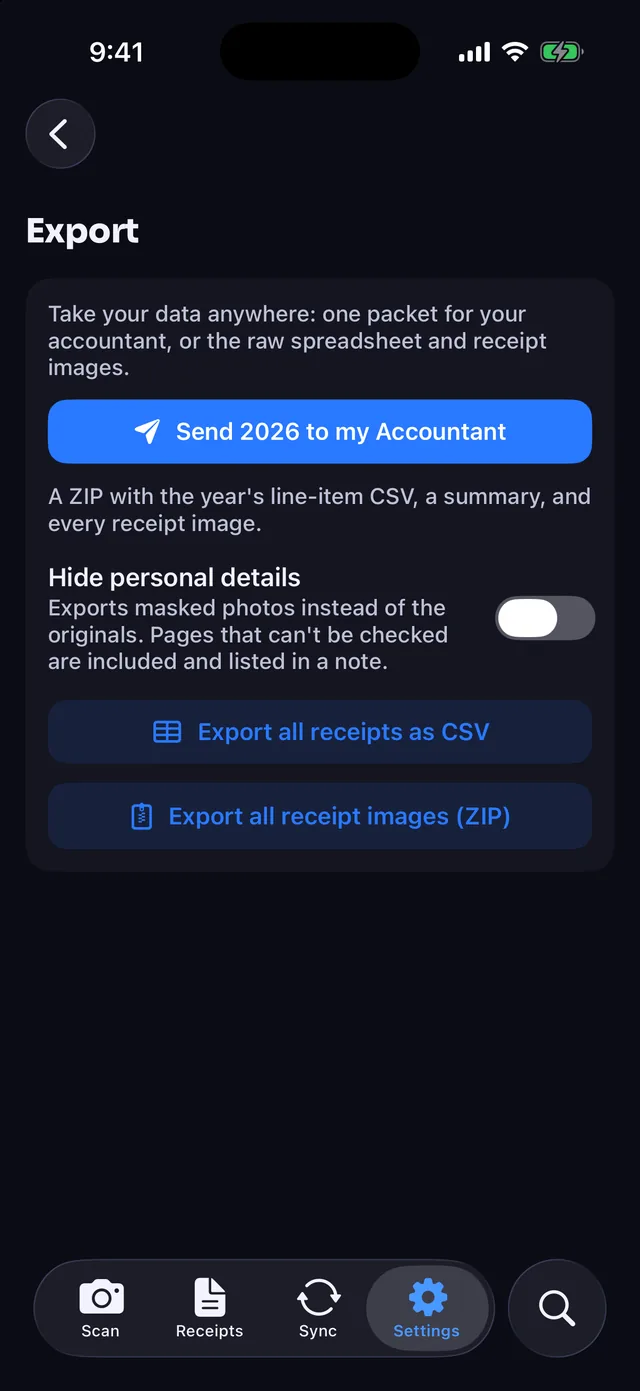
- Accountant export on Pro. Export one zip per tax year with images and a line-item master spreadsheet.
Post one clean split Expense to QuickBooks Online
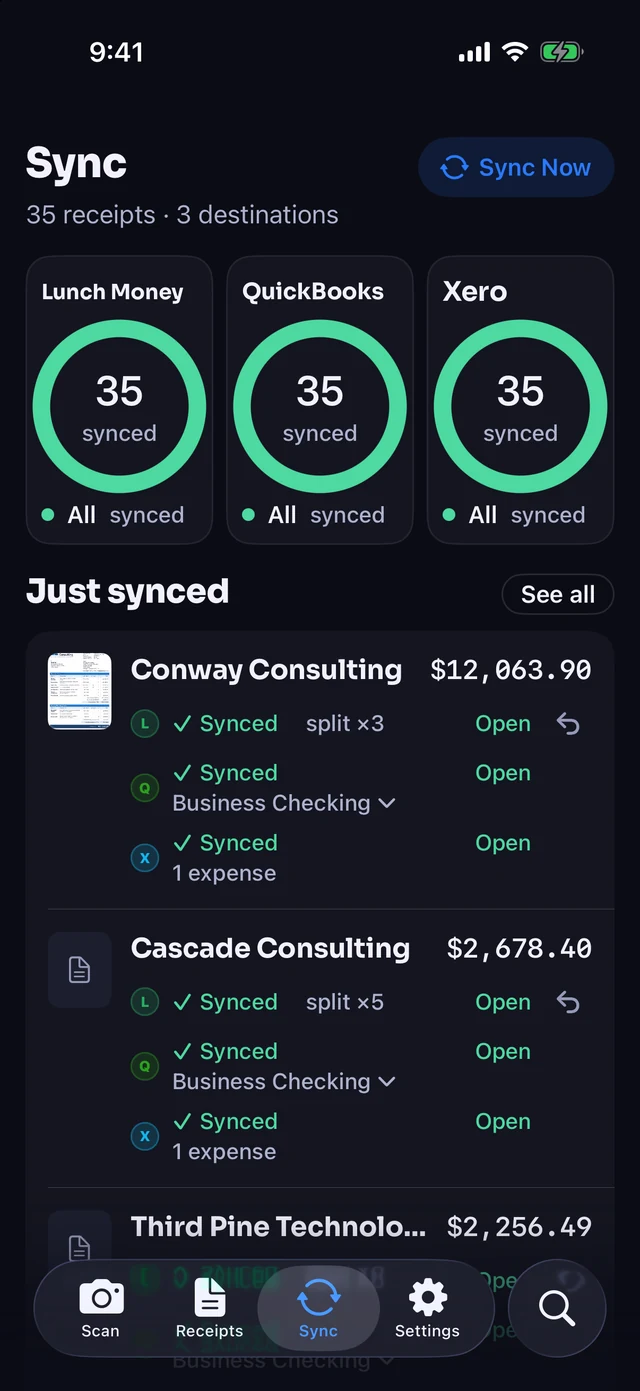
Map your categories to your QuickBooks chart of accounts once on Pro. Each receipt posts as one Expense split by category with the receipt image attached.
- Personal lines stay accounted for. Unmarked personal lines route to a non-business account you choose once.
- Full card charge matches. Your QuickBooks Expense equals the exact card total for bank-feed matching.
- Auto-sync or review first. Sync receipts on scan, or turn auto-sync off to check them first.
- Accounting permission only. Receipt Rabbit never asks for QuickBooks Payments permission and cannot move money.
Pro costs the same $60 a year as Expensify Collect ($5 per member a month) for one person, and splits lines automatically. Expensify splits are manual.
Pick the tool built for how you work
Choose Expensify if you need team workflows or mileage
- You submit to an approver. The free Submit workspace sends coded expenses to an employer or manager.
- You manage a team. Paid plans include multi-member workspaces, approval chains, and company cards.
- You track driving mileage. Expensify includes mileage with distance tracking in the app.
- You use an Android phone. Expensify has apps for both iOS and Android devices.
Choose Receipt Rabbit if you work solo on an iPhone
- You want automatic line-item splits. Every scan categorizes every line item without manual math or typing.
- You mix business and personal. Mark business lines on a single receipt and map them to Schedule C.
- You want zero account setup. Start scanning on iPhone with no account, sign-up, or login required.
- You want accounting sync. Connect QuickBooks Online or Xero on Pro, Lunch Money on Plus or Pro, or export free.
What Receipt Rabbit does not do
- iPhone only on iOS 18+. There is no Android or PC app.
- One person per subscription. The app has no approvals, multi-user workspaces, or company cards.
- No mileage tracking. Receipt Rabbit only handles receipts from photos, files, PDFs, and email.
- No bank or card connection. It has no bank or card connection of its own and does not extract bank statements.
- Metered monthly scan limits. Plans include 30 scans a month on Free, 100 on Plus, and 300 on Pro.
Questions people ask
Does Expensify SmartScan read individual line items?
Expensify's SmartScan page does not mention reading individual line items. It states that SmartScan reads the merchant, date, total, and currency from a receipt. Receipt Rabbit reads and categorizes every line item on every plan, including Free.
How does each app handle a receipt with both business and personal items?
Receipt Rabbit lets you mark individual line items as business or personal on the same receipt. Business lines map to Schedule C through your Tax Profile. In Expensify, you manually split the expense into separate parts and assign a category to each part.
Can I connect QuickBooks Online on a free plan?
Neither app includes QuickBooks Online on its free plan. Expensify requires the Collect plan at $5 per member a month ($60 a year). Receipt Rabbit includes QuickBooks Online and Xero on Pro for $8 a month or $60 a year ($5.00 a month).
How many free scans a month do I get?
Receipt Rabbit gives you 30 free scans a month with full line-item categorization. Plus gives you 100 scans a month for $4 a month or $30 a year, and Pro gives you 300 scans a month. Expensify does not state a monthly free SmartScan count on its pages.
How does Receipt Rabbit protect my receipt photos and card numbers?
On your iPhone, the app masks a compressed copy, blacking out card numbers, member IDs, cardholder names, phone numbers, and email addresses it finds. Receipts live on your iPhone and in your private iCloud. Receipt images are not kept on our servers after categorization.
Do I need QuickBooks, Xero, or Lunch Money to use Receipt Rabbit?
Receipt Rabbit works as a complete standalone receipt tracker on your iPhone. You can search by store, category, date, or item name, and organize receipts with color-coded tags. Every plan includes free exports of a line-item spreadsheet and a zip of receipt images at any time.
Spot an error on this page? Email support@receiptrabbit.io and we will correct it.
Download on the App Store for 30 free scans a month.
Sources, checked 2026-10-18
- Expensify SmartScan: use.expensify.com/receipt-scanning-app
- Expensify Help, split expenses: help.expensify.com/articles/new-expensify/r...
- Expensify Help, billing overview: help.expensify.com/articles/new-expensify/b...
- Expensify Help, connect to QuickBooks Online: help.expensify.com/articles/new-expensify/c...
- Expensify Help, connect to Xero: help.expensify.com/articles/new-expensify/c...
- Expensify mobile app: use.expensify.com/expensify-mobile-app
- Expensify Help, create an expense: help.expensify.com/articles/new-expensify/r...
- Receipt Rabbit by Pine River Labs: receiptrabbit.io
Expensify and SmartScan are trademarks of Expensify, Inc. QuickBooks, Lunch Money, Xero, iPhone, iCloud, and App Store are trademarks of their respective owners. Receipt Rabbit and Pine River Labs are not affiliated with, endorsed by, or sponsored by Expensify, Inc. or any other company mentioned on this page.